
Tapvid
Tapvid by Tapvid.ai is an AI explainer video generator that creates interactive motion graphics. It transforms PDFs, scripts, or prompts into explainer videos, product demos, and interactive content f
What is Tapvid?
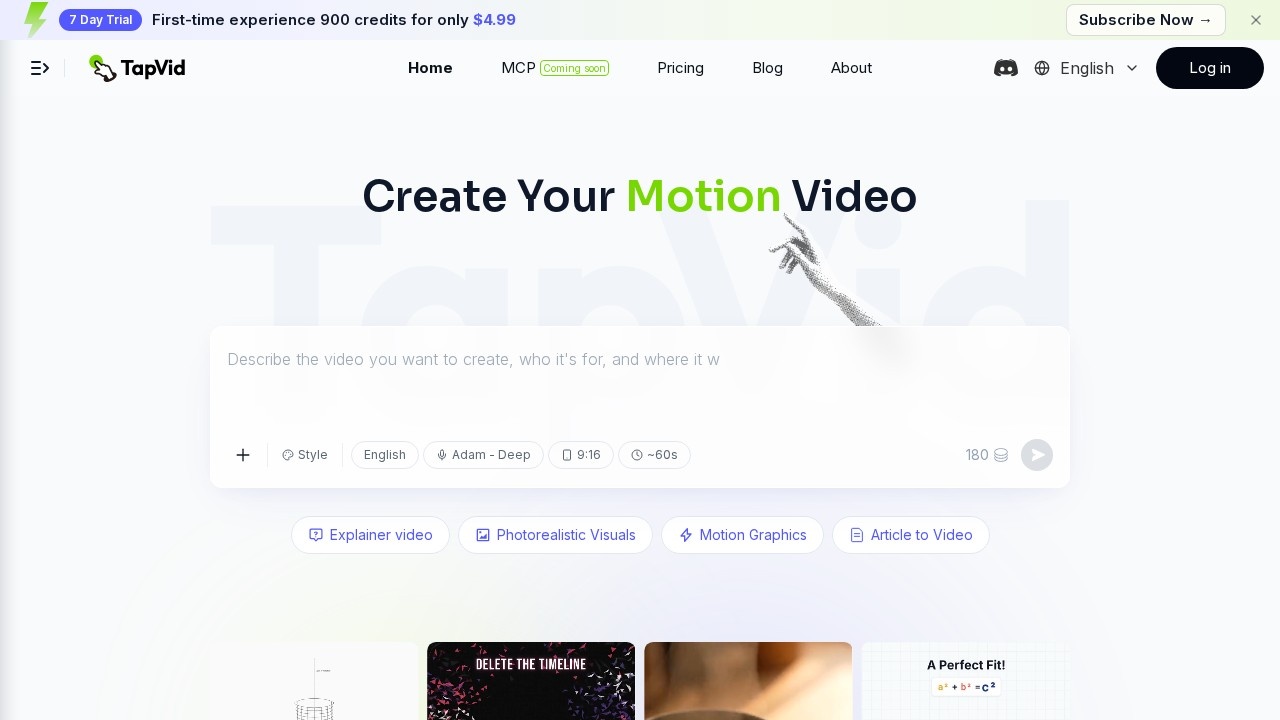
Tapvid is an AI explainer video generator that creates interactive motion graphics. It transforms prompts, PDFs, or links into complete explainer videos with motion graphics, requiring no editing or design work. Users can generate a publish-ready video in one shot, from outline to script to final output. The platform also supports natural language-driven editing, allowing anyone to refine videos with plain language commands.
Application scenarios
Explainer videos
Turn any prompt, PDF, or link into a motion graphics explainer video in about a minute.
Product demos
Create interactive product demonstrations using AI-generated motion graphics.
Article-to-video conversion
Convert written articles (like "Earth, Cobalt, Fire: How Chinese Porcelain Is Made") into animated video content.
Educational content
Produce tutorials on topics like "How to Play Go: Beginner Tutorial" or "Bread Baking 101."
Marketing and brand storytelling
Generate videos for brand stories like "Follow Builders: Where It All Began" or "Meet TapVid."
Data and process visualization
Animate complex processes like "Cybersecurity Breach Timeline" or "Poker Odds in Real Time."
Medical and scientific animation
Create 3D medical animations (e.g., "Wisdom Tooth Extraction: 3D Medical Animation") or science explainers (e.g., "The First Three Minutes of the Universe").
Core Features
Explainer video generation
Turn a prompt, PDF, or link into an explainer video with motion graphics in about a minute.
One-shot production
Upload content and get a complete video from outline to script to final output in a single step.
Natural language editing
Edit and refine videos using plain language commands, no specialized skills required.
Motion graphics styles
Choose from styles like Explainer video, Photorealistic Visuals, Motion Graphics, Article to Video, and more.
Remix functionality
Remix existing video templates (e.g., "Cinema Camera 360° Reveal," "Pixel Art Guide") to create new content.
Template library
Access a wide range of pre-made video templates covering topics from science to cooking to finance.
Multi-format input
Accept prompts, PDFs, and links as source material for video generation.
Target users
Content creators, marketers, educators, and business professionals who need to quickly produce explainer videos, product demos, or interactive content without video editing skills. The platform is especially useful for teams that need to scale video production across topics like science, finance, medical education, and brand storytelling.
How to use Tapvid?
- Visit the Tapvid.ai website.
- Choose your input format: prompt, PDF, or link.
- Select a video style (Explainer video, Photorealistic Visuals, Motion Graphics, etc.).
- Upload your content or enter your prompt.
- Tapvid generates a complete video from outline to script to final output.
- Use natural language commands to edit or refine the video if needed.
- Export your final motion graphics video.
Effect review
Tapvid delivers on its promise of one-shot video generation, transforming raw inputs into polished motion graphics explainers without any manual editing. The wide template library—covering topics from "How to Invest in SpaceX" to "Meiosis: Why Siblings Aren't Identical"—shows strong versatility across educational, scientific, and commercial use cases. The natural language editing feature is a standout, making video refinement accessible to non-technical users. For teams needing rapid, scalable video production, Tapvid offers a practical shortcut from concept to finished clip. However, the actual output quality and customization depth would depend on the AI's rendering capabilities, which aren't detailed in the provided content.
Frequently Asked Questions
What is Tapvid?
What types of content can I create with Tapvid?
How does Tapvid generate videos?
Can I customize the videos produced by Tapvid?
Is Tapvid easy to use for non-technical users?
What formats does Tapvid support for input?
Tapvid - AI Tool Detail
Tapvid by Tapvid.ai is an AI explainer video generator that creates interactive motion graphics. It transforms PDFs, scripts, or prompts into explainer videos, product demos, and interactive content f
Category:Video generation
Visit Link:https://tapvid.ai/
Tags:explainer video generator、interactive motion graphics、AI video creation、PDF to video、product demo maker