
PMB
A memory tool by PMB that gives Claude Code, Cursor, Codex, and Zed persistent, offline memory. Stores decisions, lessons, and facts in a local SQLite file—no API keys or cloud required.
What is PMB?
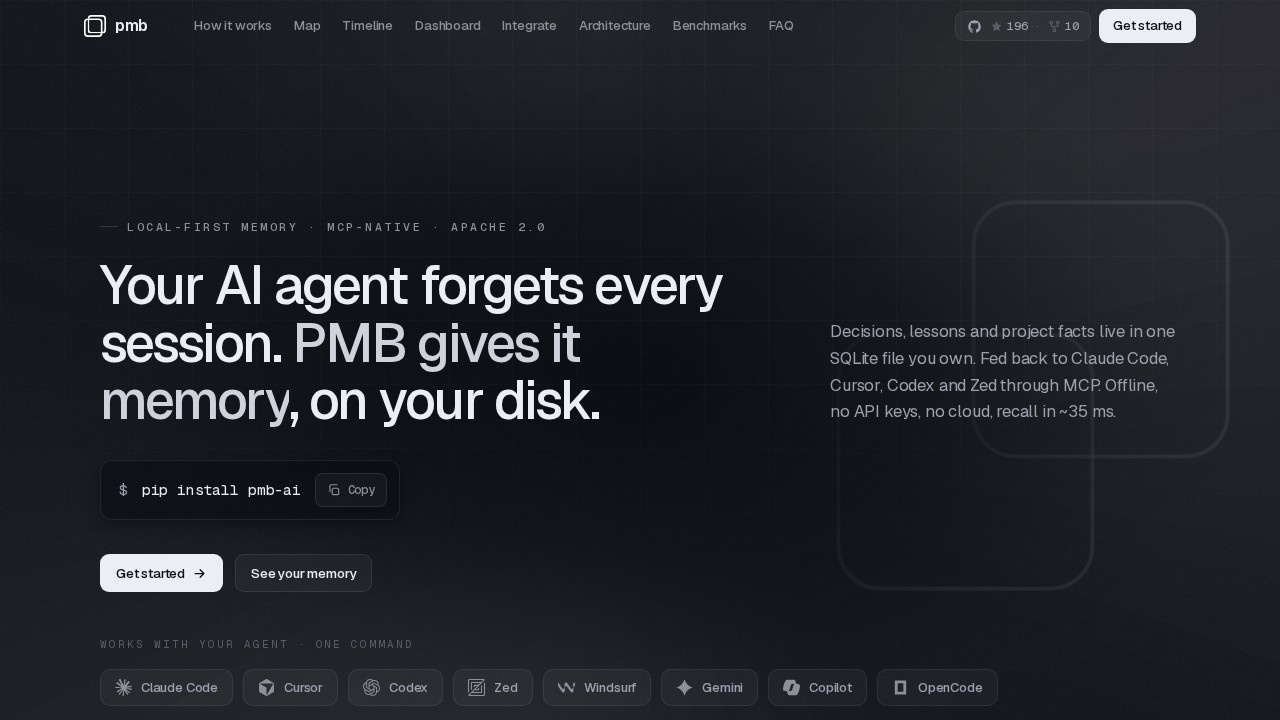
PMB is a local memory tool that gives Claude Code, Cursor, Codex, and Zed persistent, offline memory. It stores decisions, lessons, and facts in a local SQLite file—no API keys or cloud required. The tool automatically injects relevant memory before the model thinks and journals the agent's work after, with no LLM call on the read path. It’s Apache-2.0 licensed, open source, and runs 100% on your machine.Application scenarios
Re-explaining project context
Every session starts knowing your decisions, conventions, and past bugs—no more pasting the same context into a fresh chat.
Switching AI tools
Your context follows you across Claude Code, Cursor, Codex, and Zed, so switching agents costs nothing.
Tracking agent behavior over time
The timeline journal records every decision, lesson, and commit, newest first, with one lane per project.
Pruning ineffective memories
Lessons that aren’t followed are flagged dead, so you can prune what doesn’t help.
Exploring memory as a graph
Every fact, decision, lesson, file, and entity becomes a node you can hover over, dim, and read in full.
Debugging or auditing agent work
The map and timeline provide a live, visual record of what your agent has learned and done.
Core Features
Auto-recall on every prompt
Every message is classified in sub-milliseconds; matching lessons, decisions, and project overview are fetched before the agent reasons.
Sub-millisecond async writes
The MCP tool returns instantly—SQLite writes first, with embedding and vector insert running on a background thread.
Hybrid recall with ranked fusion
BM25 + dense vectors + entity graph + optional rerank are fused with Reciprocal-Rank-Fusion, achieving 94.5% recall@10.
Lesson scoring and pruning
Each rule is scored by whether the agent actually follows it; useful ones get starred, ignored ones are flagged dead.
Live entity graph
A color-coded, size-scaled graph you can explore—hover to dim unrelated nodes and read the full memory chunk.
Timeline journal
A git-graph-style journal with one lane per project, nodes color-coded by event type, connected by soft curves.
Local web dashboard
A real dashboard served from your machine, rendering the map and timeline live for one project’s memory.
Multi-tool support
Claude Code, Cursor, Codex, and Zed all read the same memory file, so context follows you, not your editor.
Target users
Developers and teams who use AI coding agents (Claude Code, Cursor, Codex, Zed) and want persistent, offline memory without cloud dependency. Ideal for solo coders, small teams, and power users who need to stop re-explaining project conventions, track agent behavior over time, and maintain a trustworthy context that compounds across sessions.How to use PMB?
PMB is installed locally and runs as a local web app served from your machine. The website does not detail a sign-up or setup flow, but based on the text, you would install the open-source tool, configure it to hook into your agent (Claude Code, Cursor, Codex, Zed), and then use the dashboard to explore the map, timeline, and lesson scores. For exact installation steps, refer to the official site at https://pmbai.dev/.Effect review
The feature set is well-engineered for a niche pain point: persistent, offline memory for AI coding agents. The hybrid recall (94.5% recall@10) and sub-millisecond read/write speeds suggest a production-ready tool that won’t slow down your workflow. The live graph and timeline dashboard provide real transparency into what your agent remembers, and the lesson-scoring system helps keep memory honest and actionable. However, no user feedback or quality metrics are provided on the site, so real-world effectiveness depends on how well the tool integrates with your specific agent setup. For developers tired of re-pasting context every session, PMB looks like a solid, trustable solution.Frequently Asked Questions
What is PMB?
Which AI tools does PMB support?
How does PMB store data?
Does PMB require an internet connection or API keys?
What kind of information can PMB remember?
Is PMB free to use?
PMB - AI Tool Detail
A memory tool by PMB that gives Claude Code, Cursor, Codex, and Zed persistent, offline memory. Stores decisions, lessons, and facts in a local SQLite file—no API keys or cloud required.
Category:Skill
Visit Link:https://pmbai.dev/
Tags:offline memory、claude code、cursor、codex、local sqlite