
PDF to MD Converter
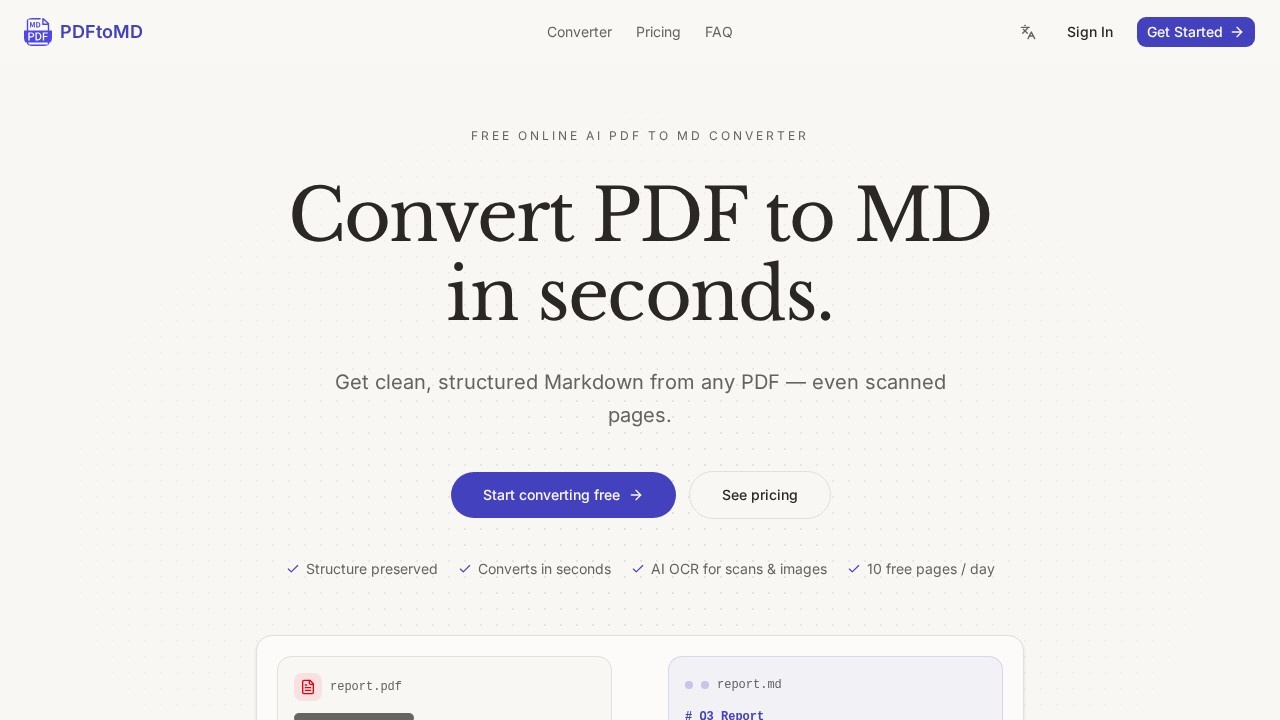
PDF to MD Converter by pdf-to-md.net uses AI OCR to turn any PDF, including scans, into clean, structured Markdown. It offers 3 free pages daily without sign-up, or 10 with a free account.
What is PDF to MD Converter?
PDF to MD Converter is a free online tool that transforms PDF files—including scanned pages and image-based documents—into clean, structured Markdown. It uses AI-powered OCR and vision models to extract text, headings, lists, tables, formulas, and even seals, preserving the original document structure. Users rely on it to quickly convert fixed PDF layouts into portable, editable Markdown for note-taking apps, documentation systems, or AI preprocessing workflows. The tool works entirely in the browser with no installation required, and supports up to 10 free pages per day with a free account.
Application scenarios
Document note-taking
Convert PDF reports or meeting notes into Markdown for use in Obsidian or Notion.
Content republishing
Extract structured text from PDFs to reuse in static-site generators, blogs, or Git repositories.
AI workflow preprocessing
Turn PDFs into Markdown for better handling by large language models in RAG pipelines or chatbots.
Academic research
Convert scanned papers or image-based PDFs into searchable, editable Markdown with OCR.
Documentation management
Migrate legacy PDF documentation into version-controlled Markdown files for team collaboration.
Data extraction
Reconstruct tables, formulas, and seals from scanned documents as structured Markdown.
Core Features
AI OCR for scans & images
Scanned pages and image-based PDFs are read by AI-powered OCR and vision models, reconstructing tables, formulas, and seals as structured Markdown.
Structure preservation
Headings, paragraphs, and lists are detected and written as proper Markdown syntax, avoiding a wall of unformatted text.
Accurate extraction
Digital PDFs come out with correct reading order, no OCR noise, and no scrambled characters—the engine reads the real text layer.
Built for speed
Most documents convert from PDF to MD in seconds, ready to copy directly into an editor.
Conversion history
Every conversion is saved to your account, allowing you to re-copy or re-download the Markdown output anytime, from any device.
SOTA OCR models
State-of-the-art OCR and vision models handle fast plain-text recognition and full structural reconstruction of complex elements.
No sign-up required for basic use
Drop a PDF directly on the homepage to get clean Markdown without creating an account.
File size flexibility
Free plan supports up to 10 pages per file; paid plans allow up to 200 pages per file.
Target users
- Content creators and writers who need to repurpose PDF content into Markdown for blogs or documentation.
- Developers and engineers who want to integrate PDF-to-Markdown conversion into AI workflows or Git-based documentation.
- Researchers and academics dealing with scanned papers or image-heavy PDFs that require accurate OCR.
- Note-taking power users who use Obsidian, Notion, or similar tools and want to import PDFs as structured notes.
- Documentation teams migrating legacy PDFs into version-controlled Markdown repositories.
How to use PDF to MD Converter?
- Upload your PDF: Drag and drop a PDF file onto the homepage, or click to browse—up to 10 pages per file on the Free plan, up to 200 pages on paid plans.
- Automatic conversion: The engine extracts text, headings, and lists; scanned pages are processed by AI-powered OCR. No settings or installation required.
- Copy or download: Grab the .md file or copy the Markdown to your clipboard. Your conversion history saves every result for later access from any device.
Pricing and free trial
- Free tier (no account): 3 free pages per day without sign-up.
- Free tier (with account): 10 free pages per day.
- Paid plans: Support up to 200 pages per file (details on pricing page at pdf-to-md.net).
Effect review
PDF to MD Converter delivers exactly what it promises: fast, accurate conversion from PDF to clean Markdown, even for scanned documents. The AI OCR handles complex elements like tables and formulas reliably, and the structure preservation means minimal manual cleanup. For free users, the 3–10 daily page limit is generous for occasional use, while paid plans accommodate heavy workloads. The conversion history feature is a practical bonus for revisiting past results. Overall, it's a solid, no-fuss tool for anyone who regularly needs to extract structured text from PDFs.
Frequently Asked Questions
What is PDF to MD Converter?
Is the tool free to use?
Do I need to create an account to use it?
Can it handle scanned PDFs?
What output format does it produce?
Is my data secure?
PDF to MD Converter - AI Tool Detail
PDF to MD Converter by pdf-to-md.net uses AI OCR to turn any PDF, including scans, into clean, structured Markdown. It offers 3 free pages daily without sign-up, or 10 with a free account.
Category:Document processing
Visit Link:https://pdf-to-md.net/
Tags:PDF to Markdown、AI OCR、PDF converter、Markdown converter、free PDF tool