
Manualfig
Manualfig by Manualfig AI transforms product photos into clean line drawings, numbered assembly instructions, and quick-start figures. Ideal for manuals, IFU panels, and support pages, it exports PNG
What is Manualfig?
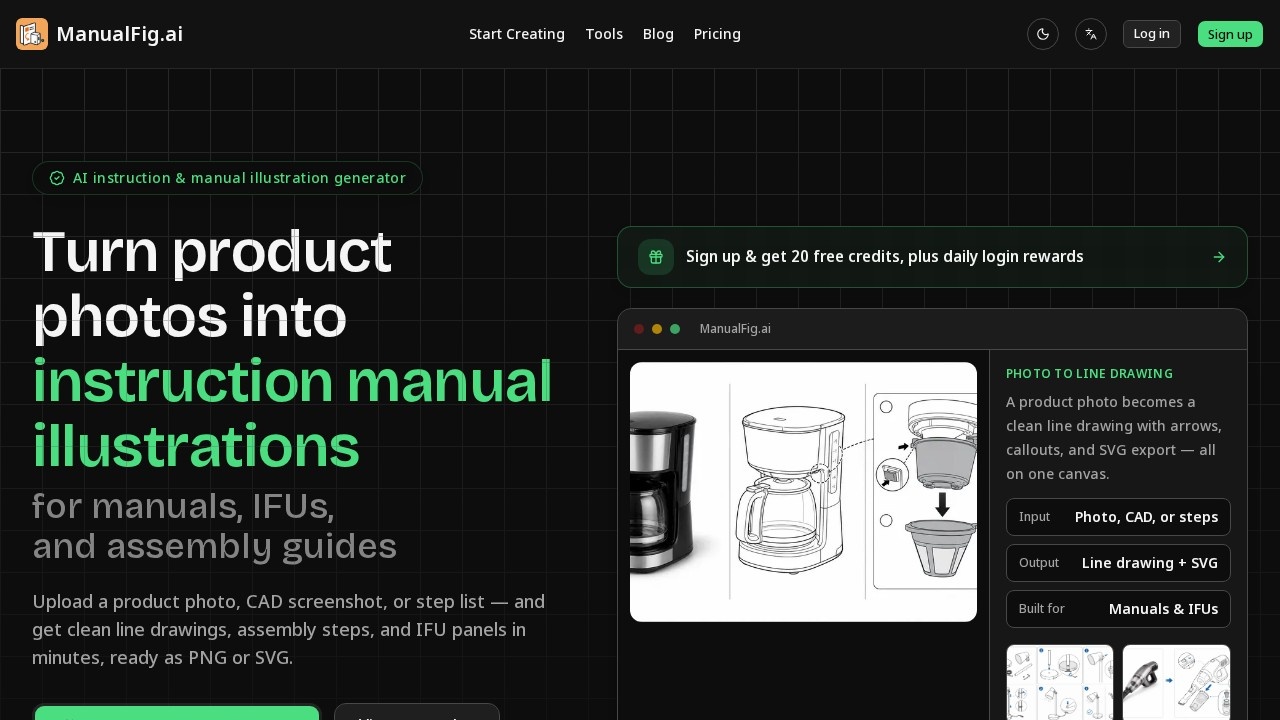
Manualfig is an AI-powered instruction and manual illustration generator that converts product photos, CAD screenshots, or step lists into clean line drawings, numbered assembly steps, and IFU panels. Users upload a photo or written procedure and receive manual-ready figures with arrows, callouts, and warnings in minutes. The tool exports PNG or SVG files, making it a direct fit for product manuals, packaging inserts, and help-center documentation. It is built specifically for instructional content, not marketing visuals.
Application scenarios
Assembly instructions
Turn a product photo into numbered, step-by-step assembly panels with arrows and part callouts.
IFU (Instructions for Use) panels
Generate safety-compliant figures with hazard symbols, warnings, and correct/incorrect comparisons.
Work instructions
Create clean line drawings for internal work-instruction systems and standard operating procedures.
Packaging inserts
Export figures sized for physical inserts that ship with products.
Help-center articles
Produce consistent illustrations for online support pages and user guides.
Existing manual pages
Upload a current manual page or sketch and convert it into a consistent line-drawing style.
Core Features
Photo to line drawing
Upload a product photo or CAD screenshot and get a simplified line drawing that keeps the real shape while removing reflections and clutter.
Numbered step panels
Generate one-action-per-panel figures with arrows, part callouts, and a clear finished state for readers to confirm.
Safety and warning elements
Add hazard symbols, pinch-point indicators, polarity markers, and correct/incorrect (do/don’t) panels automatically.
Plain-language editing
Tweak any figure by describing the change in a sentence—no design skills or hand-tracing required.
PNG and SVG export
Download figures in formats ready for product manuals, packaging inserts, and work-instruction systems.
Multiple input types
Start from a product photo, CAD screenshot, supplier image, sketch, existing manual page, or a written step list.
Consistent style reuse
Apply the same drawing style across manuals, user guides, packaging inserts, and help articles.
Version history
Keep every version of a figure as you edit, so you can track changes and revert if needed.
One-canvas workflow
Manage the line drawing, arrows, callouts, and SVG export on a single canvas.
Target users
Manualfig serves technical documentation teams, product managers, and support staff who need instruction figures without hiring an illustrator. It also fits engineers and manufacturers who produce assembly guides, IFU panels, or work instructions and want to avoid paying per-figure for hand-traced line art. Anyone responsible for customer-facing manuals or internal procedure documents can use it directly.
How to use Manualfig?
Sign up on the Manualfig website to get 20 free credits, plus daily login rewards. Upload a product photo, CAD screenshot, supplier image, sketch, or written step list. Describe the step in plain words, then generate the line drawing or numbered steps. Edit any figure with a sentence, keep every version, and export PNG or SVG straight into your documentation. No design skills are needed.
Pricing and free trial
Manualfig offers a free tier: sign up and receive 20 free credits, plus daily login rewards. Paid projects are not publicly showcased, and data is encrypted in transit and at rest. Specific paid pricing tiers are not listed on the site.
Effect review
Manualfig addresses a real bottleneck: turning product photos into clean, instruction-ready line art typically takes days of hand-tracing or per-figure illustrator costs. The tool’s focus on numbered steps, warnings, and correct/incorrect panels matches what IFUs and assembly guides actually require, rather than producing glossy marketing renders. The ability to edit figures with plain sentences and export PNG or SVG directly into documentation workflows makes it practical for teams without design resources. The free 20-credit trial plus daily rewards lowers the barrier to testing it on real projects. For teams tired of support emails caused by unclear manuals, this is a focused, credible solution.
Frequently Asked Questions
What is Manualfig?
What file formats does Manualfig support for export?
Can Manualfig handle complex product photos?
Is Manualfig suitable for creating IFU (Instructions for Use) panels?
Does Manualfig require any design skills?
Can I customize the numbering or labels in Manualfig?
Manualfig - AI Tool Detail
Manualfig by Manualfig AI transforms product photos into clean line drawings, numbered assembly instructions, and quick-start figures. Ideal for manuals, IFU panels, and support pages, it exports PNG
Category:Image editing
Visit Link:http://manualfig.ai/
Tags:line drawing generator、assembly instructions、technical illustration、product manual、PNG export