
LunoPeak
A free local dashboard for developers using Claude Code, Codex, and Cursor to track sessions, repos, costs, and configs without an account or cloud sync.
What is LunoPeak?
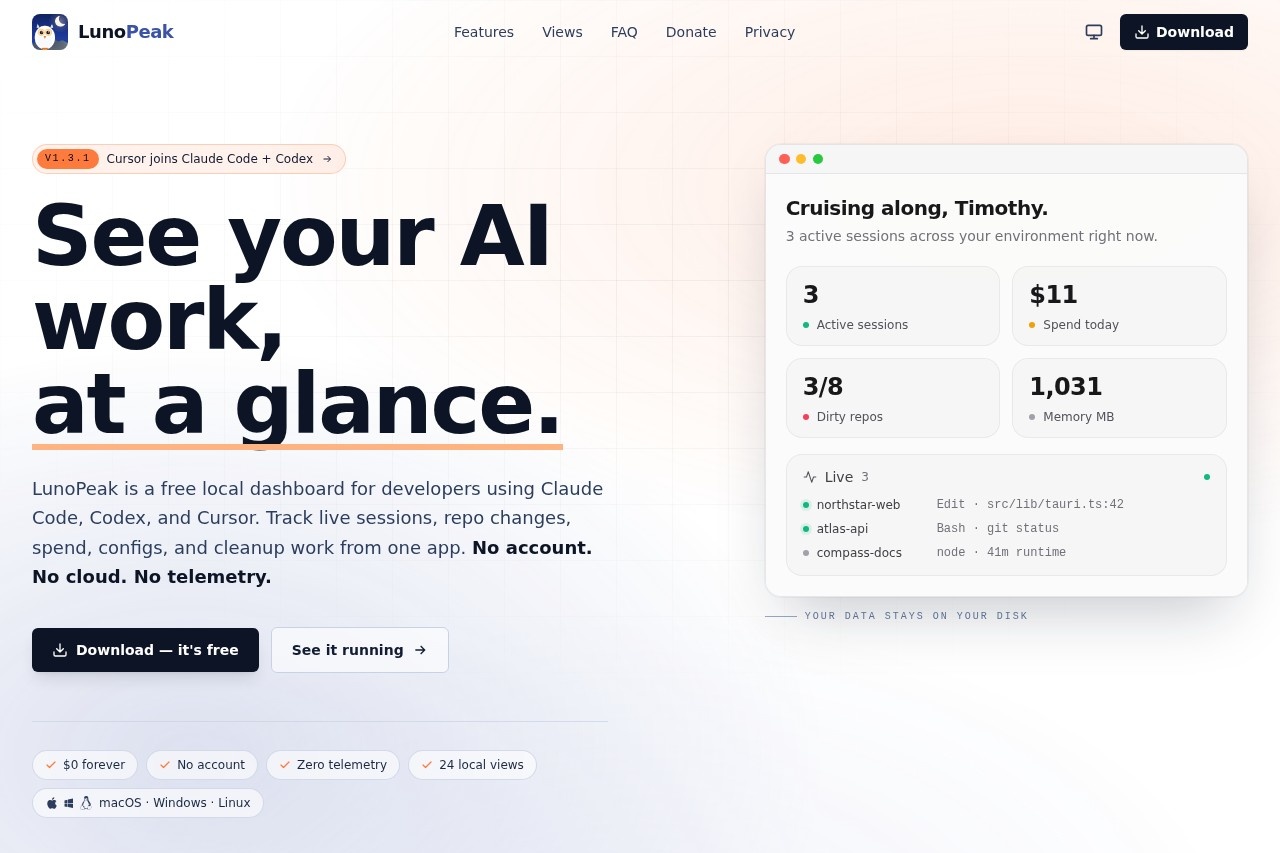
LunoPeak is a free, local dashboard for developers who use Claude Code, Codex, and Cursor. It tracks live AI sessions, repo changes, spend, configs, and cleanup work from a single app. No account, cloud sync, or telemetry is required—all data stays on your disk. It runs on macOS, Windows, and Linux, and is available as a download.
Application scenarios
Monitor active AI sessions
See what’s running across your environment in real time, including session duration and memory usage.
Track AI tool spend
View daily, weekly, and per-repo costs to avoid invoice surprises.
Review repo health
Check dirty repos, uncommitted changes, and hygiene flags for cleanup.
Replay session transcripts
Step through any session’s tool calls and edits to understand what happened.
Analyze tool performance
Identify fastest, slowest, and riskiest tool calls across Claude Code, Codex, and Cursor.
Manage rate limits
See remaining usage for Claude Code, Codex, and Cursor plans, including message counts and reset timers.
Core Features
Dashboard overview
See active sessions, spend, repo status, and recent work at a glance before opening a terminal.
Live session tracking
View sessions running right now, with details like generating, active, or idle status.
Session history
Searchable, filterable history across Claude Code, Codex, and Cursor sessions.
Transcript replay
Step through any session’s tool calls and edits to replay what happened.
Cost tracking
Monitor daily, weekly, and per-repo spend with breakdowns by session and tool.
Repo health monitoring
Check dirty repos, uncommitted changes, and hygiene flags for cleanup.
Rate limit monitoring
View remaining usage for Claude Code (max plan), Codex (plus plan), and Cursor (pro plan), including message counts and reset timers.
Activity timeline
See a 30-day view of commits and sessions with week-over-week change percentages.
Top tools report
See the most-used tools over the last 7 days (e.g., Read, Edit, Bash) with counts.
Open ports view
Identify which ports are open on your machine, including process names.
Target users
LunoPeak is built for developers who use AI coding assistants like Claude Code, Codex, and Cursor in their terminal workflow. It’s ideal for individual developers, freelancers, and small teams who want visibility into their AI usage, costs, and repo hygiene without relying on cloud services or creating accounts.
How to use LunoPeak?
Download the app from the official website for macOS, Windows, or Linux. Open the app and go—no account creation or configuration needed. The dashboard loads automatically, showing active sessions, spend, repo status, and recent work. Use the sidebar to switch between views: Overview, Live, Sessions, Transcripts, Tools, and Costs.
Pricing and free trial
LunoPeak is $0 forever with no trial, tier, or card required. It offers 24 local views, and all data stays on your disk with zero telemetry.
Effect review
LunoPeak delivers exactly what it promises: a zero-cost, zero-account local dashboard that gives developers real-time visibility into their AI coding sessions. The feature set is comprehensive for a free tool—covering live tracking, cost monitoring, repo hygiene, and rate limit checks across three major AI assistants. The lack of cloud sync and telemetry is a strong privacy advantage for developers who prefer local-first tools. While the interface appears functional rather than flashy, the core capabilities are practical and immediately useful for anyone managing multiple AI-driven terminal sessions.
Frequently Asked Questions
What is LunoPeak?
Is LunoPeak free to use?
Does LunoPeak require cloud sync or an account?
Which AI coding tools does LunoPeak support?
What data can I track with LunoPeak?
How do I install LunoPeak?
LunoPeak - AI Tool Detail
A free local dashboard for developers using Claude Code, Codex, and Cursor to track sessions, repos, costs, and configs without an account or cloud sync.
Category:Programming Assistant
Visit Link:https://lunopeak.com/
Tags:developer tools、AI coding、cost tracking、local dashboard、Claude Code