
Imagine 2.0
Imagine 2.0 by Grok is an AI video generator that transforms prompts and reference images into polished short videos, supporting Grok Imagine V2 and Grok Video 2.0 model workflows.
What is Imagine 2.0?
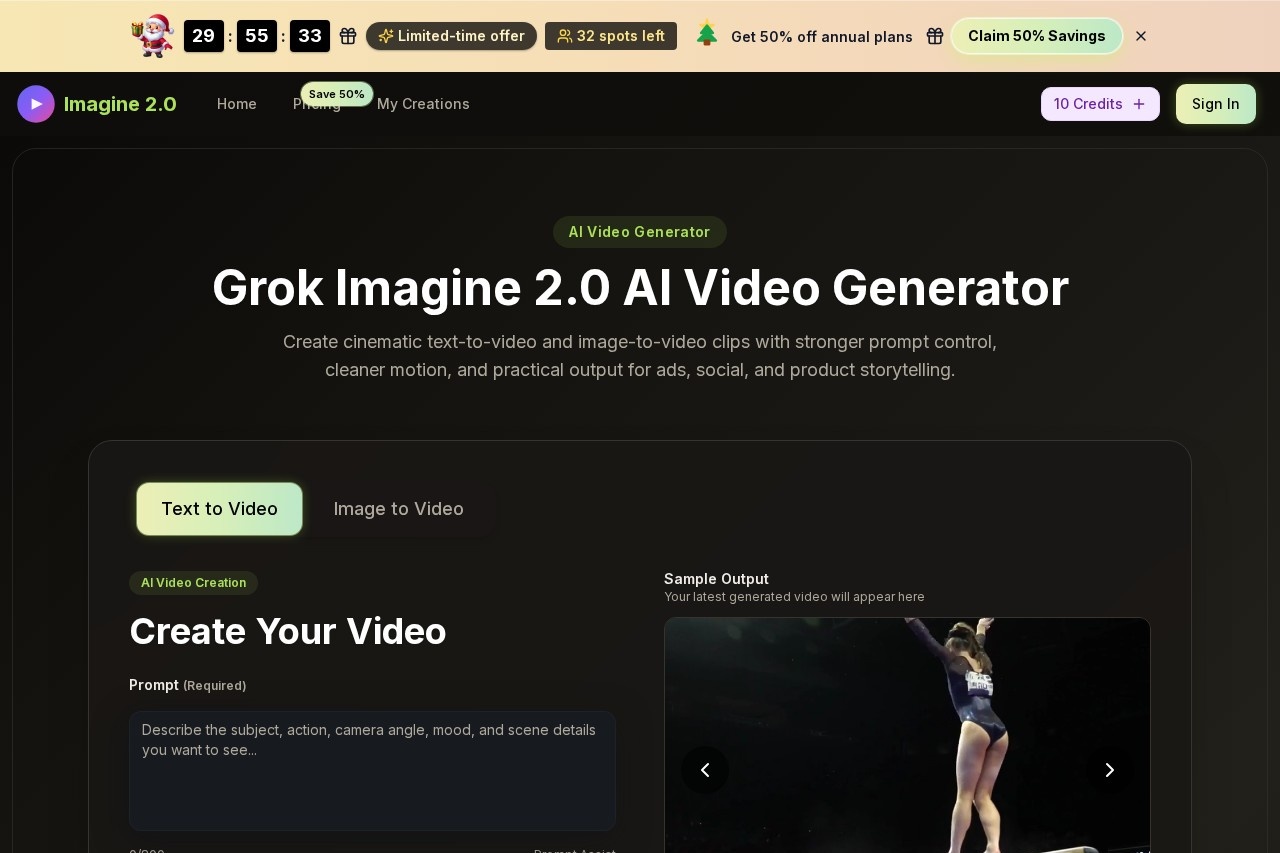
Imagine 2.0 is an AI video generator by Grok that transforms text prompts and reference images into polished short videos. It supports two model workflows: Grok Imagine V2 and Grok Video 2.0. Users can create cinematic text-to-video and image-to-video clips with stronger prompt control, cleaner motion, and practical output for ads, social content, and product storytelling. The tool runs entirely in a browser, offering a directed video production experience closer to directing than guessing.
Application scenarios
Advertising
Generate polished short clips for ad campaigns with cleaner motion and realistic detail.
Social media content
Create shareable videos for platforms like Instagram, TikTok, or YouTube Shorts.
Product storytelling
Turn product images or prompts into demo clips and store listings.
Concept drafting
Quickly produce concept drafts for creative projects or client pitches.
Portrait motion
Upload a reference image to keep the same person’s face/style consistent while adding natural movement.
Branded short videos
Produce branded clips with a wide style range—realistic, cinematic, anime, or artistic.
Core Features
Text-to-video and image-to-video
Start with a written prompt or upload a reference image to generate video clips.
Prompt Assist
Get help writing prompts with up to 800 characters.
Aspect ratio selection
Choose from 16:9, 9:16, 4:3, 3:4, 21:9, or 1:1.
Video quality options
Output in 720p HD or 1080p Full HD.
Video duration control
Generate clips of 5 or 10 seconds.
Bold Mode
Optionally push the output vibe further for more punchy results, while staying within safe boundaries.
Style range
Switch between realistic, cinematic, anime, or artistic styles without rebuilding your whole prompt.
Identity + I2V (Image-to-Video)
Upload one reference image to keep the person’s face/style consistent across the entire clip, with natural movement.
Camera + physics control
Use simple words to request pans, zooms, focus shifts, or dynamic camera moves, with proper motion handling.
Target users
Content creators, social media managers, advertisers, product marketers, and video editors who need fast, controllable short video clips. The tool is also useful for concept artists and anyone producing branded or product-focused video content for publishing.
How to use Imagine 2.0?
- Open the Imagine 2.0 website in your browser.
- Choose how to start: select Text to Video or Image to Video.
- Write a clear prompt (up to 800 characters) or upload a reference image. Optionally use Prompt Assist for help.
- Adjust settings: pick aspect ratio, video quality (720p or 1080p), duration (5 or 10 seconds), and style (realistic, cinematic, anime, artistic). Enable Bold Mode if desired.
- Click Start Generation to create your video.
- Preview the result, tweak the prompt if needed, and download the final clip for use anywhere.
Effect review
Imagine 2.0 delivers a practical, browser-based workflow for generating short videos that feel more directed than random. The combination of identity consistency (I2V) and camera/physics control gives creators real influence over the output, while the wide style range and Bold Mode allow for creative flexibility. The tool is built for real-world publishing scenarios like ads and social content, not just experimental drafts. For users who need fast, controllable video clips with cleaner detail and realistic motion, Imagine 2.0 offers a solid, no-guesswork solution.
Frequently Asked Questions
What is Imagine 2.0?
What models does Imagine 2.0 support?
Can I use my own images as input?
Is Imagine 2.0 free to use?
What kind of videos can Imagine 2.0 create?
Imagine 2.0 - AI Tool Detail
Imagine 2.0 by Grok is an AI video generator that transforms prompts and reference images into polished short videos, supporting Grok Imagine V2 and Grok Video 2.0 model workflows.
Category:Video generation
Visit Link:https://www.imagine20.com/
Tags:AI video generator、text-to-video、image-to-video、Grok models