
Glaze
Glaze by Glaze Software is a macOS tool for building custom software tailored to your team's needs. It connects seamlessly to your files, tools, and hardware, enabling efficient local development and
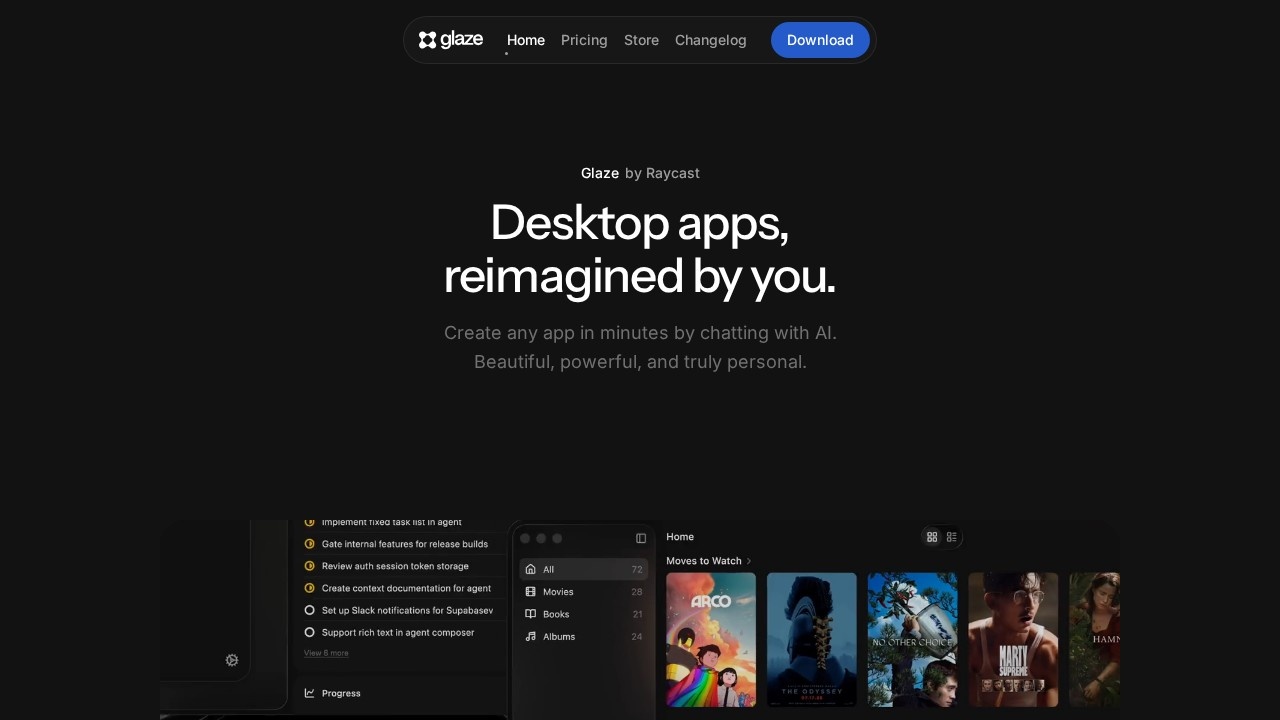
What is Glaze?
Glaze is a macOS desktop app that lets you build custom software by describing what you want in plain language. It creates native desktop apps that run locally on your machine, with no server or internet connection required. The apps are OS-integrated, meaning they can access your file system, keyboard shortcuts, menu bar, and background processes. Glaze is designed for building internal team tools, personal utilities, and workflow automations that fit exactly how you work.Application scenarios
Internal team tools
Build custom software around your team's existing tools and processes, then share privately via a Team plan's private store.
Personal utilities
Create one-off apps for quick tasks like file management, note-taking, or data processing.
Menu bar apps
Develop lightweight tools that live in your Mac's menu bar for instant access.
Workflow automations
Automate repetitive tasks by connecting to your local files, APIs, and hardware.
Public app publishing
Release apps to the Glaze Store for anyone to discover, download, and use.
AI integration
Hook into AI models or any service with an API to build intelligent desktop tools.
Core Features
Local-first architecture
Apps run entirely on your Mac, with no server or internet connection needed—your data stays on your machine.
OS integration
Access files, tools, keyboard shortcuts, menu bar, and background processes on your operating system.
Plain-language app creation
Describe what you want in natural language, and Glaze builds the app for you.
Iterative editing
If something isn't right, just talk to Glaze and change it—no coding required.
Code access for developers
If you know how to code, you can shape the app further by editing the underlying code.
Publishing and sharing
Share apps with anyone who has Glaze installed; publish publicly to the Glaze Store or privately (Pro plan for unlisted 1:1 sharing, Team plan for a private team store).
API and hardware connectivity
Connect to your APIs, local files, hardware, and AI models—anything with an API.
Cross-platform future
Currently requires macOS Tahoe and Apple Silicon; Windows and Linux support are planned.
Target users
Glaze is for anyone who needs custom desktop software without writing code—team leads building internal tools, developers who want rapid prototyping, and power users creating personal utilities. It's also for teams that need private, OS-integrated apps that work offline and connect to their existing tools and data.How to use Glaze?
Download Glaze for Mac (requires macOS Tahoe and Apple Silicon). Describe what you want in plain language, and Glaze builds the app. If something isn't right, talk to it to make changes. You can share apps with others—they just need Glaze installed and to be signed in to their account (no paid subscription required to run shared apps). For private sharing, use the Pro or Team plan.Pricing and free trial
The website does not state specific prices or free trial details. It mentions a Pro plan for unlisted app sharing and a Team plan for a private team store, but no dollar amounts or trial periods are provided.Effect review
Glaze fills a clear gap between browser-based AI app builders (like Lovable or Replit) and full native development. Its local-first, OS-integrated approach means your apps can actually interact with your Mac's file system, keyboard shortcuts, and hardware—something browser tools can't do. The ability to build by describing what you want, then iterate by talking to the AI, makes it accessible to non-coders while still letting developers dive into the code. The emphasis on offline functionality and data staying on your machine is a strong privacy advantage. For teams needing custom internal software that works with their existing tools and processes, Glaze offers a practical, low-friction path from idea to working desktop app.Frequently Asked Questions
What is Glaze?
What platforms does Glaze support?
Does Glaze require an internet connection?
Can Glaze integrate with existing tools and hardware?
Is Glaze suitable for non-technical users?
How does Glaze differ from other development tools?
Glaze - AI Tool Detail
Glaze by Glaze Software is a macOS tool for building custom software tailored to your team's needs. It connects seamlessly to your files, tools, and hardware, enabling efficient local development and
Category:Programming Assistant
Visit Link:https://www.glaze.app/
Tags:macOS development、local AI tools、custom software、team workflow automation