
Beauty Diagram
Online Mermaid and PlantUML editor by Beauty Diagram that beautifies flowcharts and activity diagrams, with draw.io import on Pro, and exports presentation-ready SVG or PNG for docs, decks, and review
Beauty Diagram Review
What is Beauty Diagram?
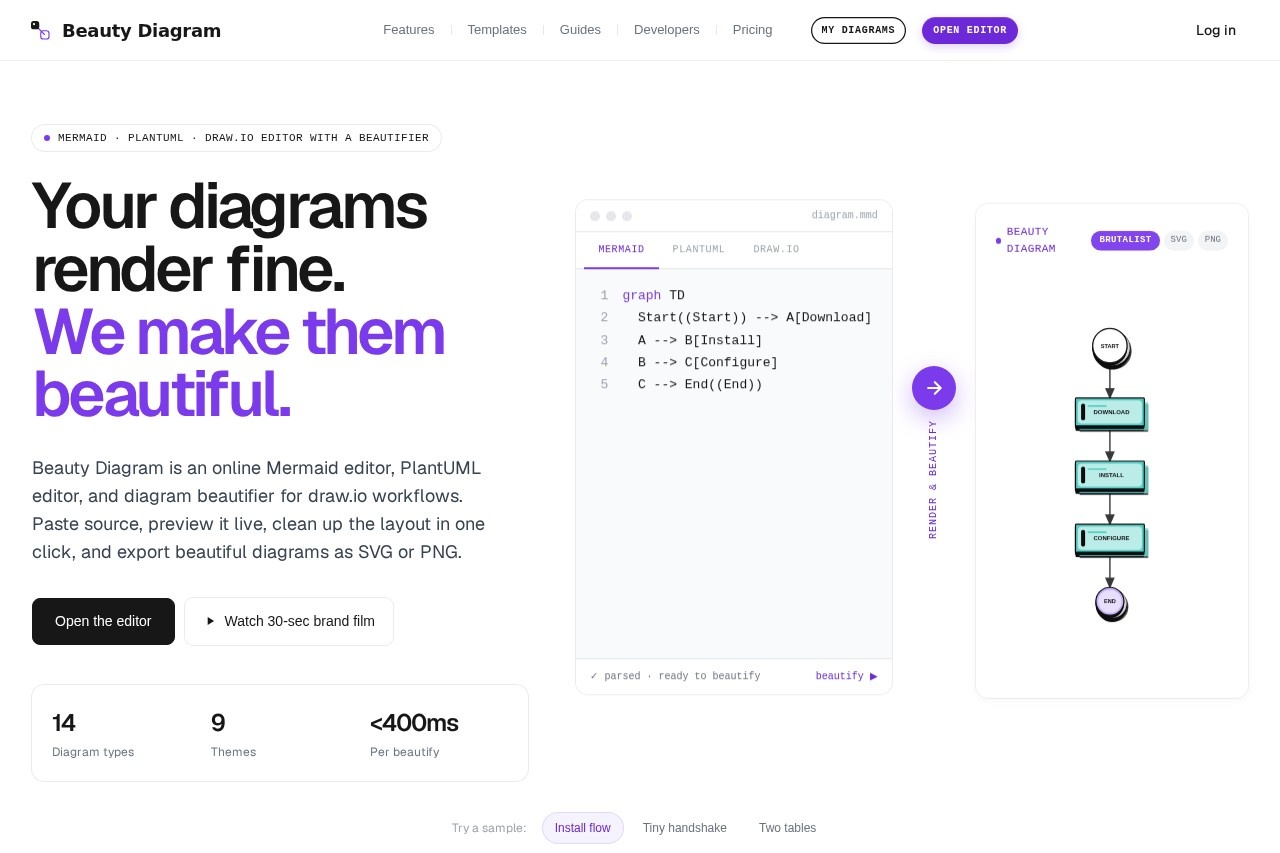
Beauty Diagram is an online editor for Mermaid, PlantUML, and draw.io diagrams that focuses on beautifying flowcharts and activity diagrams. It takes your existing diagram source code and re-renders it with presentation-grade styling, orthogonal routing, and modern typography. Users paste their code, preview it live, clean up the layout in one click, and export as SVG or PNG. It’s designed for anyone who needs version-controllable diagrams that look polished enough for slides, docs, or decks.Application scenarios
Documentation
Beautify Mermaid or PlantUML diagrams for technical docs, README files, or wikis without rewriting source code.
Presentations
Export presentation-ready SVG or PNG diagrams with themes that match slide decks (modern, atlas, obsidian, atelier).
Code review
Use animated SVG previews (layer, charge, laser, pulse) to clarify sequence and direction in flowcharts without modifying the source.
Team workflows
Import draw.io files (Pro feature) and re-layout them with orthogonal routing for cleaner diagrams.
Dark-mode READMEs
Switch themes to obsidian or atelier for diagrams that render well on dark backgrounds.
Rapid prototyping
Paste Mermaid or PlantUML code, beautify in under 400ms, and export for immediate use in design reviews.
Core Features
Re-layout for flowcharts
Mermaid, PlantUML, and draw.io flowcharts are re-laid out on a grid with orthogonal routing—no diagonal arrows cutting through nodes.
Themes you can swap
Switch between modern, atlas, obsidian, and atelier themes without editing the source code.
Presentation-grade typography
Uses Geist at 14px / 500 with OpenType ligatures and baseline-aligned labels for a slide-like appearance.
Soft shadows, not borders
Replaces hard 1px strokes with layered shadows, giving nodes depth instead of a web-1.0 table look.
One-accent palette
One purple accent with everything else grayscale—decision diamonds and branch points pop without competing for attention.
Animated SVG previews
Apply layer, charge, laser, or pulse motion to the same Mermaid source to clarify sequence and direction without rewriting.
Export without watermark
Export 4× PNG without watermark, plus SVG export for scalable diagrams.
Supports 9 diagram types
Flowchart, Sequence, ER, Class, State, Gantt, Mindmap, Pie, and PlantUML activity diagrams.
Live preview
Paste source and preview it live, with beautify completing in under 400ms.
draw.io import (Pro)
Import draw.io files and beautify them with the same styling rules.
Target users
Technical writers, software engineers, product managers, and designers who need to produce clean, presentation-ready diagrams from Mermaid, PlantUML, or draw.io source code. It’s especially useful for anyone who wants version-controllable diagrams without manual drawing or per-diagram fiddling.How to use Beauty Diagram?
Open the editor at beauty-diagram.com. Paste your Mermaid, PlantUML, or draw.io source code into the editor. The diagram renders live—click the beautify button to re-layout and re-style it in under 400ms. Switch themes, apply animated SVG previews, and export as SVG or 4× PNG without watermark. For draw.io import, you’ll need the Pro plan.Pricing and free trial
The website text does not explicitly state pricing or free trial details. It mentions "draw.io import on Pro" as a feature, but no pricing tiers or costs are listed.Effect review
Beauty Diagram solves a real pain point: default Mermaid and PlantUML renders often look rough for presentations or documentation. The tool’s one-click beautify with orthogonal routing, theme swapping, and animated previews gives users a polished output without rewriting source code. The focus on presentation-grade typography and soft shadows makes diagrams look like slide content rather than wiki pages. For teams that rely on version-controlled diagram code, this is a practical upgrade over native renderers—especially with the ability to export clean SVG or 4× PNG without watermarks.Frequently Asked Questions
What is Beauty Diagram?
Is Beauty Diagram free to use?
What diagram types does Beauty Diagram support?
Can I import diagrams from draw.io?
What export formats are available?
Is Beauty Diagram suitable for team collaboration?
Beauty Diagram - AI Tool Detail
Online Mermaid and PlantUML editor by Beauty Diagram that beautifies flowcharts and activity diagrams, with draw.io import on Pro, and exports presentation-ready SVG or PNG for docs, decks, and review
Category:Image editing
Visit Link:https://www.beauty-diagram.com/
Tags:Mermaid editor、PlantUML tool、flowchart beautifier、diagram export SVG、draw.io import