
Discord Time Converter
Timestamp.rocks offers a free online Discord timestamp converter, supporting all nine time formats with instant conversion and one-click copy, requiring no sign-up for quick and easy date formatting.
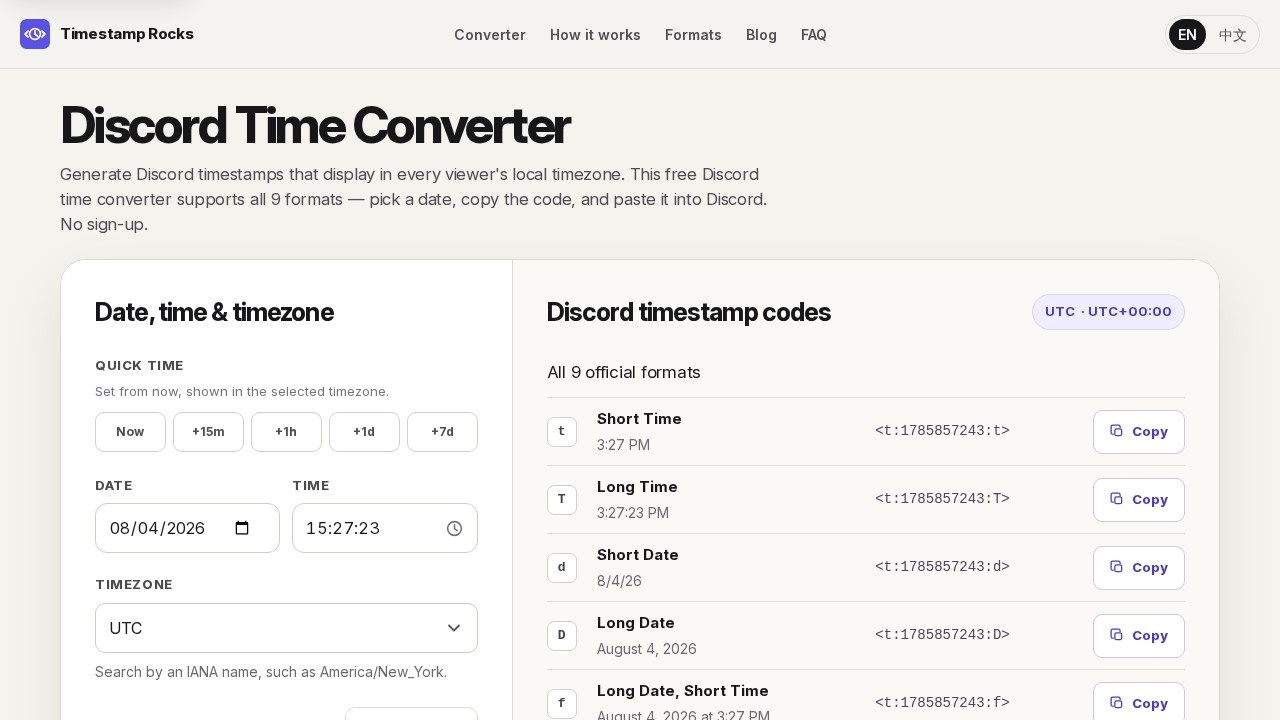
What is Discord Time Converter?
Discord Time Converter is a free online tool from Timestamp.rocks that generates Discord timestamp codes. It supports all 9 timestamp formats Discord officially documents, and it converts a chosen date and time into a code that displays in each viewer's local timezone. You pick a date, copy the generated code, and paste it into Discord—no sign-up required. Users rely on it for scheduling events, posting announcements, and creating countdowns that stay accurate across regions.
Application scenarios
Gaming events
Schedule raids, scrims, and tournaments so players in different regions see the start time in their own timezone.
Community announcements
Post livestreams, AMAs, and online meetups without listing every timezone separately.
Reminders and countdowns
Use the R style to show relative text such as "in 2 hours."
Bot messages
Insert timestamp codes into automated announcements, logs, and status updates.
Event descriptions
Paste generated codes into Discord event descriptions or announcements for clarity.
Core Features
All 9 timestamp formats
Generates codes for every style Discord documents, including Short Time, Long Time, Short Date, Long Date, and Long Date with Short Time.
Time and timezone selection
Pick the original date, wall-clock time, and confirm the timezone using an IANA name like America/New_York.
Quick time presets
Set from now with shortcuts like +15m, +1h, +1d, and +7d, shown in the selected timezone.
Existing timestamp loading
Paste a Discord timestamp or Unix seconds to load and convert an existing code.
One-click copy
Copy any generated Discord code instantly for pasting into messages, event descriptions, or announcements.
No sign-up required
Use the converter immediately without creating an account.
Timezone reset to local
Reset to your local timezone with a single action.
Timezone search
Search by an IANA name to match daylight-saving rules for the selected date.
Guides and templates
Access practical guides on bot integration, time zone messages, and dynamic timestamps, plus ready-made message templates.
Target users
Discord Time Converter suits community managers, gaming event organizers, streamers, and bot developers. It also helps anyone who posts time-sensitive announcements to a global audience—like moderators scheduling AMAs, tournaments, or maintenance windows—and wants viewers to see times in their own local timezone without manual conversion.
How to use Discord Time Converter?
Open the site at timestamp.rocks, then follow three steps:
- Choose the original time: Enter the date and wall-clock time for the event.
- Confirm its timezone: Use an IANA timezone so daylight-saving rules match the selected date.
- Copy a Discord code: Paste any generated code into a message, event description, or announcement.
You can also use quick presets like +15m or +1d, or load an existing Discord timestamp or Unix seconds to convert it.
Effect review
Discord Time Converter delivers exactly what it promises: a fast, no-friction way to generate timezone-safe Discord timestamps. The support for all 9 official formats means you can match the style to the context—compact times for reminders, long dates for events, or relative text for countdowns. The quick presets and IANA timezone search remove the two most common pain points: guessing offsets and dealing with daylight-saving changes. The included guides and templates add practical value for bot developers and community managers who need reliable, reusable solutions. For a free tool with no sign-up barrier, it's a solid pick for anyone who regularly schedules cross-timezone Discord activity.
Frequently Asked Questions
What is the Discord Time Converter?
Do I need to sign up to use the converter?
How many time formats does it support?
Can I copy the converted timestamp easily?
Is the converter compatible with all devices?
Are there any hidden costs or limits?
Discord Time Converter - AI Tool Detail
Timestamp.rocks offers a free online Discord timestamp converter, supporting all nine time formats with instant conversion and one-click copy, requiring no sign-up for quick and easy date formatting.
Category:Document processing
Visit Link:https://timestamp.rocks/
Tags:discord timestamp converter、date formatting、discord tools、time converter、free online tool