Swipeer
Swipeer by Swipeer AI is a productivity platform for task management, offering swipe-based navigation, advanced chat, multimodal capabilities, and seamless integration to help users unlock their poten
What is Swipeer?
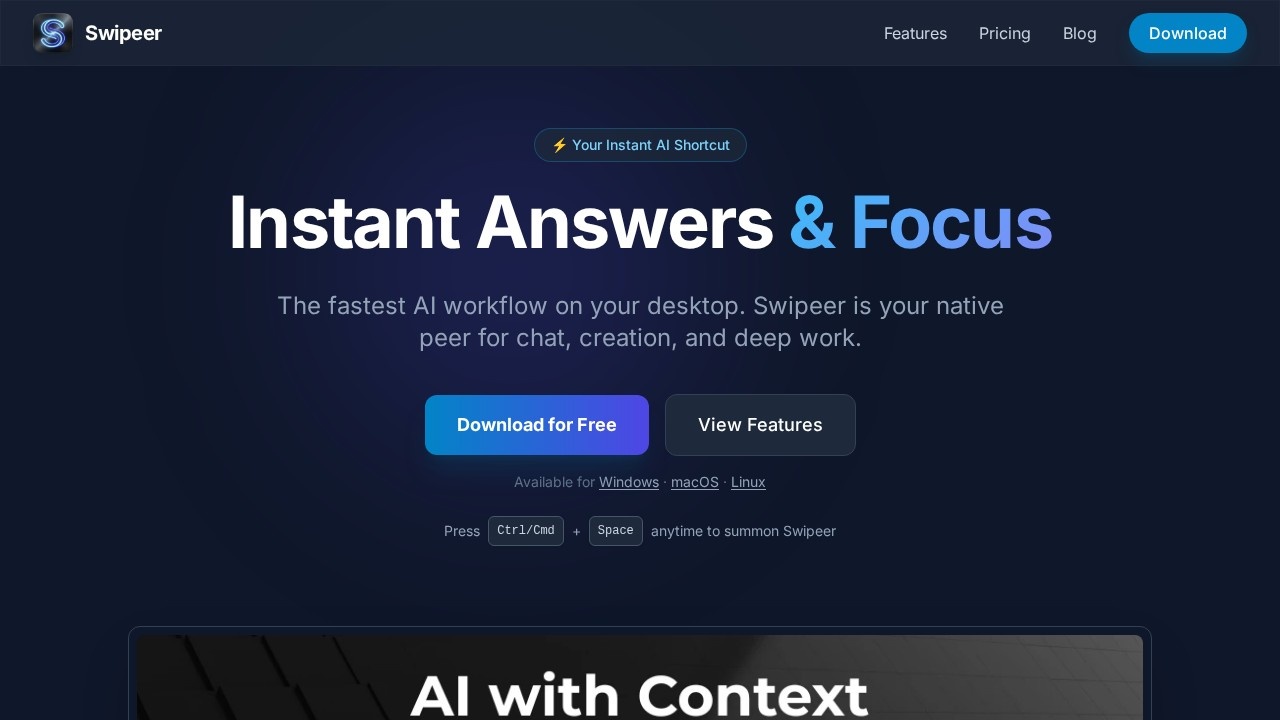
Swipeer is a desktop productivity platform that provides instant access to AI models for chat, creation, and deep work. It functions as a native application for Windows, macOS, and Linux, summonable with a single keyboard shortcut (Ctrl/Cmd + Space). The tool consolidates top-tier AI models like ChatGPT, Gemini, Claude, Grok, DeepSeek, and others into one interface, eliminating the need to juggle multiple subscriptions. It also supports offline operation with local AI models via Ollama, keeping your data stored locally.
Application scenarios
Multi-model comparison
Open multiple chats side-by-side to compare outputs from different AI models simultaneously.
Web automation
Let the AI browse the web, navigate pages, fill forms, and gather real-time data autonomously.
Desktop control
Use the AI to interact with your desktop, manage operating system tasks, and control applications directly.
File analysis
Drag and drop code, PDFs, CSVs, or images for instant analysis and turn raw data into insights.
AI image generation
Create high-quality AI images in different formats using models like Nano Banana Pro within conversations.
Knowledge management
Build dedicated knowledge bases for different clients or projects, with support for private AI models via Ollama.
Automation workflows
Send data from Swipeer directly to n8n, Make.com, or custom webhooks for powerful integrations.
Core Features
Multi-model access
Stop juggling subscriptions—access ChatGPT, Gemini, Claude, Grok, DeepSeek, Qwen, Kimi, GLM, and more in one place.
Browser control
Let your AI browse the web, navigate pages, fill forms, and gather real-time data autonomously using advanced browser sub-agents.
Computer use
Take automation to the next level—let the AI interact with your desktop, manage OS tasks, and control applications directly.
Parallel workflows
Break free from endless browser tabs by opening multiple chats side-by-side to compare model outputs or work on different tasks simultaneously.
MCP & agentic automation
Extend your AI with real-time tools by connecting to Model Context Protocol (MCP) servers or running custom local tools for autonomous task solving.
Vision & file analysis
Chat with anything—drag and drop code, PDFs, CSVs, or images for instant analysis and insight extraction.
Own AI brain
Give your AI a memory—create dedicated knowledge bases for different clients or projects, with support for private AI models via Ollama.
Instant access
Summon Swipeer instantly with Ctrl/Cmd + Space from any window without losing focus.
AI image generation
Turn text into images using top-tier models like Nano Banana Pro directly within your conversation.
Local-first & offline
Your data stays yours—chats, notes, and AI memory are stored locally, and you can run models entirely offline via Ollama.
Target users
Swipeer is designed for professionals who need fast, multi-model AI access without switching between browser tabs. It suits power users like developers, researchers, content creators, and automation enthusiasts who want to compare model outputs, automate web and desktop tasks, and build custom knowledge bases. The local-first approach also appeals to privacy-conscious users who need offline AI capabilities.
How to use Swipeer?
Download the free app for Windows, macOS, or Linux from the official website. Press Ctrl/Cmd + Space anytime to summon Swipeer from any desktop window. Start a chat, select your preferred AI model, and begin working—whether asking questions, generating images, or analyzing files. For advanced use, connect to MCP servers, set up automation workflows with n8n or Make.com, or run local models via Ollama for offline operation.
Pricing and free trial
Swipeer offers two plans:
- Free: €0.00 forever, includes 200 daily credits, 1 device, standard models, 3-month credits rollover, and Ollama cloud integration. No credit card required.
- Starter: €7.99 per month, includes 150,000 credits (up to 7,500 messages or 50 images), 3-month credits rollover, 1 device, standard and top-tier models, automations, unlimited Own AI (Ollama), Ollama cloud integration, BYOK (Bring Your Own Key), and priority support.
Effect review
Swipeer delivers a genuinely streamlined AI experience by consolidating multiple top-tier models into a single, keyboard-accessible desktop app. The parallel workflows and browser/desktop control features set it apart from typical chat interfaces, making it practical for power users who need to compare outputs or automate real-world tasks. The local-first design and offline support via Ollama are strong selling points for privacy-conscious teams. While the free tier is generous for casual use, the Starter plan's credit system may require careful tracking for heavy users. Overall, Swipeer is a solid productivity tool that lives up to its promise of being "the fastest AI workflow on your desktop."
Frequently Asked Questions
What is Swipeer?
How does swipe-based navigation work?
What are multimodal capabilities?
Can Swipeer integrate with other tools?
Is Swipeer free to use?
Swipeer - AI Tool Detail
Swipeer by Swipeer AI is a productivity platform for task management, offering swipe-based navigation, advanced chat, multimodal capabilities, and seamless integration to help users unlock their poten
Category:Personal Assistant
Visit Link:https://swipeer.ai/
Tags:task management、swipe navigation、AI productivity、multimodal AI、workflow integration