
TypingMind
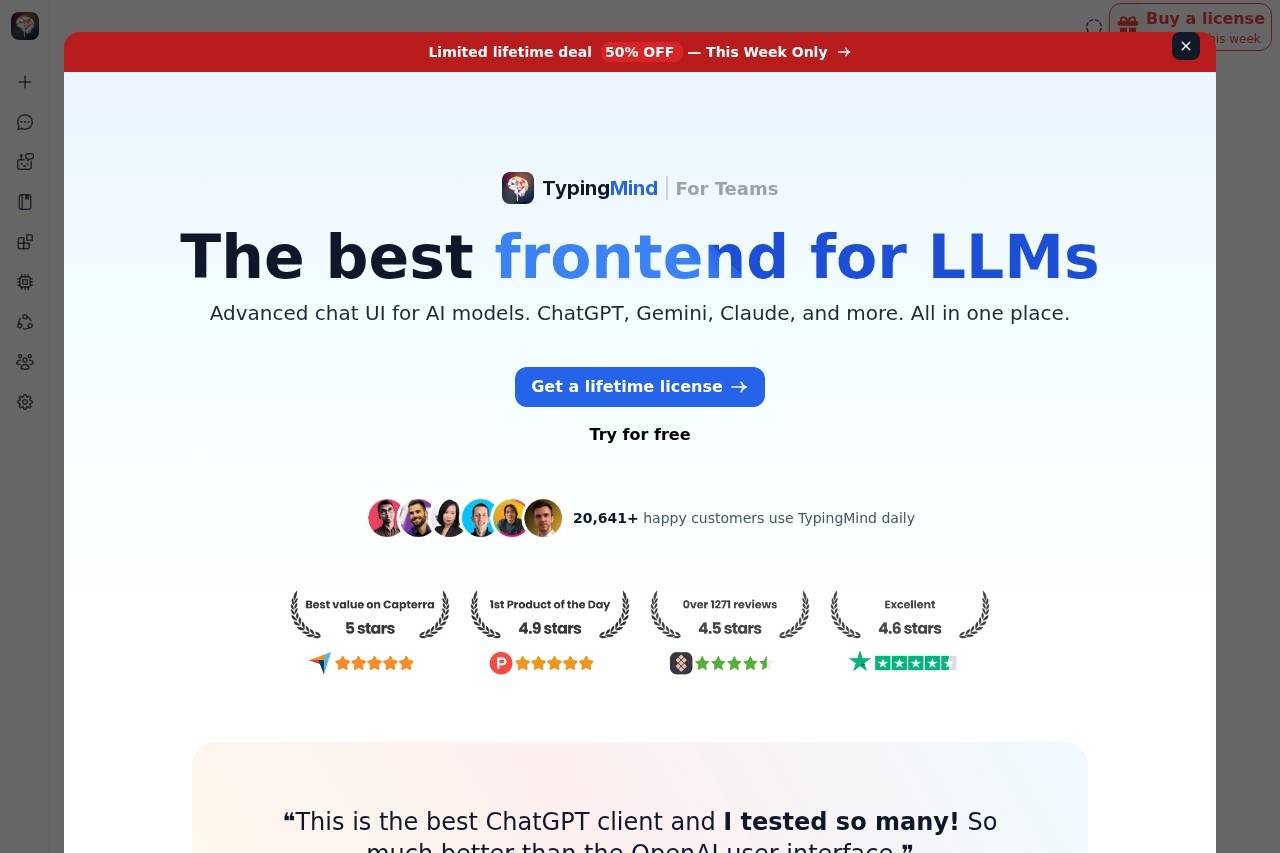
TypingMind is a versatile frontend UI by the TypingMind team, enabling chat with AI models like ChatGPT, Gemini, and Claude using your own API keys. Pay only for usage, with support for multiple LLMs
TypingMind Review: The All-in-One LLM Frontend for Power Users
What is TypingMind?
TypingMind is a premium frontend chat UI that lets you interact with multiple AI models—ChatGPT, Gemini, Claude, and more—all from a single interface. You bring your own API keys, so you pay only for the usage you incur, not a monthly subscription for the platform itself. It’s designed to replace the default web interfaces of these AI providers with a faster, more customizable workspace. Over 20,641 customers already use it daily.Application scenarios
Personal AI workspace
Set up your own private chat environment with multiple AI models, all accessible from one place.
Team collaboration
Use the Teams version to give your group a shared, unified AI chat interface.
Research and analysis
Switch between models like GPT-4, Gemini, and Claude to compare responses on the same query.
Content creation
Draft, edit, and refine text using whichever LLM performs best for the task at hand.
Knowledge management
Enable the Knowledge Base feature to ground AI responses in your own documents and data.
Productivity workflows
Use background mode to keep chats running while you work on other tasks.
Core Features
Multi-model support
Chat with ChatGPT, Gemini, Claude, and other LLMs through a single unified interface.
Bring your own API key
Connect your own API keys from supported providers, so you control costs and data privacy.
Chat Profiles
Create and save different chat profiles, each with its own model, system prompt, and settings.
Folders
Organize your conversations into folders for clean, easy navigation.
Knowledge Base
Enable a built-in knowledge base to let the AI reference your custom documents during chats.
Thinking mode
Activate a thinking mode that shows the model’s reasoning process step by step.
Background mode
Run chats in the background while you continue using other features.
Web search integration
Toggle web search on to give the AI access to real-time online information.
Sync across devices
Log in to sync your chat history, settings, and profiles between computers.
Team edition
A separate version for teams, available at custom.typingmind.com.
Target users
TypingMind is built for individual power users who want a better, faster interface for multiple AI models without paying monthly subscription fees. It also serves small teams that need a shared, customizable AI workspace. Developers, researchers, content creators, and anyone who regularly switches between ChatGPT, Gemini, and Claude will find it especially useful.How to use TypingMind?
- Visit typingmind.com and click “Try for free” or “Get a lifetime license.”
- Enter your API key from a supported provider (e.g., OpenAI, Google, Anthropic).
- Send your first message to start chatting with the selected model.
- Optionally, log in to sync your data across devices.
- Unlock all premium features by purchasing a lifetime license.
Pricing and free trial
TypingMind offers a limited lifetime deal at 50% off this week only. The site prominently displays “Buy a license” and “Get a lifetime license” options. A free trial is available (“Try for free”), though the exact trial duration is not specified on the page. There is no mention of a monthly subscription—the model is a one-time purchase.Effect review
With over 20,641 happy customers and positive badges from Capterra, Product Hunt, Setapp, and TrustPilot, TypingMind has strong community validation. The user testimonial from Mirel Vasile, co-founder of Nextasee and Anticipal, calls it “the best ChatGPT client” and says it’s “so much better than the OpenAI user interface.” The feature set—multi-model support, chat profiles, folders, knowledge base, and thinking mode—addresses real pain points for anyone who uses multiple AI models daily. The lifetime license model at a 50% discount makes it a compelling one-time investment for serious users.Frequently Asked Questions
What is TypingMind?
Which AI models does TypingMind support?
Do I need an API key to use TypingMind?
How is TypingMind priced?
Can I use TypingMind on mobile devices?
Is my data secure with TypingMind?
TypingMind - AI Tool Detail
TypingMind is a versatile frontend UI by the TypingMind team, enabling chat with AI models like ChatGPT, Gemini, and Claude using your own API keys. Pay only for usage, with support for multiple LLMs
Category:Chat bot
Visit Link:https://typingmind.com/
Tags:AI Chat Interface、Multi-Model Support、API-Based Access、Pay-Per-Use LLM