
SelectTranslate
SelectTranslate is a free AI translation tool by SelectTranslate, offering bilingual web, PDF, document, subtitle, and cross-language meeting translation. It supports 20+ AI models and 100+ languages,
What is SelectTranslate?
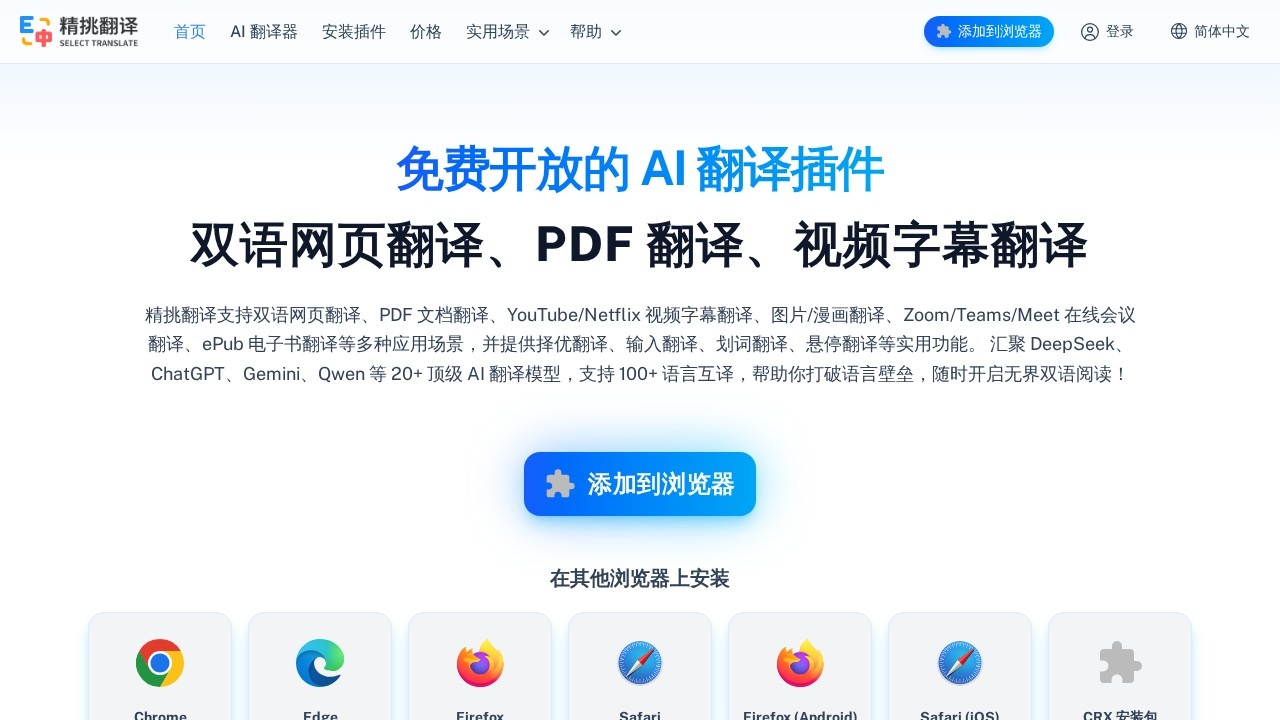
SelectTranslate is a free AI translation browser extension that handles bilingual web pages, PDFs, documents, video subtitles, and live meeting translations. It aggregates 20+ top AI translation models—including DeepSeek, ChatGPT, Gemini, Claude, Qwen, and Grok—and supports over 100 languages. Users install it on Chrome, Edge, Firefox, Safari, or via a CRX package, then trigger translations directly from the browser. The tool is built around practical translation modes: bilingual page reading, selection, hover, input, and its signature "best-choice" model scoring.
Application scenarios
Bilingual web reading
Automatically translates webpage content and displays the translation beneath each original paragraph.
Document translation
Handles PDF, ePub, Word, HTML, TXT, Markdown, SRT, and ASS files with full format preservation.
Academic PDFs
The PDF Plus advanced tier uses multimodal AI and OCR to parse formulas, tables, images, and scanned pages.
Video subtitles
Translates subtitles on YouTube, Netflix, Disney+, and TED, and can generate subtitles for videos that lack them.
Online meetings
Provides real-time translation for Zoom, Microsoft Teams, and Google Meet, including spoken captions and chat messages.
Cross-language input
Translates text directly inside input fields on Google, Gmail, Reddit, Twitter, Discord, and GitHub.
Core Features
Bilingual page translation
One click on the floating button turns any webpage into a side-by-side bilingual reading experience.
Best-choice translation (择优翻译)
Runs multiple AI models simultaneously, scores each result, and automatically selects the highest-quality translation.
Quality scoring and filtering
Shows a score and explanation for each translation, and filters out low-scoring or erroneous outputs.
Input translation
Translate as you type in any web input box—no copying, switching tabs, or pasting required.
Hover translation
Hover over any paragraph to see its translation appear right below the original text.
Selection translation
Highlight any word or phrase to get an instant translation.
Document translation
Upload local files for fast translation while keeping the original layout and formatting intact.
PDF Plus OCR
Uses multimodal AI and OCR to accurately translate scanned PDFs, complex formulas, charts, and multi-column layouts.
AI subtitle generation
Generates subtitles for videos that don't have them, then translates them into 100+ languages.
Customizable subtitle styles
Adjust subtitle appearance to match your viewing preferences.
Target users
SelectTranslate suits anyone who regularly consumes or produces content in multiple languages. Researchers and students benefit from the PDF Plus academic translation features. Frequent travelers and international readers get clean bilingual web browsing. Remote workers and global teams can use the meeting translation for Zoom, Teams, and Meet. Content creators and video watchers gain from the subtitle tools on major streaming platforms. Writers and customer support staff can speed up cross-language communication through the input translation mode.
How to use SelectTranslate?
- Visit the official website (selecttranslate.com) and add the extension to your browser of choice—Chrome, Edge, Firefox, Safari, or Firefox for Android.
- Click the floating plugin button on any webpage to enable bilingual reading.
- Use hover translation to read individual paragraphs, or select text for on-demand translation.
- For documents, upload a PDF, ePub, Word, or other supported file to translate it while preserving the original layout.
- For meetings, join a Zoom, Teams, or Meet call and activate real-time subtitle and chat translation.
- Export edited translations or files directly from the interface.
Effect review
SelectTranslate's biggest strength is its model-agnostic approach: instead of locking you into a single AI translator, it lets multiple models compete and picks the best result. The quality scoring system is a genuinely useful addition—it gives you confidence in the output and lets you manually compare translations sentence by sentence when needed. The document and PDF translation features go beyond typical browser extensions, especially with the OCR support for scanned academic papers. The meeting translation capability is a standout for remote teams, and the input translation mode removes the friction of copy-paste workflows. For a free tool with this breadth of features and model coverage, it delivers a surprisingly complete translation ecosystem. The main trade-off is that the sheer number of options—models, modes, and settings—may feel overwhelming at first, but the interface keeps the core actions simple enough for everyday use.
Frequently Asked Questions
What is SelectTranslate?
Is SelectTranslate really free?
What file formats does SelectTranslate support for translation?
How many languages can SelectTranslate translate?
What AI models does SelectTranslate use?
Can SelectTranslate translate live meetings?
SelectTranslate - AI Tool Detail
SelectTranslate is a free AI translation tool by SelectTranslate, offering bilingual web, PDF, document, subtitle, and cross-language meeting translation. It supports 20+ AI models and 100+ languages,
Category:AI Translation
Visit Link:https://selecttranslate.com/
Tags:AI translation、bilingual translation、document translation、subtitle translation、meeting translation