
Opviva
Opviva by an AI security team scans your app for vulnerabilities, proves each exploit is real, opens a fix as a PR, and provides continuous monitoring.
What is Opviva?
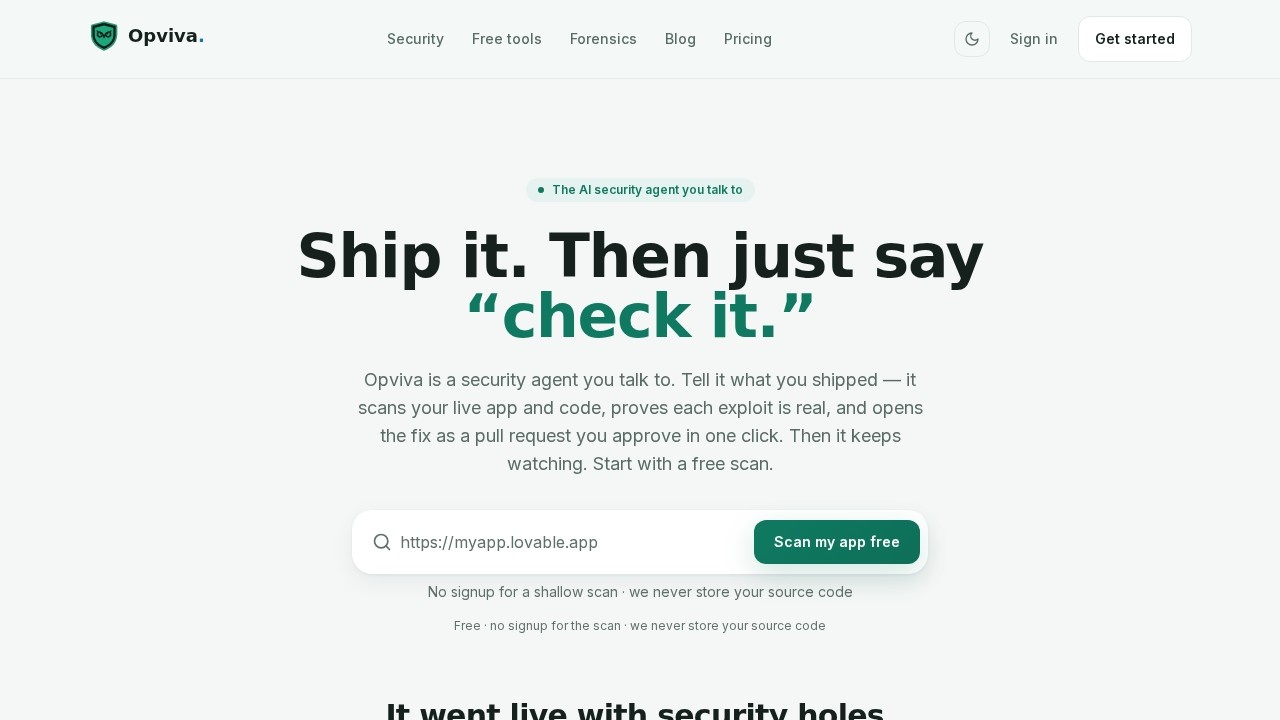
Opviva is an AI security agent you talk to in plain language. It scans your live app and source code for vulnerabilities, proves each exploit is real by reproducing it, and opens a fix as a pull request you approve with one click. After the fix, it continuously monitors your app and attack surface for new issues. It’s designed for developers who ship fast and want automated, end-to-end security without managing dashboards or triage lists.Application scenarios
AI-generated app security
Scans vibe-coded apps (built in a weekend) for common vulnerabilities like exposed API keys and public .env files.
Live app scanning
Paste your app’s URL to get a shallow scan that checks security headers, exposed secrets, sensitive files, and HTTPS/cookie issues.
Automated fix deployment
The agent writes the patch and opens a pull request—small fixes auto-merge, risky ones wait for your one-click approval.
Continuous monitoring
After launch, Opviva keeps watching your app and attack surface, alerting you when something new shows up.
Exploit reproduction
The agent logs in as itself with valid credentials and reproduces each real vulnerability on a live Evidence Canvas, recording every step append-only.
Code review support
Changes ship as pull requests you can read before merging, with tamper-evident, hash-chained records.
Core Features
Talk to the agent
Tell Opviva what you shipped in plain language or paste your app’s URL—no dashboards to configure.
Prove the exploit
The agent reproduces each real vulnerability so you see the actual impact, not a maybe.
Open the fix
It writes the patch and opens a pull request; small fixes auto-merge, risky ones wait for your one-click approval.
Continuous monitoring
After launch, it monitors your app and attack surface and comes back when something new shows up.
Free shallow scan
A URL-only scan (no code access) checks security headers, exposed secrets, sensitive files, and HTTPS/cookies.
Read-only GitHub access
Least-privilege integration—you approve risky fixes, and changes ship as reviewable pull requests.
No source code storage
Scans run and then drop your source code; Opviva never stores it.
Evidence Canvas
The agent records every step of exploit reproduction append-only and sealed, so you can prove the vulnerability.
Target users
- Vibe coders and indie hackers: Developers who ship AI-generated apps quickly and need automated security without manual triage.
- Startup engineering teams: Small teams that want end-to-end security scanning, fixing, and monitoring without hiring a dedicated security engineer.
- AI app builders: Anyone using platforms like Lovable or similar tools to build apps in a weekend and need to catch common vulnerabilities like exposed Supabase keys or public .env files.
How to use Opviva?
- Go to Opviva.com and start with a free scan—no signup required.
- Tell the agent what you shipped (e.g., paste your app’s URL) or say “check it” in plain language.
- The agent scans your live app and code, then reproduces each real vulnerability on a live Evidence Canvas.
- Review the opened pull request—small fixes auto-merge, risky ones you approve in one click.
- After merging, Opviva keeps monitoring your app and attack surface for new issues.
Pricing and free trial
Opviva offers a free scan with no signup required. The free scan is a URL-only shallow scan that checks security headers, exposed secrets, sensitive files, and HTTPS/cookies. Deeper code scans require asking the agent for a deep scan (pricing for deeper scans is not specified on the site).Effect review
Opviva delivers on its promise of a security agent that does the work end-to-end—scanning, proving exploits, opening fixes, and monitoring—without requiring you to manage dashboards or triage lists. The free scan is genuinely useful for quickly catching common vulnerabilities in AI-generated apps, and the Evidence Canvas feature adds transparency by recording every step of exploit reproduction. The fact that it never stores your source code and uses read-only GitHub access addresses privacy and security concerns. While the website doesn’t provide user reviews or quality metrics, the feature set suggests a practical tool for developers who want automated security without overhead. It’s particularly valuable for vibe coders and small teams shipping fast.Frequently Asked Questions
What types of vulnerabilities does Opviva scan for?
How does Opviva prove that an exploit is real?
How does Opviva open a fix as a PR?
What does continuous monitoring entail?
Is Opviva suitable for all types of applications?
Opviva - AI Tool Detail
Opviva by an AI security team scans your app for vulnerabilities, proves each exploit is real, opens a fix as a PR, and provides continuous monitoring.
Category:Programming Assistant
Visit Link:https://opviva.com/
Tags:AI security scanner、vulnerability detection、automated PR fix、continuous monitoring、app security