
MusVideo
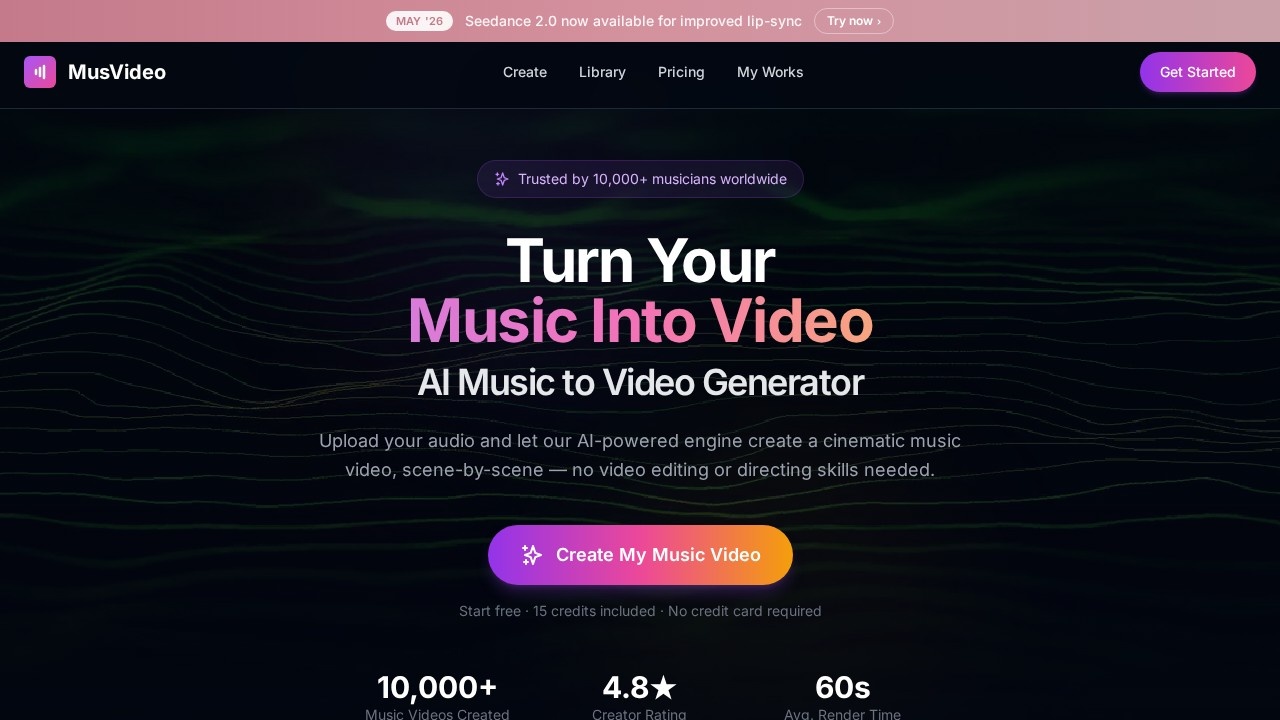
MusVideo is an AI-powered tool by MusVideo that transforms audio tracks into cinematic music videos. Upload your music, and AI generates scene-by-scene visuals, offering a fast, online solution for cr
What is MusVideo?
MusVideo is an AI-powered tool that transforms audio tracks into cinematic music videos. Users upload any MP3, WAV, or audio file, and the AI analyzes tempo, mood, and energy to generate scene-by-scene visuals synced to the beat. It offers a fast, online solution for creating shareable music videos without editing skills or a production crew.Application scenarios
Music promotion
Musicians can quickly turn original tracks into professional music videos for YouTube, TikTok, or Instagram.
Social media content
Creators generate vertical, square, or widescreen videos optimized for Reels, TikTok, and Spotify Canvas.
Indie artist releases
Bedroom producers and indie labels produce high-definition music videos without hiring a director or crew.
Genre experimentation
From lo-fi hip hop to EDM, ballads to metal, spoken word to K-pop—the AI adapts visuals to any genre or language.
Rapid prototyping
Producers can preview multiple visual styles for a track before committing to a final edit.
Music catalog management
Every generated video is saved to a personal library, allowing re-renders, style swaps, and HD downloads anytime.
Core Features
Audio-to-video generation
Upload any MP3, WAV, or audio file and get a cinematic music video up to 4 minutes long, with scene-by-scene visuals synced to the beat.
AI scene direction
The AI acts as a director, generating mood boards, composing shots, and sequencing scenes to tell a story from the first beat.
Style selection
Choose a visual style or let the AI automatically pick one that matches the track’s mood and energy.
Multi-format export
Export videos in vertical, square, or widescreen formats for TikTok, Instagram Reels, YouTube, and Spotify Canvas.
Personal library
All generated music videos are saved to a personal library, with options to re-render new versions, swap styles, or download in HD.
Fast rendering
Upload audio and watch a fully rendered music video come together in minutes—no weeks of shooting or editing required.
Genre and language support
Works with any genre and any language, from lo-fi hip hop to metal, spoken word to K-pop.
Pro-grade visuals
Every shot is framed and color-graded for professional-looking visuals that match the energy of the music.
Target users
MusVideo is built for musicians, indie artists, bedroom producers, and full-fledged labels who need to turn audio into shareable music videos quickly. It also suits social media creators, content marketers, and anyone who wants cinematic visuals without hiring a production crew.How to use MusVideo?
- Go to musvideo.ai and upload your audio file (MP3, WAV, or any supported format).
- The AI analyzes tempo, mood, and energy, then generates a cinematic storyboard and scenes synced to your beats.
- Preview the video, fine-tune if needed, and export in your preferred format (vertical, square, or widescreen) for platforms like YouTube, TikTok, Instagram, or Spotify Canvas.
Effect review
MusVideo delivers on its promise of turning audio into cinematic music videos in minutes, with no editing skills required. The AI’s ability to analyze tempo, mood, and energy ensures visuals are synced to the beat, while multi-format export makes it practical for social media and streaming platforms. The personal library feature is a nice touch for managing multiple versions of the same track. While the tool seems ideal for rapid prototyping and indie releases, its true quality will depend on how well the AI handles complex genres or nuanced storytelling. For creators who need fast, pro-grade visuals without a crew, MusVideo offers a streamlined solution.Frequently Asked Questions
What is MusVideo?
How does MusVideo work?
Is MusVideo free to use?
What file formats does MusVideo support?
Can I customize the generated visuals?
How long does it take to generate a video?
MusVideo - AI Tool Detail
MusVideo is an AI-powered tool by MusVideo that transforms audio tracks into cinematic music videos. Upload your music, and AI generates scene-by-scene visuals, offering a fast, online solution for cr
Category:Video generation
Visit Link:https://musvideo.ai/
Tags:AI music video generator、audio to video、cinematic visuals、AI video creation、music visualization