
Multiplayer
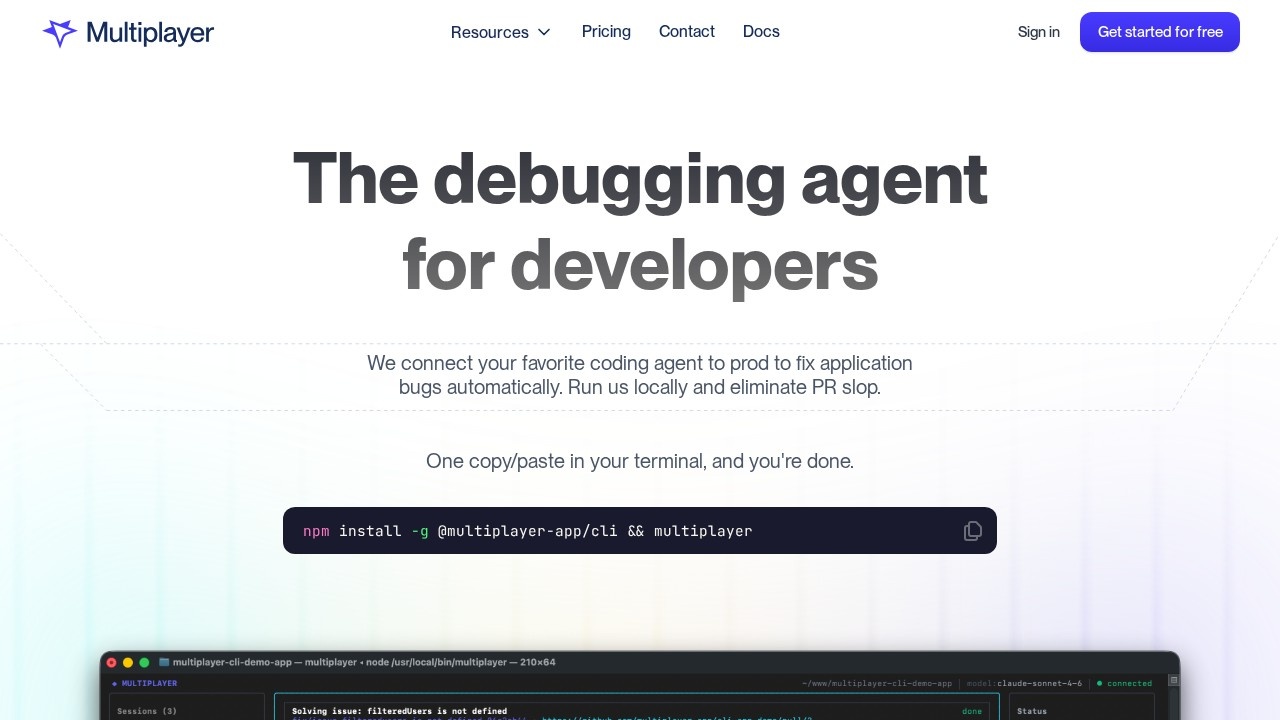
Multiplayer connects your coding agent directly to production, automatically fixing application bugs. Run it locally to eliminate PR slop and streamline debugging.
What is Multiplayer?
Multiplayer is a local-first debugging tool that connects your coding agent directly to production to automatically fix application bugs. It captures full-stack, auto-correlated, unsampled data—from frontend screens to backend traces and logs—including request/response content and headers that observability tools often miss. The tool runs locally next to your coding agent, caches sessions on your machine, and only sends data when it identifies a new issue. It integrates with popular coding agents like Claude Code, Codex, and Copilot, routing issues directly to them without requiring tool switching or proprietary agents.Application scenarios
Production bug fixing
Automatically diagnose and fix application bugs in real-time by connecting your coding agent to production systems.
Debugging without noise
Eliminate PR slop and review fatigue by getting only the data you need, with issues deduplicated so the same bug is tracked once.
Full-stack debugging
Access frontend screens, backend traces, logs, and request/response content from all components in your system.
Local-first development
Run Multiplayer locally to debug without sending sensitive code to external servers, caching sessions on your machine.
Coding agent integration
Route production issues directly to Claude Code, Codex, Copilot, or any other coding agent you already use.
Observability cost reduction
Capture a short session of relevant data instead of saving all data "just in case," reducing expensive observability tool costs.
Core Features
Full-stack data capture
Automatically gathers frontend screens, backend traces, logs, and request/response headers from all system components.
Intelligent deduplication
Issues are deduplicated so the same bug is tracked only once, regardless of how many times it was reported.
Local-first architecture
Runs locally next to your coding agent, caching sessions on your machine and sending data only when a new issue is identified.
Coding agent integration
Works with Claude Code, Codex, Copilot, and other agents—no need to switch tools or learn a proprietary agent.
One-command setup
Install and run with a single terminal command: `npm install -g @multiplayer-app/cli && multiplayer`.
Selective data sharing
Complete control over what data you debug—only send the data you want to share.
High-quality PR generation
Produces a handful of high-quality PRs instead of an avalanche of noisy ones.
Automatic bug fixing
Connects your coding agent directly to production to fix application bugs automatically while your system is running.
Target users
Engineering teams from startups to enterprises who need to debug production applications efficiently. Specifically, developers using coding agents like Claude Code, Codex, or Copilot who want to eliminate PR slop and reduce debugging noise. Also useful for teams that currently rely on error monitoring tools (like Sentry Seer) or observability-based AI agents (like Datadog Bits AI) and want a more developer-focused, local-first alternative.How to use Multiplayer?
Install the CLI globally withnpm install -g @multiplayer-app/cli, then run multiplayer in your terminal. The tool runs locally next to your coding agent, automatically capturing production data and routing issues to your preferred coding agent (Claude Code, Codex, Copilot, etc.). You get complete control over what data is sent—only data for new issues is shared.Effect review
Multiplayer addresses a real pain point for engineering teams: the noise and inefficiency of debugging production bugs with existing tools. By connecting coding agents directly to production and deduplicating issues, it promises to reduce PR slop and review fatigue significantly. The local-first architecture is a strong security feature, keeping code safe while still enabling automatic bug fixes. For teams already using Claude Code or similar agents, this tool could streamline debugging without requiring a new workflow. However, its effectiveness ultimately depends on how well it integrates with your specific stack and coding agent.Frequently Asked Questions
What is Multiplayer?
How does Multiplayer fix bugs?
Does Multiplayer run locally?
What is 'PR slop' and how does Multiplayer eliminate it?
Is Multiplayer compatible with any coding agent?
Can Multiplayer be used in non-production environments?
Multiplayer - AI Tool Detail
Multiplayer connects your coding agent directly to production, automatically fixing application bugs. Run it locally to eliminate PR slop and streamline debugging.
Category:Programming Assistant
Visit Link:https://www.multiplayer.app/
Tags:AI coding agent、bug fixing、production debugging、PR automation、local development