
OpenBerth
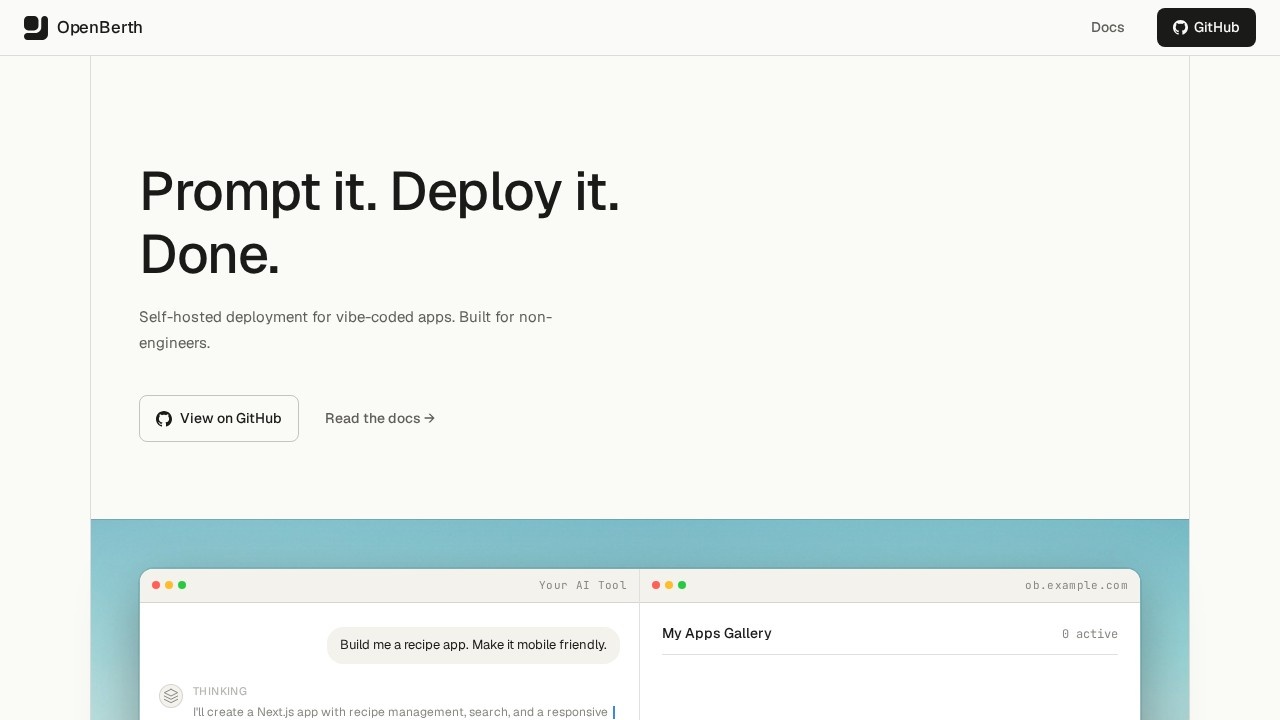
OpenBerth by its team enables non-engineers to deploy AI-generated apps to their own server with one command, featuring open-source code, sandboxed environments, and automatic HTTPS.
What is OpenBerth?
OpenBerth is a self-hosted deployment platform that lets non-engineers deploy AI-generated apps to their own server with a single command. It provides open-source code, sandboxed environments, and automatic HTTPS for each deployed app. Users can connect AI tools like Claude or Cursor to deploy, update, and manage apps directly from chat or code editors. The platform handles all infrastructure—Docker, gVisor, Caddy, and systemd—so users don't need to manage servers manually.Application scenarios
Vibe-coded app deployment
Deploy apps built with AI assistance (like "vibe-coded" projects) directly to your own server.
Rapid prototyping
Quickly deploy experimental projects from a single file (e.g., `App.jsx` or `notes.md`) to test ideas live.
AI-assisted development
Use Claude.ai or Cursor to deploy apps via MCP—just ask in chat to "deploy a hello-world page."
Multi-user team projects
Share one server among multiple users, each with their own deployments and API keys.
Secret management for AI workflows
Store API keys encrypted on the server and reference them by name during deployment, avoiding plaintext exposure in chat logs.
Live development and iteration
Use hot reload with instant file sync to test changes in a sandbox, then promote to production with one command.
Core Features
One-command server setup
SSH into a Linux server (Ubuntu 22.04/24.04) and run two commands to install Docker, gVisor, Caddy, and systemd automatically.
Automatic CLI installation
The CLI auto-detects your OS and architecture, then points to your server with simple config commands.
Deploy anything
Deploy entire folders, single files (`.jsx`, `.md`), or any project with a single `berth deploy` command.
Real URLs with HTTPS
Each app gets its own subdomain with automatic TLS certificates—no manual SSL setup.
gVisor sandboxed containers
Every container runs inside a user-space kernel, preventing container escapes and improving security.
Persistent storage
Built-in `/data` directory and REST API that survive app rebuilds, so data isn't lost on redeployment.
Live dev mode
Hot reload sandbox with instant file sync; one command to promote changes to production.
AI-native via MCP
Works with Claude, Cursor, and any MCP client to deploy, update, and manage apps directly from AI conversations.
Multi-user support
One server supports many users, each with their own deployments and API keys.
Encrypted secret storage
Store secrets (like API keys) encrypted on the server, reference by name at deploy time, and automatically restart all deployments when secrets are updated.
Target users
Non-engineers who build apps with AI assistance (vibe-coding) and want to self-host them without learning server administration. Also useful for developers who need a fast, secure way to deploy AI-generated projects to their own infrastructure, and teams that share a server for collaborative deployment workflows.How to use OpenBerth?
- Set up the server: SSH into a Linux server (Ubuntu 22.04/24.04) and run two commands:
curl -fsSL https://openberth.io/install-server.sh | bashfollowed byberth-server install --domain yourdomain.com. - Install the CLI: Run
curl -fsSL https://openberth.io/install.sh | bash, then configure withberth config set server https://yourdomain.comandberth config set key bt_your_api_key. - Deploy an app: Use
berth deploy ./my-project,berth deploy App.jsx, orberth deploy notes.md. - Connect AI tools: For Claude.ai, add a custom MCP connector at claude.ai/settings/connectors using your server's MCP URL, then ask in chat to deploy apps.
Pricing and free trial
No pricing or free trial information is provided on the website.Effect review
OpenBerth delivers exactly what it promises: a dead-simple way for non-engineers to self-host AI-generated apps. The one-command setup and MCP integration with Claude make it genuinely accessible—no terminal expertise required beyond SSH access. The gVisor sandboxing and automatic HTTPS add serious security and professionalism to what could otherwise be a hobbyist tool. The secret management feature is a standout, solving a real pain point for anyone deploying apps with API keys through AI chats. While the lack of pricing details leaves some uncertainty about long-term costs, the open-source code and self-hosted model suggest it's built for users who want full control over their infrastructure.Frequently Asked Questions
What is OpenBerth?
Do I need coding skills to use OpenBerth?
Is OpenBerth open source?
How does OpenBerth ensure security?
Can I deploy any AI-generated app with OpenBerth?
What server infrastructure do I need?
OpenBerth - AI Tool Detail
OpenBerth by its team enables non-engineers to deploy AI-generated apps to their own server with one command, featuring open-source code, sandboxed environments, and automatic HTTPS.
Category:Prompt tool
Visit Link:https://openberth.io/
Tags:open-source、one-click deploy、AI app deployment、sandboxed、automatic HTTPS