
Miniback
Miniback is an in-app bug reporting tool by Miniback for teams, automatically capturing screenshots, logs, and network requests. It simplifies reporting for anyone, while providing developers with com
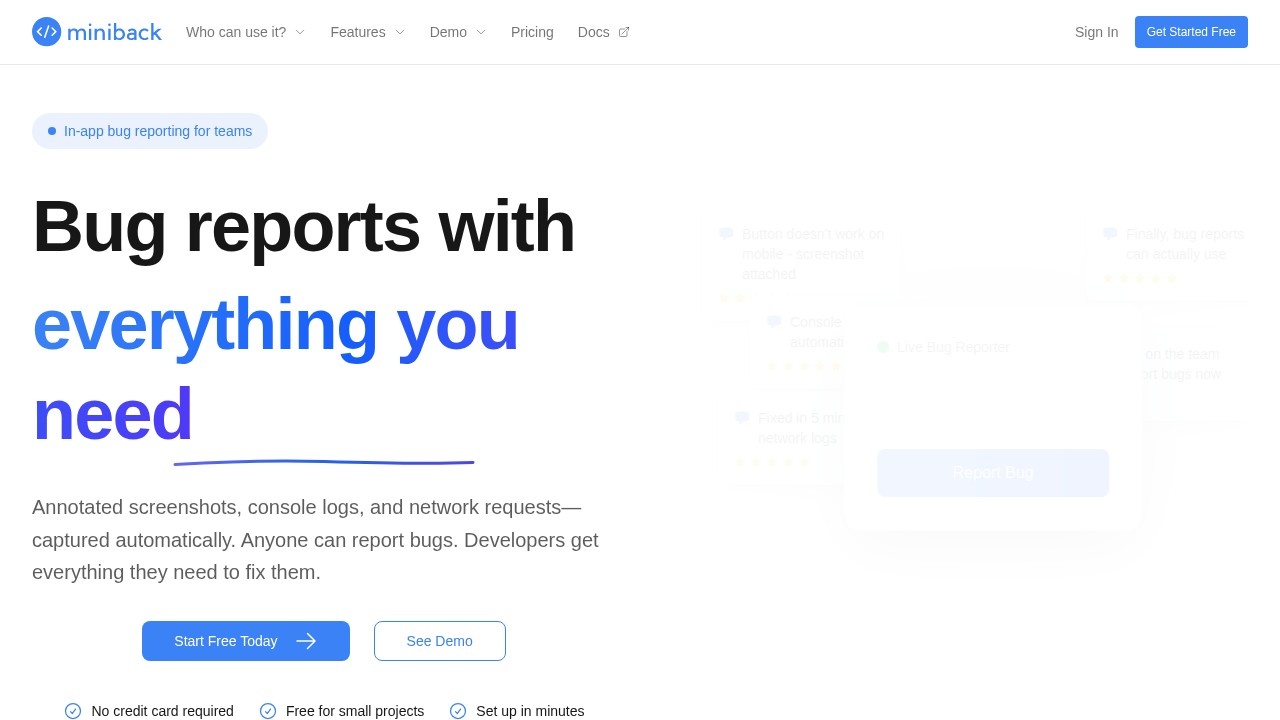
What is Miniback?
Miniback is an in-app bug reporting tool that automatically captures annotated screenshots, console logs, and network requests when someone reports a problem. It's designed so that anyone on a team—regardless of technical skill—can submit a useful bug report without knowing how to pull logs or take proper screenshots. Developers receive all the technical context they need to diagnose and fix issues quickly. The tool integrates directly with Slack or any webhook endpoint, so reports land where your team already works. It's built by developers who wanted to eliminate the back-and-forth of vague bug descriptions and missing debugging data.
Application scenarios
Mobile app testing
Users report a broken button on mobile, and the report automatically includes console logs and network requests alongside the annotated screenshot.
Staging environment QA
Teams test in staging with one-line setup, controlling which domains can send reports before bugs reach production.
Production monitoring
Catch bugs in live production before users complain, with full technical context captured in the background.
Cross-team collaboration
Non-technical team members like designers, product managers, or customer support can report bugs without needing developer tools.
Slack-based workflows
Bug reports flow directly into a team's Slack channel or any webhook endpoint, skipping the need to check a separate dashboard.
Small team operations
Teams that want flat pricing and no enterprise bloat can get actionable bug reports without per-seat costs.
Core Features
Automatic context capture
Console logs, network requests, and screenshots are captured automatically when a user reports a bug—no manual effort required.
Annotated screenshots
Users can annotate screenshots to show exactly what went wrong, giving developers visual context.
Slack integration
Reports go straight to your team's Slack channel or any webhook endpoint, so you don't have to monitor a separate dashboard.
One-line setup
Integration requires copying and pasting a single line of code, and you can control which domains are allowed to send reports.
Zero technical knowledge required
Users simply describe what went wrong; all technical context is captured automatically in the background.
Privacy-friendly design
No session replay or creepy tracking. Users control what gets shared, with a GDPR-friendly approach.
Lightweight widget
The widget is smaller than 55KB and loads in under 100ms, making it faster than a typical logo.
Live dashboard
Submitted feedback appears in your dashboard instantly, allowing you to respond right away.
Target users
Miniback is built for developers and small teams who want bug reporting without enterprise complexity. It's ideal for teams where non-technical members—like support staff, designers, or product managers—need to report issues, but developers still need full debugging context. The flat pricing model and lack of per-seat fees make it particularly attractive to small startups and indie teams. The tool also suits teams that prefer Slack-centric workflows over checking multiple dashboards.
How to use Miniback?
Getting started is straightforward. Go to miniback.io and click "Start Free Today" or "See Demo"—no credit card is required. The setup involves copying and pasting a one-line integration into your website or app. Once installed, you can control which domains can send reports. When a user clicks the "Report Bug" button on your site, they describe the issue, and Miniback automatically captures the screenshot, console logs, and network requests. Reports then appear in your dashboard or flow directly into your Slack channel or webhook endpoint. You can also try the full interactive demo with realistic data without signing up.
Pricing and free trial
Miniback offers a free forever plan for small projects, and the starting price is under $10. There are no hidden fees and no credit card is required to start. The pricing is flat rather than per-seat, which the site highlights as a key differentiator from competitors like Marker.io and Userback. You can cancel at any time.
Effect review
Miniback directly addresses the pain point of vague bug reports by automating the technical context that developers desperately need. The emphasis on flat pricing and no enterprise bloat makes it a refreshing option for small teams that feel nickel-and-dimed by per-seat SaaS pricing. The privacy-friendly approach—no session replay, user-controlled sharing, GDPR-friendly—is a strong selling point in an era of surveillance-heavy analytics tools. The sub-55KB widget and sub-100ms load time suggest the tool won't slow down your site. While the site doesn't cite specific customer testimonials or awards, the feature set is coherent and practical: it solves a real workflow problem without adding complexity. For teams tired of asking users for console logs and getting vague descriptions in return, Miniback appears to deliver exactly what it promises.
Frequently Asked Questions
What is Miniback?
How does Miniback simplify bug reporting?
What data does Miniback automatically capture?
Is Miniback suitable for non-technical team members?
How does Miniback benefit developers?
Can Miniback be integrated into existing apps?
Miniback - AI Tool Detail
Miniback is an in-app bug reporting tool by Miniback for teams, automatically capturing screenshots, logs, and network requests. It simplifies reporting for anyone, while providing developers with com
Category:AI Plugin/Extension
Visit Link:https://www.miniback.io/
Tags:bug tracking、in-app feedback、session replay、developer tools、QA automation