
MCP Bridge
MCP Bridge by MCP-Bridge.ai is a platform for connecting and managing AI models through the Model Context Protocol, enabling seamless integration, tool use, and data access for building advanced AI ap
What is MCP Bridge?
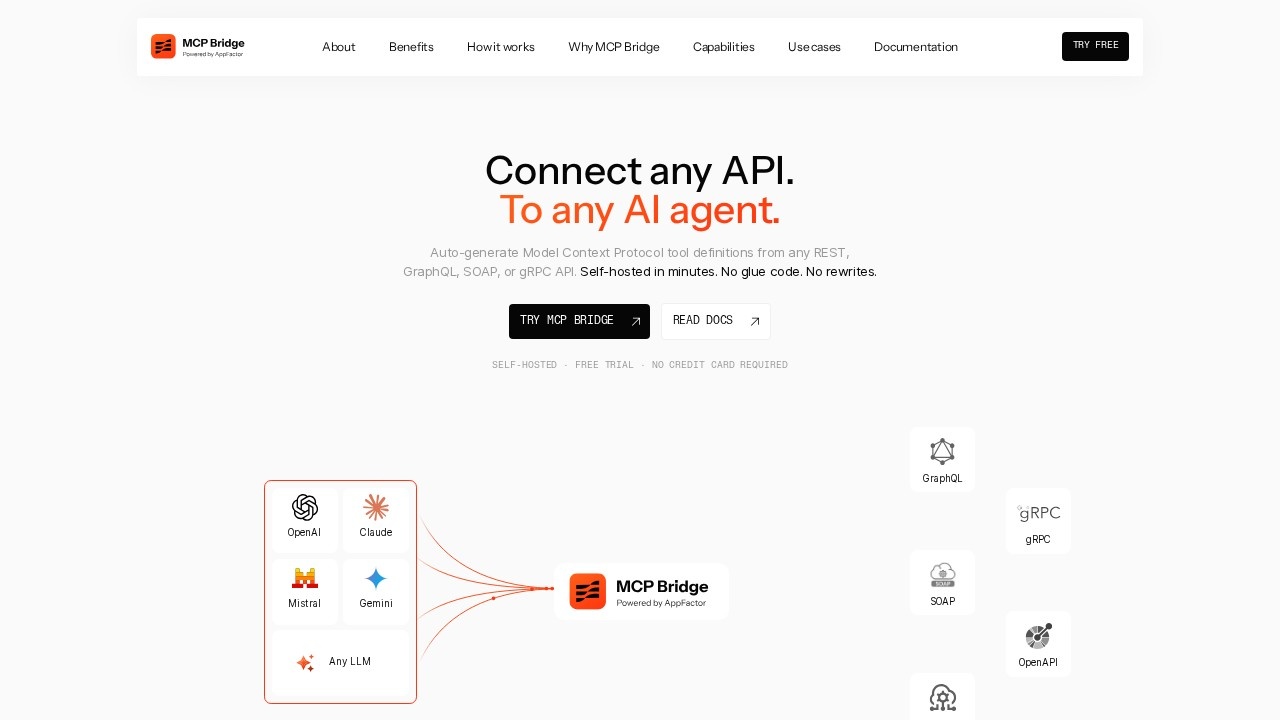
MCP Bridge is a self-hosted platform that auto-generates Model Context Protocol (MCP) tool definitions from any REST, GraphQL, SOAP, or gRPC API. It connects legacy APIs to AI agents like Claude, GPT, Gemini, or any MCP-compatible client without requiring glue code or rewrites. Developers use it to expose, govern, and optimize LLM, MCP, and API resources through a single control point, eliminating the need to create and maintain hundreds of individual MCP servers. The platform runs as a Docker container on AWS ECS, Azure Container Apps, or any orchestrator, keeping data within the user's network.Application scenarios
Legacy API integration
Connect older APIs (REST, GraphQL, SOAP, gRPC) to modern AI agents without rewriting schemas or writing tool definitions by hand.
Multi-LLM orchestration
Expose the same API to Claude, GPT, Gemini, or any MCP-compatible client through a single MCP server endpoint.
Context window optimization
Use "Code Mode" for large APIs, reducing context window usage by ~98% by replacing the full tool catalog with 3 meta-tools.
AI agent tool generation
Automatically convert OpenAPI, GraphQL introspection, WSDL, or .proto files into fully typed, annotated MCP tools ready for any LLM.
Secure self-hosted deployments
Run MCP Bridge in your own infrastructure (Docker, AWS, Azure) with no external SaaS dependencies at runtime, ensuring data never leaves your network.
Core Features
Schema-driven tool generation
Automatically parse OpenAPI 3, GraphQL introspection, WSDL, and .proto files to generate MCP tool definitions.
Self-hosted deployment
Run as a Docker container on AWS ECS, Azure Container Apps, or any orchestrator — your data never leaves your network.
Runtime execution
Validate inputs, map parameters, handle authentication, and forward requests to backend APIs, with post-processing to reduce token waste.
Code Mode
For large APIs, replace the full tool catalog with 3 meta-tools, cutting context window usage by ~98% via a secure Boa sandbox.
Built in Rust
Memory-safe, high-throughput, production-ready runtime with zero external SaaS dependencies.
Authentication support
Configure OAuth2 flows (e.g., client credentials) directly in the configuration file.
Observability
Built-in OpenTelemetry (otel) support for logging and monitoring at the "info" level.
Multi-protocol support
Accepts OpenAPI (JSON/YAML), GraphQL introspection, WSDL, and gRPC (server reflection or .proto files) as input schemas.
Target users
- Developers who need to quickly expose legacy APIs to AI agents without writing glue code or maintaining dozens of MCP servers.
- DevOps and platform engineers responsible for governing API access to LLMs and managing infrastructure for AI tooling.
- AI/ML engineers building multi-LLM applications that require consistent tool definitions across Claude, GPT, Gemini, and other MCP-compatible clients.
- Enterprise architects looking to integrate existing SOAP, REST, or gRPC APIs with AI agents while keeping data self-hosted and secure.
How to use MCP Bridge?
- Pull and run the Docker container using the provided command:
docker run -d --name mcp-bridge -p 8080:8080 -v ./bridge.yaml:/app/config.yaml appfactor/mcp-bridge:latest - Provide API schemas via URL, paste content, or upload files — supports OpenAPI, GraphQL introspection, WSDL, and gRPC.
- Auto-generate MCP tools — each operation becomes a fully described MCP tool with typed input/output schemas, parameter mappings, and documentation.
- Point any MCP client at the endpoint (e.g.,
curl https://localhost:8080/mcp/tools) to access generated tools. - Scale with Code Mode for large APIs to reduce context window usage by ~98%.
Pricing and free trial
MCP Bridge offers a free trial with no credit card required. It is available for self-hosted deployment via Docker, AWS Marketplace, and Microsoft Azure Marketplace. Specific pricing plans beyond the free trial are not detailed in the provided text.Effect review
MCP Bridge solves a real pain point for developers integrating legacy APIs with AI agents — eliminating the tedious manual creation of MCP tool definitions. The ability to auto-generate tools from any schema (OpenAPI, GraphQL, WSDL, gRPC) and deploy self-hosted in minutes is genuinely useful for teams that need to maintain data privacy. The Code Mode feature, which cuts context window usage by ~98%, addresses a critical bottleneck when working with large APIs. While the platform is clearly developer-focused, the lack of a no-code interface may limit adoption by non-technical users. Overall, MCP Bridge delivers on its promise of "no glue code, no rewrites" for connecting APIs to AI agents.Frequently Asked Questions
What is MCP Bridge?
What is the Model Context Protocol (MCP)?
How does MCP Bridge simplify AI model integration?
Can I use my own AI models with MCP Bridge?
Is MCP Bridge suitable for production environments?
MCP Bridge - AI Tool Detail
MCP Bridge by MCP-Bridge.ai is a platform for connecting and managing AI models through the Model Context Protocol, enabling seamless integration, tool use, and data access for building advanced AI ap
Category:Large Model Platform
Visit Link:https://www.mcp-bridge.ai/
Tags:MCP Bridge、Model Context Protocol、AI integration、API management、tool orchestration