
Bank2Excel
Bank2Excel by Satosushi is an AI-powered tool that converts any bank statement PDF into clean Excel or CSV files in seconds. It supports password-protected PDFs and works with banks worldwide, includi
What is Bank2Excel?
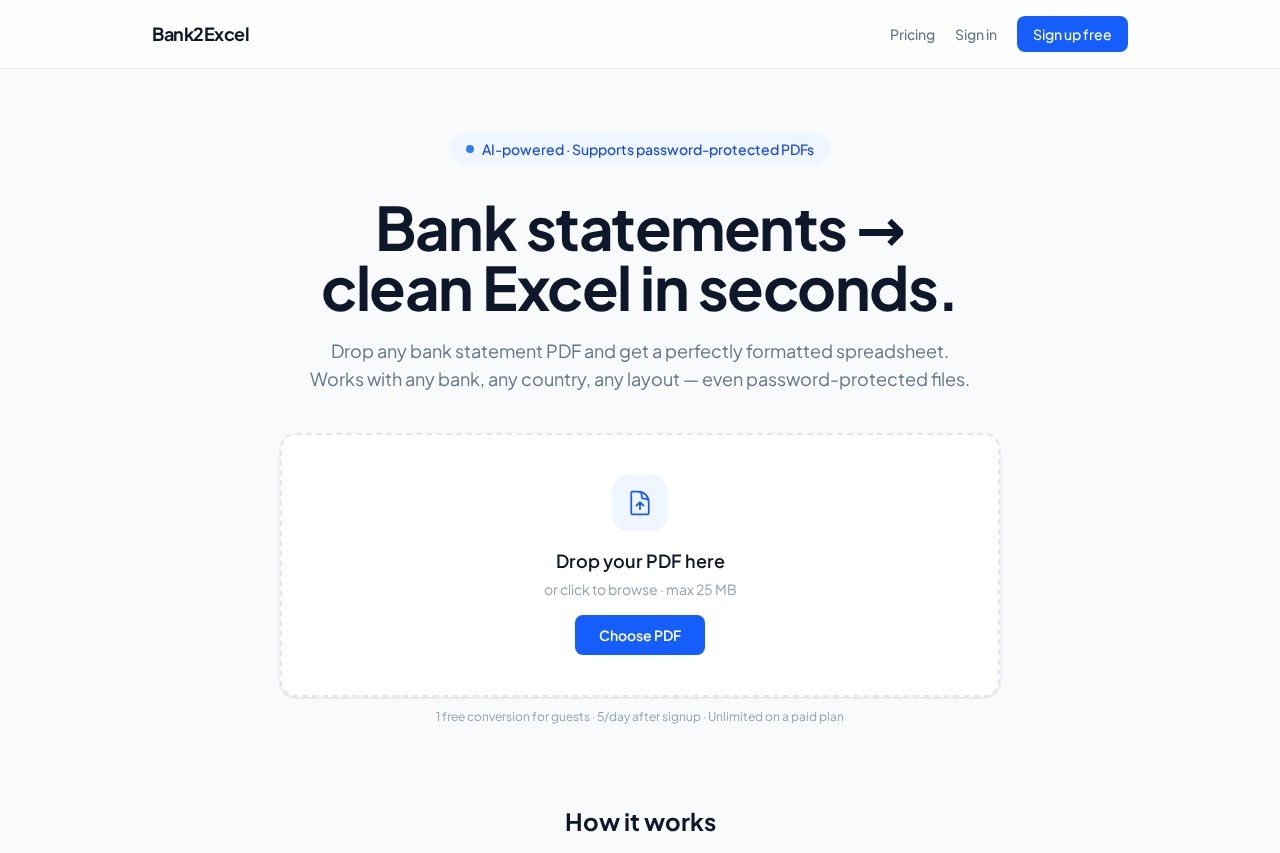
Bank2Excel by Satosushi is an AI-powered tool that converts any bank statement PDF into clean Excel, CSV, or JSON files in seconds. It eliminates manual data entry by automatically parsing transactions—dates, amounts, descriptions—from any bank layout, including password-protected PDFs. Users simply drop a PDF and get a perfectly formatted spreadsheet ready for accounting tools. The tool works with banks worldwide, from HSBC and Chase to DBS and Asian banks like 台新 and 玉山.Application scenarios
Accounting automation
Quickly convert bank statements into spreadsheets for bookkeeping or reconciliation.
Personal finance tracking
Export transaction data into Excel or Google Sheets for budgeting.
Business expense reporting
Parse corporate bank statements into CSV for expense management software.
Audit preparation
Generate clean, ISO-formatted data from multiple bank PDFs for auditors.
Data migration
Convert bank records into JSON for importing into custom financial dashboards or apps.
Multi-bank consolidation
Combine statements from different banks and countries into a single spreadsheet.
Core Features
AI parsing without per-bank rules
The AI reads every transaction—dates, amounts, descriptions—without needing hard-coded parsers for each bank.
Password-protected PDF support
Upload encrypted bank statements; the tool handles password-protected files fully.
Multiple export formats
Download your data as Excel, CSV, or JSON with dates in ISO format and amounts as numbers.
AES-256 encrypted storage
Your PDFs are stored with enterprise-grade encryption, and you can delete them any time.
No data sold to third parties
The service explicitly states it never sells your data.
File deletion on demand
Users can delete their uploaded files at any time for full control.
Free first conversion
No sign-up needed for your first conversion—just drop a PDF and get the output.
Max 25 MB file size
Upload PDFs up to 25 MB per file.
Target users
Accountants, bookkeepers, small business owners, freelancers, and anyone who regularly receives bank statements in PDF format and needs them in structured spreadsheet data. The tool also suits individuals managing personal finances across multiple banks or countries.How to use Bank2Excel?
- Go to the Bank2Excel website and drag-and-drop or click to browse a bank statement PDF (max 25 MB).
- The AI automatically parses the file—including password-protected PDFs—and extracts all transactions.
- Download the result as Excel, CSV, or JSON, ready to import into your accounting software or spreadsheet.
- For more conversions, sign up for a free account (5 per day) or choose a paid plan for unlimited use.
Pricing and free trial
- Free tier: 1 conversion for guests (no sign-up needed). After signup, you get 5 conversions per day for free.
- Paid plan: Unlimited conversions on a paid plan (pricing details not specified on the page).
Effect review
Bank2Excel solves a genuinely tedious problem—manual data entry from bank PDFs—with a clean, no-fuss interface. The AI parsing works across any bank layout, which is a major advantage over tools that require per-bank templates. The support for password-protected files and AES-256 encryption adds practical security for sensitive financial data. For the price of a free first conversion, it's a low-risk try for anyone who regularly handles bank statements. The 5-per-day free limit after signup is reasonable for light users, while the unlimited paid plan likely suits heavy accounting workflows. Overall, it delivers exactly what it promises: bank statements to clean spreadsheets in seconds.Frequently Asked Questions
What is Bank2Excel?
How does Bank2Excel work?
Does Bank2Excel support password-protected PDFs?
Which banks are compatible with Bank2Excel?
What formats can I export to?
Is Bank2Excel free to use?
Bank2Excel - AI Tool Detail
Bank2Excel by Satosushi is an AI-powered tool that converts any bank statement PDF into clean Excel or CSV files in seconds. It supports password-protected PDFs and works with banks worldwide, includi
Category:Document processing
Visit Link:https://bank2excel.satosushi.co/
Tags:bank statement converter、AI PDF to Excel、financial data extraction、CSV generator、Satosushi tool