
What is Fake Image Detector?
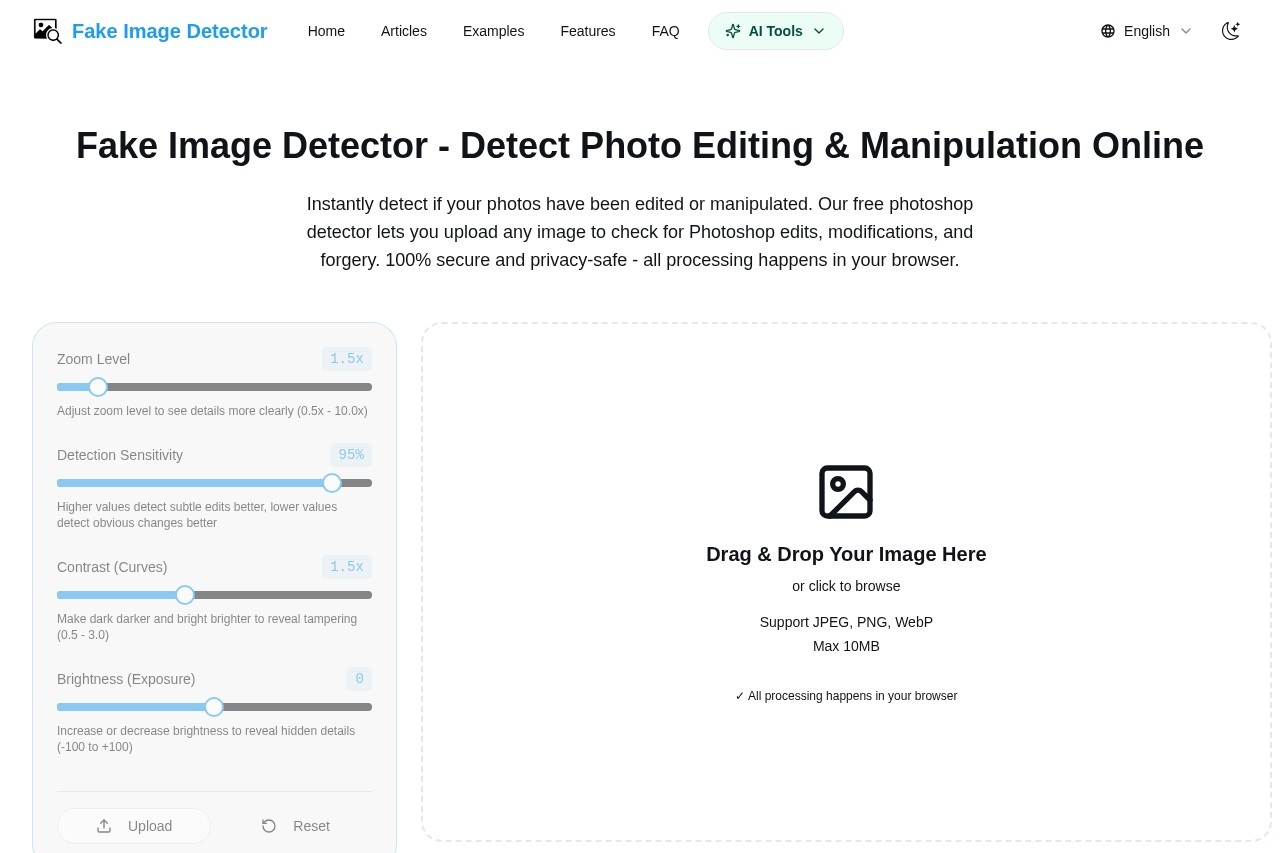
Fake Image Detector is a free online tool that uses Error Level Analysis (ELA) to detect photo editing, manipulation, and forgery. It analyzes compression differences in images to reveal hidden traces of Photoshop edits or tampering. The entire processing happens locally in your browser, ensuring your images are never uploaded to any server. Users simply upload an image to check for modifications, making it a straightforward and privacy-focused solution.
Application scenarios
Photo verification
Quickly check if an image has been edited or manipulated, such as detecting Photoshop changes.
Journalism and media
Verify the authenticity of photos before publication to avoid spreading fake images.
Legal and forensic analysis
Analyze images for tampering in cases where evidence integrity is critical.
Social media moderation
Spot manipulated images that could mislead audiences or spread misinformation.
Personal privacy checks
Ensure private photos haven't been altered without your knowledge.
Educational purposes
Teach students about image forensics and how compression analysis works.
Core Features
ELA-based detection
Uses Error Level Analysis to compare compression rates and highlight modified regions that differ from original areas.
100% browser-based processing
All analysis runs locally using JavaScript—your images are never uploaded to any server, ensuring privacy and security.
Adjustable zoom level
Zoom from 0.5x to 10.0x to inspect details more closely.
Detection sensitivity control
Set sensitivity from 0% to 100%—higher values detect subtle edits, lower values catch obvious changes.
Contrast adjustment
Adjust contrast (0.5 to 3.0) to make dark areas darker and bright areas brighter, revealing tampering.
Brightness adjustment
Modify brightness (-100 to +100) to expose hidden details in the image.
Drag-and-drop upload
Upload images by dragging and dropping or clicking to browse; supports JPEG, PNG, and WebP formats up to 10MB.
Real-world examples
Compare original and modified images to see how the tool identifies tampering, such as editing traces above dates.
Target users
Fake Image Detector is ideal for journalists, fact-checkers, legal professionals, and anyone needing to verify image authenticity quickly. It also benefits educators teaching digital forensics, social media moderators, and individuals concerned about photo manipulation in personal or professional contexts.
How to use Fake Image Detector?
- Upload your image: Drag and drop an image (JPEG, PNG, or WebP, max 10MB) onto the upload area, or click to browse.
- View ELA results: The tool automatically generates an ELA analysis showing compression differences—modified areas typically appear brighter or differently colored.
- Adjust parameters: Use the control panel to tweak zoom, sensitivity, contrast, and brightness to make tampering more visible.
- Analyze results: Look for significantly brighter or differently colored areas compared to the rest of the image—these may indicate modifications.
Effect review
Fake Image Detector delivers a practical, no-fuss solution for spotting photo edits without requiring technical expertise. The ELA-based approach is well-established in image forensics, and the browser-only processing is a strong privacy advantage. The adjustable controls give users flexibility to fine-tune detection for subtle or obvious changes. While the tool lacks advanced features like metadata analysis or batch processing, its simplicity and focus on core functionality make it a reliable choice for quick image verification. For most users, it strikes a good balance between ease of use and effective detection.
Frequently Asked Questions
什麼是 Fake Image Detector?
Fake Image Detector 如何運作?
Fake Image Detector 是免費使用的嗎?
它可以檢測哪些類型的圖像篡改?
我需要安裝任何軟體才能使用它嗎?
使用該工具時,我的圖像隱私是否受到保護?
Fake Image Detector - AI Tool Detail
網站團隊開發的假圖檢測器是一款免費線上工具,利用ELA技術檢測假圖片和照片編輯,分析圖片是否經過Photoshop處理或偽造。
Category:AI 內容偵測
Visit Link:https://www.fake-image-detector.org/
Tags:偽造影像檢測、ELA技術、照片偽造、影像竄改、數位鑑識