
What is FixBlur?
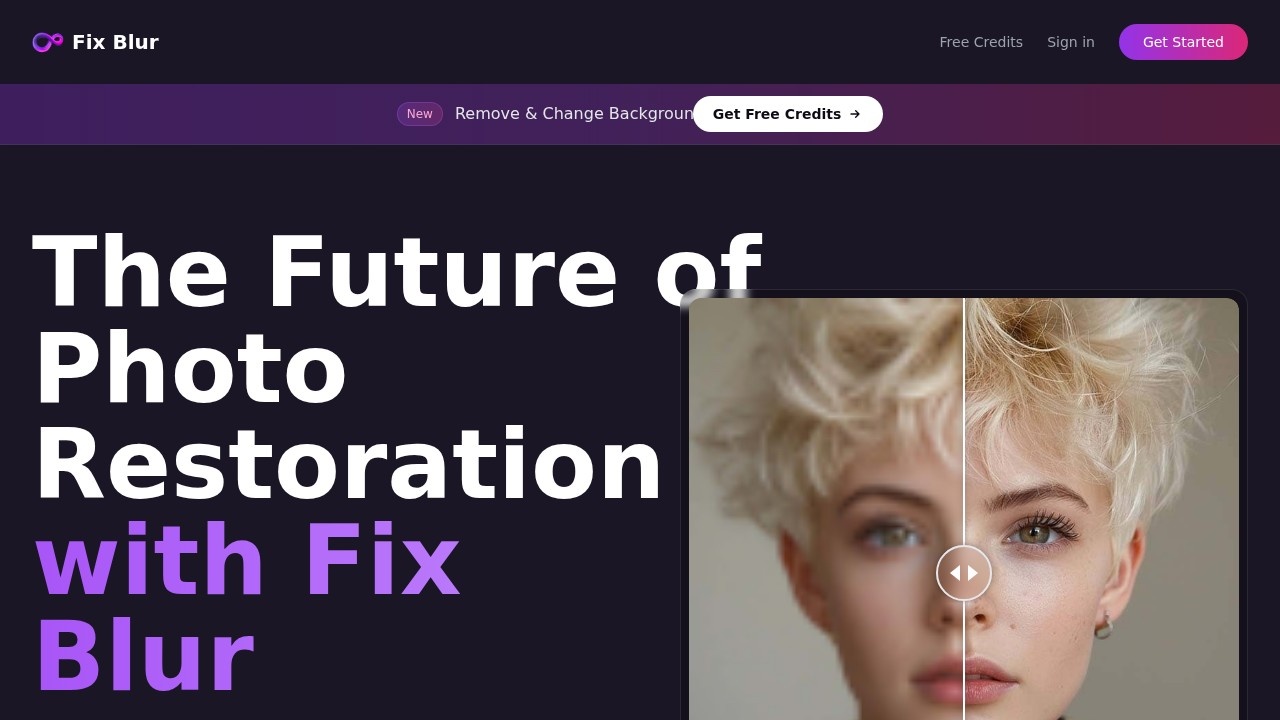
FixBlur is an AI-powered photo restoration tool that instantly fixes blurry photos. It processes images in 5–10 seconds and supports batch uploads of up to five photos at once. The service emphasizes secure and private handling of your images, with a focus on delivering natural-looking results that "shed the AI vibe." Users can drag a slider to compare before-and-after versions directly on the site.Application scenarios
Restoring old family photos
FixBlur sharpens faded or blurry images from decades past, making them usable for printing or digital sharing.
Enhancing smartphone snapshots
Quickly fix motion blur or out-of-focus shots taken with a phone camera.
Improving product photos
E-commerce sellers can sharpen blurry product images for clearer listings.
Social media content
Creators can polish blurry photos before posting to Instagram, TikTok, or other platforms.
Archival or documentation work
Researchers or historians can restore blurry scans of documents or images.
Personal photo projects
Users can revive blurry vacation or event photos without needing manual editing skills.
Core Features
Instant AI restoration
FixBlur processes blurry photos in 5–10 seconds, delivering sharpened results automatically.
Batch upload
Upload up to five photos at once for simultaneous processing, saving time on bulk edits.
Before/after comparison
Drag a slider to compare the original blurry image with the restored version side by side.
Privacy-first design
The service claims to be "secure & private," implying no unauthorized access to uploaded images.
Natural-looking results
FixBlur aims to "redefine the aesthetics of AI photo restoration," avoiding overly processed or artificial-looking outputs.
Free trial credit
New users get a free credit to test the service before committing to a paid plan.
Target users
FixBlur is designed for anyone who needs to fix blurry photos quickly without manual editing skills. This includes casual photographers, social media users, e-commerce sellers, archivists, and families restoring old photos. The batch upload feature also suits professionals handling multiple images at once.How to use FixBlur?
- Visit the FixBlur website at https://fixblur.com.
- Click "Start Free Trial" to access the service.
- Upload up to five blurry photos at once.
- Wait 5–10 seconds for AI processing.
- Use the drag slider to compare before-and-after results.
- Download the restored images.
Pricing and free trial
The website mentions a "free credit" to try the service, but no specific pricing tiers or subscription costs are listed. Users can start with a free trial to restore a limited number of photos.Effect review
FixBlur delivers on its core promise: fast, automated blur removal with a natural finish. The 5–10 second processing time makes it practical for quick fixes, and the batch upload capability is a genuine time-saver. The before/after slider gives users clear visual proof of the improvement. While the free trial lets you test the quality, the lack of detailed pricing information means you'll need to explore the site further to understand long-term costs. For casual users needing occasional blur fixes, FixBlur offers a straightforward, no-fuss solution.Frequently Asked Questions
什麼是FixBlur?
一次可以上傳多少張照片?
有免費試用嗎?
FixBlur可以修復哪些類型的模糊?
我需要建立帳戶嗎?
FixBlur - AI Tool Detail
FixBlur 由開發者提供 AI 修復技術,可即時修復模糊照片,支援一次上傳最多五張圖片,並提供免費點數試用。
Category:AI 照片修復
Visit Link:https://fixblur.com/
Tags:AI照片修復、模糊照片修復、影像銳化、免費點數、批次上傳