
YaVid
YaVid is a video downloading tool that allows users to save videos from various online platforms for offline viewing, supporting multiple formats and resolutions for easy access and sharing.
YaVid Review: AI Video Generation in One Click
What is YaVid?
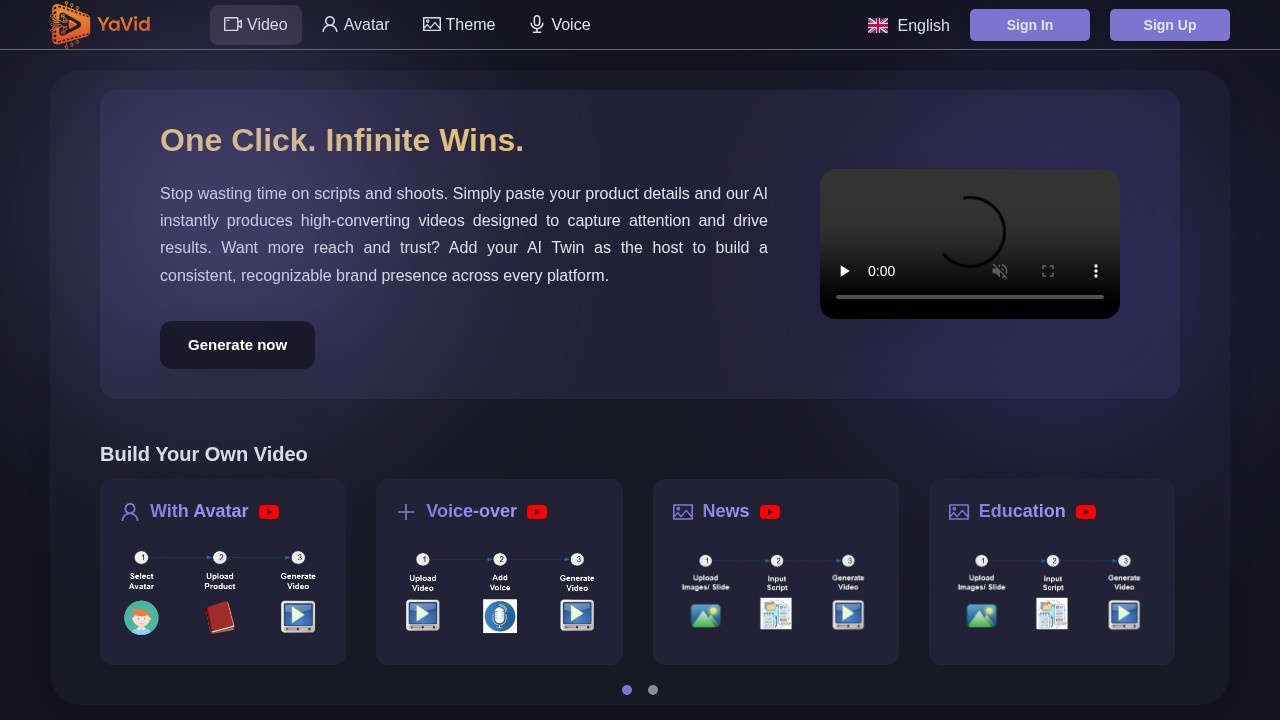
YaVid is an AI-powered video generation tool that transforms product details into high-converting videos instantly. Instead of spending time on scripts and shoots, users simply paste their product information and the AI produces ready-to-use videos. The platform also offers an "AI Twin" feature that lets users add a virtual host to build consistent brand presence across platforms.
Application scenarios
Marketing campaigns
Quickly produce attention-grabbing videos that drive results without traditional production workflows.
Brand building
Use the AI Twin as a recognizable host to establish consistent brand identity across multiple channels.
Product demos
Convert product details into engaging video content for e-commerce or landing pages.
Social media content
Generate videos optimized for capturing attention and driving engagement on various platforms.
Educational content
Create video lessons or explainer content using the Education video mode.
News-style videos
Produce news-format video content for announcements or updates.
Core Features
AI instant video generation
Paste product details and the AI produces high-converting videos automatically, eliminating the need for scripts and shoots.
AI Twin avatar hosting
Add a virtual host (AI Twin) to videos to build a consistent, recognizable brand presence across every platform.
Chat Mode
Build videos through a conversational interface rather than traditional editing workflows.
With Avatar mode
Generate videos featuring an AI avatar as the presenter.
Voice-over mode
Create videos with AI-generated voice-over narration.
News mode
Produce videos in a news-style format for announcements or updates.
Education mode
Generate educational-style video content for learning or instructional purposes.
Target users
YaVid is designed for marketers, content creators, small business owners, and brand managers who need to produce video content quickly without video production skills. It's particularly useful for teams that want to scale video output while maintaining consistent branding through the AI Twin feature.
How to use YaVid?
Visit the YaVid website at https://yavid.net/. Paste your product details into the interface, select your preferred video mode (With Avatar, Voice-over, News, or Education), and optionally add your AI Twin as a host. The AI then instantly produces a high-converting video ready for distribution.
Effect review
YaVid delivers on its promise of one-click video creation by eliminating traditional production bottlenecks. The inclusion of multiple video modes (Avatar, Voice-over, News, Education) gives users flexibility in how they present content. The AI Twin feature is a standout addition for brands seeking consistency across platforms. However, the actual video quality and conversion performance would depend on the AI's output capabilities, which aren't detailed in the available information. For teams needing rapid video production without technical expertise, YaVid appears to be a practical solution that prioritizes speed and simplicity over manual control.
Frequently Asked Questions
What video platforms does YaVid support?
Can I choose the video quality and format when downloading?
Is YaVid free to use?
Do I need to install any software to use YaVid?
Is it legal to download videos using YaVid?
How do I download a video with YaVid?
YaVid - AI Tool Detail
YaVid is a video downloading tool that allows users to save videos from various online platforms for offline viewing, supporting multiple formats and resolutions for easy access and sharing.
Category:Video editing
Visit Link:https://yavid.net/
Tags:video downloader、offline viewing、multi-format support、video saver、content access