Vokal
AI-powered writing tool by Vokal that transforms 60 seconds of speech into polished emails, Slack messages, or LinkedIn posts, preserving your authentic voice while explaining every change made.
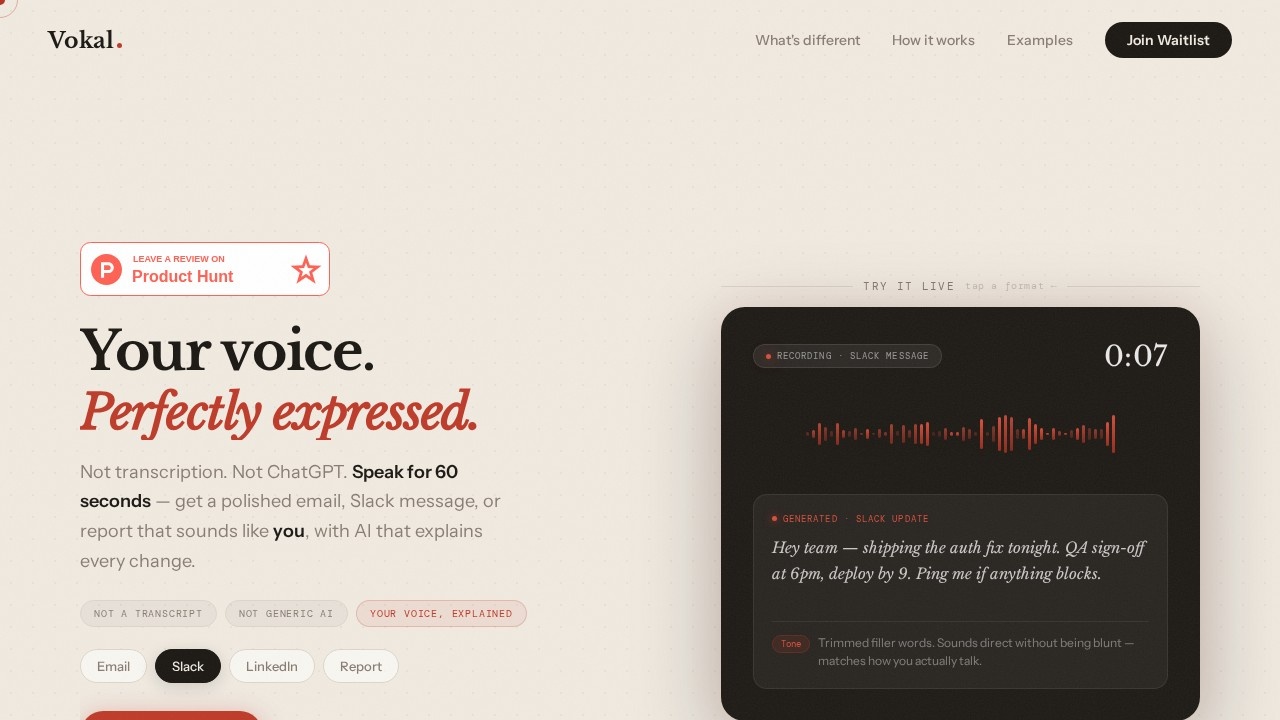
What is Vokal?
Vokal is an AI-powered writing tool that transforms 60 seconds of messy speech into polished emails, Slack messages, LinkedIn posts, or reports. Unlike transcription services or generic AI writers, it preserves your authentic voice and explains every change it makes. You speak naturally—rambling, pausing, repeating yourself—and Vokal handles the formatting and structure. It positions itself as "the missing step between thinking out loud and sending something brilliant."Application scenarios
Professional email
Speak your thoughts for 60 seconds and get a structured email with key info moved to the first sentence.
Slack messaging
Convert rambling voice notes into concise, professional Slack messages that sound like you.
LinkedIn posts
Turn half-formed ideas into polished LinkedIn content without blank-page anxiety.
Reports
Dictate rough ideas and receive a formatted report that captures your intent.
Journaling
Use the journal format to capture daily thoughts in your natural voice without editing.
Non-native English communication
Over 1.1 billion ESL speakers can produce polished professional English without exhausting rewriting.
Core Features
Voice-to-format
Speak for 60 seconds and get output in email, Slack, report, LinkedIn, or journal format.
Intent extraction
Vokal doesn't just transcribe—it extracts your intent, picks the format, and writes from scratch.
Voice learning
After a few sessions, Vokal learns your style, vocabulary, and tone so every output sounds like you.
Change explanation
Every edit is explained (e.g., "Lead restructured—key info moved to sentence one") so you understand why changes were made.
No prompts or templates
Start recording directly without writing prompts or filling templates.
Messy input accepted
You can ramble, pause, and repeat yourself—no pressure to be articulate.
Productivity gap closure
Turns your 150 words-per-minute speaking speed into polished text, bypassing the 40 words-per-minute typing bottleneck.
Target users
Professionals who spend too much time on email (the average worker spends 2.6 hours daily on email alone), non-native English speakers who find writing polished professional English exhausting, and anyone who thinks faster than they can type. It's built for people who want to communicate clearly without the blank-page paralysis.How to use Vokal?
Open Vokal, tap record, and speak naturally for about 60 seconds—messy, rambling, or half-formed is fine. The AI extracts your intent, picks the format (email, Slack, LinkedIn, report, or journal), and generates polished output in your voice. You can review the changes it explains, then export or send directly. Join the waitlist at vokal.work to get access.Pricing and free trial
Pricing is not mentioned on the website. The page only shows "Join the waitlist" with 847+ people on it and a "Try it live" option to test a format.Effect review
Vokal addresses a genuine productivity gap: most professionals think at voice speed but type at a fraction of that pace. The "explain every change" feature is particularly valuable—it teaches users to become better communicators over time rather than just fixing mistakes after the fact. The waitlist count of 847+ suggests early interest, but without user testimonials or quality metrics on the site, it's hard to judge real-world polish. For non-native speakers and busy professionals, the promise of skipping prompts and templates while keeping your natural voice is compelling—if the AI delivers on that "sounds like you" claim.Frequently Asked Questions
What is Vokal?
How does Vokal preserve my authentic voice?
How long does it take to generate content?
What platforms does Vokal support for output?
Is my data secure with Vokal?
Can I edit the output after Vokal generates it?
Vokal - AI Tool Detail
AI-powered writing tool by Vokal that transforms 60 seconds of speech into polished emails, Slack messages, or LinkedIn posts, preserving your authentic voice while explaining every change made.
Category:AI Writing
Visit Link:https://www.vokal.work/
Tags:AI speech-to-text、AI writing assistant、voice-to-email、LinkedIn post generator、Slack message tool