
Upstream
A team messaging app by Upstream that integrates with email, offering streamlined communication and collaboration features for efficient workplace interactions.
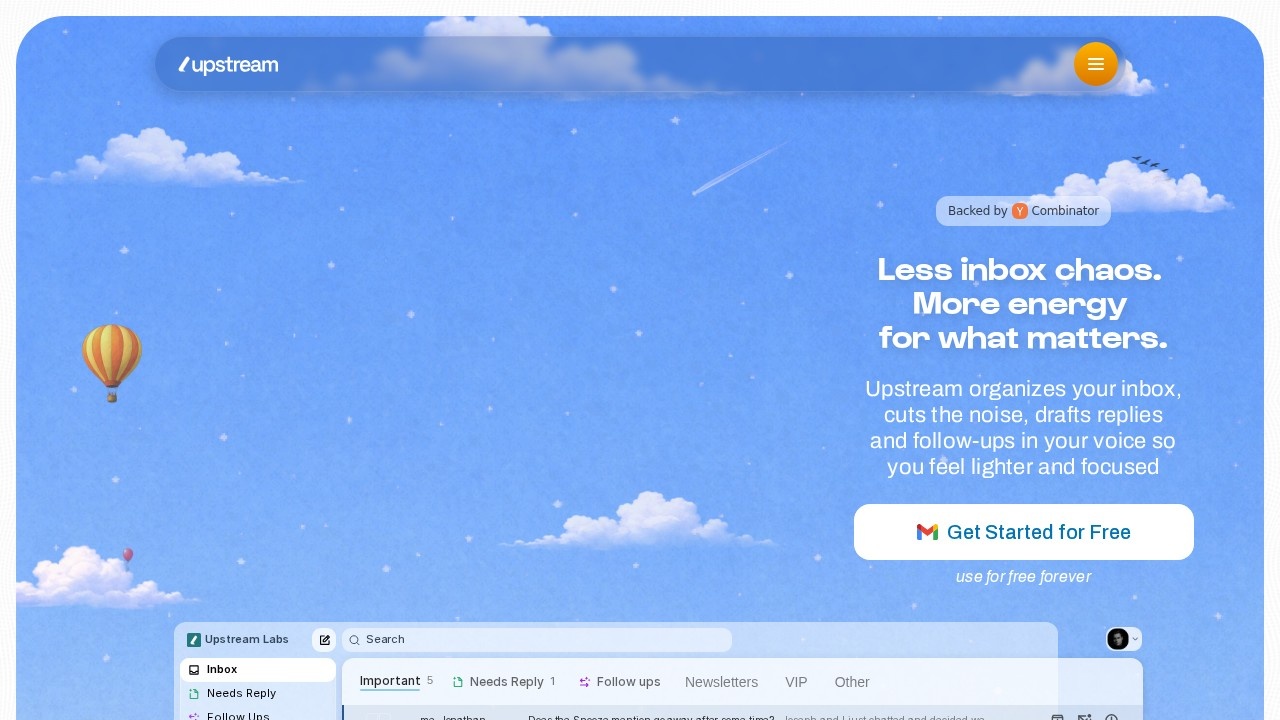
What is Upstream?
Upstream is a team messaging app that integrates directly with email to streamline workplace communication. It organizes your inbox, reduces noise, and drafts replies and follow-ups in your own voice. The platform is designed to help users feel lighter and more focused by cutting through email clutter. It is backed by Y Combinator and positions itself as the first inbox designed for both humans and AI agents.Application scenarios
Email overload management
Automatically sorts incoming messages into categories like "Needs Reply," "Follow Ups," and "Newsletters" to prioritize what matters.
Team collaboration
Enables group chats and threaded discussions around specific emails or projects, as seen in conversations about "Coffee Machines" or "channels rules launch."
AI-assisted drafting
Composes replies and follow-ups in the user's own voice, saving time on routine email responses.
Snooze and scheduling
Allows users to snooze emails temporarily or schedule messages for later delivery.
Multi-label organization
Supports custom labels such as "VIP," "Important," and "Other" for granular inbox filtering.
Spam and trash management
Automatically filters spam and provides a trash folder for deleted items.
Core Features
Inbox organization
Automatically categorizes emails into "Needs Reply," "Follow Ups," "Starred," "Snoozed," "Sent," "Scheduled," "Drafts," "Spam," and "Trash."
AI drafting in your voice
Drafts replies and follow-ups that match your personal writing style, as highlighted in the tagline "drafts replies and follow-ups in your voice."
Smart labels
Includes preset labels like "Newsletters," "VIP," and "Other," plus custom labels for tailored filtering.
Search functionality
Offers a search bar to quickly find specific emails or conversations.
Upstream Labs
A dedicated section for experimental features and AI agent integrations (e.g., "Upstream + Anthropic - YC Credits").
Group conversations
Supports multi-person chats with real-time timestamps and reply threading.
Snooze and scheduling
Lets you snooze emails to reappear later or schedule messages for future sending.
Spam and trash handling
Automatically moves junk mail to spam and provides a trash folder for deleted items.
Target users
- Busy professionals who receive high volumes of email and need to prioritize responses.
- Team leads and managers who collaborate on shared inboxes and need quick follow-ups.
- Customer support agents who handle multiple threads and require AI-assisted drafting.
- Freelancers and small business owners who want to reduce email noise and stay organized.
- Early adopters of AI tools interested in integrating agent-based workflows (e.g., Anthropic integration).
How to use Upstream?
- Visit the official website at https://www.upstream.do/ and click "Sign Up."
- Connect your email account to allow Upstream to organize your inbox.
- Use the left sidebar to navigate categories like "Needs Reply," "Follow Ups," or "Snoozed."
- Click on any email to view the conversation thread and use the AI drafting feature to compose replies.
- Apply labels (e.g., "VIP," "Newsletters") or create custom labels for better organization.
- Use the search bar to quickly locate specific emails or conversations.
Pricing and free trial
Upstream offers a free tier described as "use for free forever" on the website. No paid pricing tiers are explicitly listed in the provided text.Effect review
Upstream delivers on its promise to cut email noise by automatically sorting messages into actionable categories. The AI drafting feature, which writes replies in your natural voice, is a standout for reducing repetitive typing. The Y Combinator backing adds credibility, and the integration with agents (e.g., Anthropic) hints at future AI collaboration capabilities. While the interface appears clean and intuitive based on the mockup, real-world effectiveness will depend on how well the AI adapts to individual writing styles. For teams drowning in email, Upstream offers a practical, focused alternative to traditional inbox management.Frequently Asked Questions
What is Upstream?
How does Upstream integrate with email?
Is Upstream free to use?
What platforms does Upstream support?
Can I use Upstream without an email account?
Is Upstream secure for business use?
Upstream - AI Tool Detail
A team messaging app by Upstream that integrates with email, offering streamlined communication and collaboration features for efficient workplace interactions.
Category:Personal Assistant
Visit Link:https://www.upstream.do/
Tags:team messaging、email integration、workplace collaboration、communication tool、AI productivity