
ToText
ToText by Totext converts MP3 and MP4 files into accurate, editable transcripts online. It offers timestamps, speaker labels, subtitles, and easy exports—no software needed, ideal for podcasts, meetin
What is ToText?
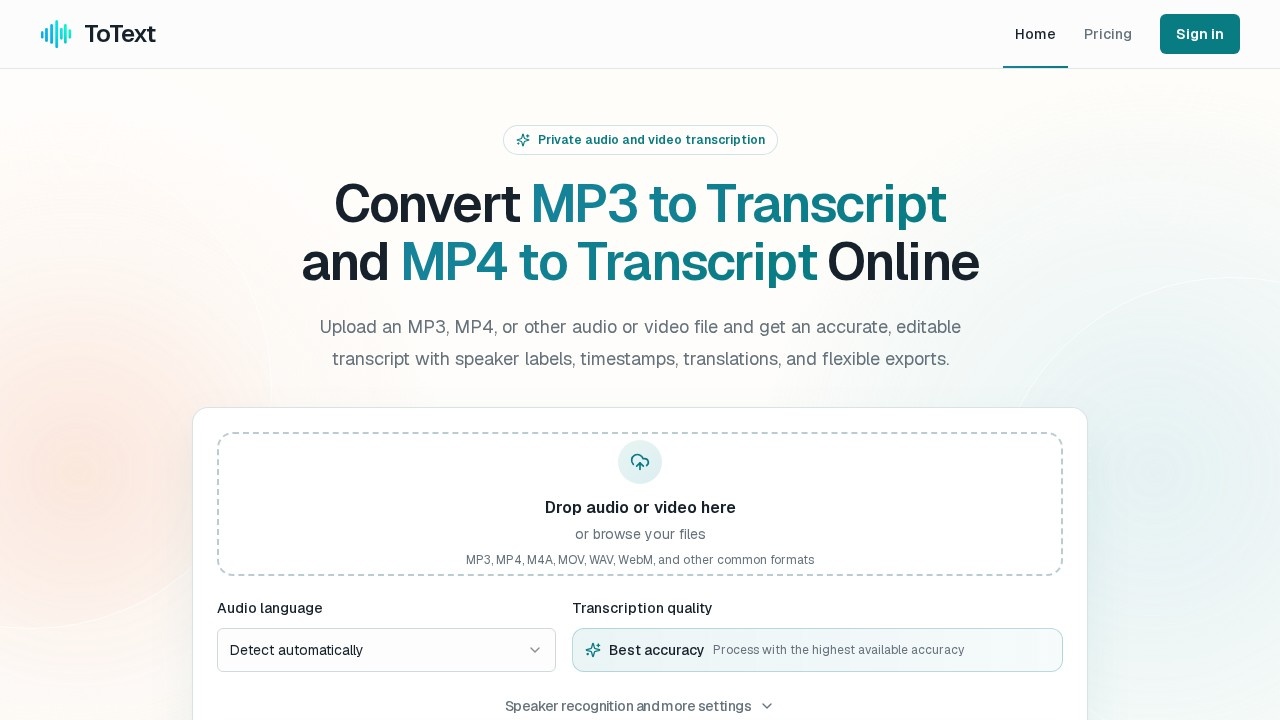
ToText is an online transcription service that converts MP3, MP4, and other audio/video files into accurate, editable text. You upload a file directly in your browser, and the platform processes it with automatic language detection, speaker recognition, and noise reduction. The result is a time-aligned transcript you can search, correct, and export in multiple formats. Users rely on it to make podcasts, meetings, lectures, and interviews searchable without installing any software.
Application scenarios
Podcasts
Turn episode audio into searchable transcripts with timestamps and speaker labels.
Meetings & calls
Convert authorized recordings into editable notes with speaker attribution.
Lectures & courses
Make video or audio lessons text-searchable for quick reference.
Interviews & research
Get accurate transcripts of interviews for analysis and quoting.
Video content
Transcribe MP4 files like presentations, tutorials, and webinars.
Voice notes & dictation
Transform casual recordings into structured text documents.
Actionable follow-ups
Generate summaries, chapters, and action items from transcripts.
Core Features
High accuracy transcription
The platform claims 99.9% accuracy with an option to process at the highest available quality.
Automatic language detection
Choose a specific language or let ToText identify it automatically.
Speaker recognition
The system labels different speakers, and you can refine those labels during editing.
Timestamps
Every segment is time-aligned, so you can click any phrase and jump to that moment in the recording.
In-browser editor
Play the recording from any segment, search the full transcript, and correct wording directly.
Flexible exports
Download transcripts as TXT, DOCX, PDF, SRT, or VTT for documents or subtitles.
Extended uploads
Supports files up to 20 hours long and common formats including MP3, MP4, M4A, MOV, WAV, and WebM.
Privacy protection
Uploads are secure and processed privately, with no credit card required for the free tier.
Vocabulary customization
Add important terms before processing to improve accuracy on names or specialist language.
Background processing
Start a job, leave the page, and track progress in your dashboard.
Target users
ToText suits podcasters, journalists, researchers, educators, and remote teams who need reliable transcripts without manual typing. It also fits video editors needing subtitles, meeting organizers wanting searchable notes, and anyone who regularly records audio and needs quick text access.
How to use ToText?
- Upload your file: Go to the site, drag an MP3 or MP4 into the upload area, or browse your files. Choose the language or keep automatic detection.
- Start transcription: Click to begin; the platform prepares the audio and converts speech into time-aligned text. You can leave the page and monitor the job in your dashboard.
- Review and edit: Play any segment, search the transcript, correct wording, and refine speaker labels.
- Export or continue: Download as TXT, DOCX, PDF, SRT, or VTT, or use summaries, chapters, translations, and action items if helpful.
Pricing and free trial
ToText offers 3 free transcriptions without requiring a credit card. Free accounts process the first 20 minutes of up to 3 files daily. Paid access supports longer complete recordings, but specific pricing details are not listed on the page.
Effect review
ToText delivers a practical, browser-based workflow that removes the friction of desktop transcription tools. The combination of automatic language detection, speaker labels, and time-aligned editing makes it genuinely useful for turning long recordings into navigable documents. The free tier is generous enough to test the full pipeline—upload, transcribe, edit, and export—before committing. For users who need subtitles or searchable archives, the SRT/VTT export options add real value. The claimed 99.9% accuracy is ambitious, but the editable editor and vocabulary customization give you control over the final output. Overall, it's a solid choice for anyone who wants transcription done quickly without leaving the browser.
Frequently Asked Questions
What is ToText and what does it do?
Do I need to install any software to use ToText?
What file formats does ToText support?
Does ToText provide timestamps and speaker labels?
Can I export transcripts as subtitles?
Is ToText free to use?
ToText - AI Tool Detail
ToText by Totext converts MP3 and MP4 files into accurate, editable transcripts online. It offers timestamps, speaker labels, subtitles, and easy exports—no software needed, ideal for podcasts, meetin
Category:Speech processing
Visit Link:https://totext.app/
Tags:audio transcription、mp3 to text、mp4 to text、podcast transcription、meeting notes