
Snowflake
DecisionBox integration for Snowflake, enabling seamless data connectivity and analytics workflows within the Snowflake cloud data platform.
What is Snowflake?
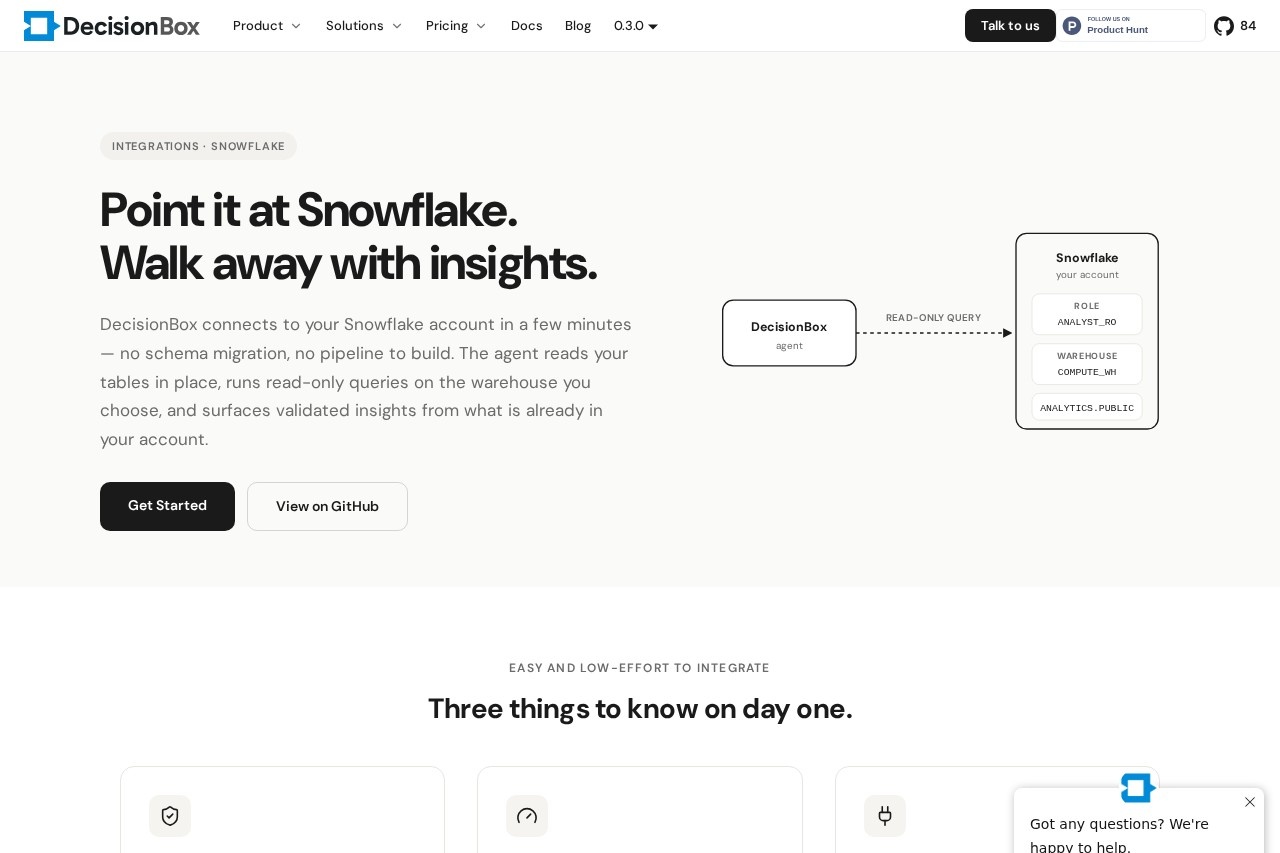
DecisionBox integration for Snowflake is a read-only analytics agent that connects directly to your existing Snowflake account. It reads your tables in place without requiring schema migration, data pipelines, or warehouse-side changes. Users point the agent at a database and schema, and it automatically surfaces validated insights from the data already stored in Snowflake. The entire setup takes just a few minutes.Application scenarios
Data analytics
Run read-only queries on your Snowflake warehouse to uncover validated insights without building new pipelines.
Business intelligence
Connect DecisionBox to existing BI tools and dbt jobs for seamless, cost-controlled analytics workflows.
Proof of concept
Quickly test the agent with a username/password authentication for developer-only projects.
Production deployment
Use key pair (JWT) authentication for secure, machine-to-machine integration in production environments.
Cost management
Leverage existing Snowflake cost controls—warehouse size, auto-suspend, resource monitors—to manage agent query costs.
Security auditing
Apply Snowflake’s RBAC to scope the agent’s access, ensuring it only sees data granted by the chosen role.
Core Features
Read-only, role-scoped access
The agent connects with a Snowflake role you choose (e.g., ANALYST_ROLE), and cannot access anything the role does not grant.
Warehouse-specific query execution
All queries run on the warehouse you specify (e.g., COMPUTE_WH), using its existing size, auto-suspend, and resource monitor settings.
In-place schema reading
No tables to refactor or pipelines to build; the agent reads metadata from INFORMATION_SCHEMA and picks up tables on its first run.
No surprise bills
Costs are controlled by your warehouse’s credit rate, auto-suspend, and resource monitor—no separate compute cluster needed.
Dedicated warehouse option
Create a separate warehouse for DecisionBox, attach a resource monitor, and configure it in the project config for isolated cost tracking.
Username/password authentication
Quick setup for first runs or proof-of-concept projects; password stored encrypted and never written to logs.
Key pair (JWT) authentication
Recommended for production; uses a PEM-encoded RSA private key to sign short-lived JWTs, with no long-lived password stored.
Same role and warehouse boundary for both auth options
Both authentication methods end at the same role and warehouse you configured, ensuring consistent security.
Target users
Data analysts, data engineers, BI developers, and Snowflake administrators who need a low-effort way to run validated analytics queries on existing Snowflake data without building new pipelines or managing additional compute. The integration is suitable for both proof-of-concept developers and production teams.How to use Snowflake?
- Connect to Snowflake: Point DecisionBox at your Snowflake account using either username/password (quick start) or key pair (JWT) authentication.
- Configure the warehouse: Specify the warehouse name (e.g., COMPUTE_WH) in the project config to control query execution and costs.
- Set the role: Choose a Snowflake role (e.g., ANALYST_ROLE) to scope the agent’s read-only access.
- Point at schemas: Select a database and schema—the agent reads tables in place and re-checks them on every run.
- Run queries: The agent executes read-only queries on your chosen warehouse and surfaces validated insights from your data.
Effect review
The DecisionBox integration for Snowflake delivers exactly what it promises: a fast, secure, and cost-controlled way to extract insights from existing Snowflake data. The read-only, role-scoped design respects Snowflake’s RBAC and eliminates the need for schema changes or pipeline work. The dual authentication options—quick username/password for testing and key pair JWT for production—make it flexible for different deployment stages. For teams already using Snowflake, this integration removes friction from analytics workflows while keeping costs predictable through existing warehouse controls. It’s a practical, no-nonsense tool for data professionals who want results without overhead.Frequently Asked Questions
What is the Snowflake integration for DecisionBox?
How does the integration enhance data connectivity?
What types of analytics can be performed with this integration?
Is the integration easy to set up?
Does the integration support data security?
Can the integration handle large datasets?
Snowflake - AI Tool Detail
DecisionBox integration for Snowflake, enabling seamless data connectivity and analytics workflows within the Snowflake cloud data platform.
Category:Data analysis
Visit Link:https://decisionbox.io/integrations/snowflake/
Tags:Snowflake Integration、Data Connectivity、Analytics Workflows、Cloud Data Platform、DecisionBox