
Queryflow Studio
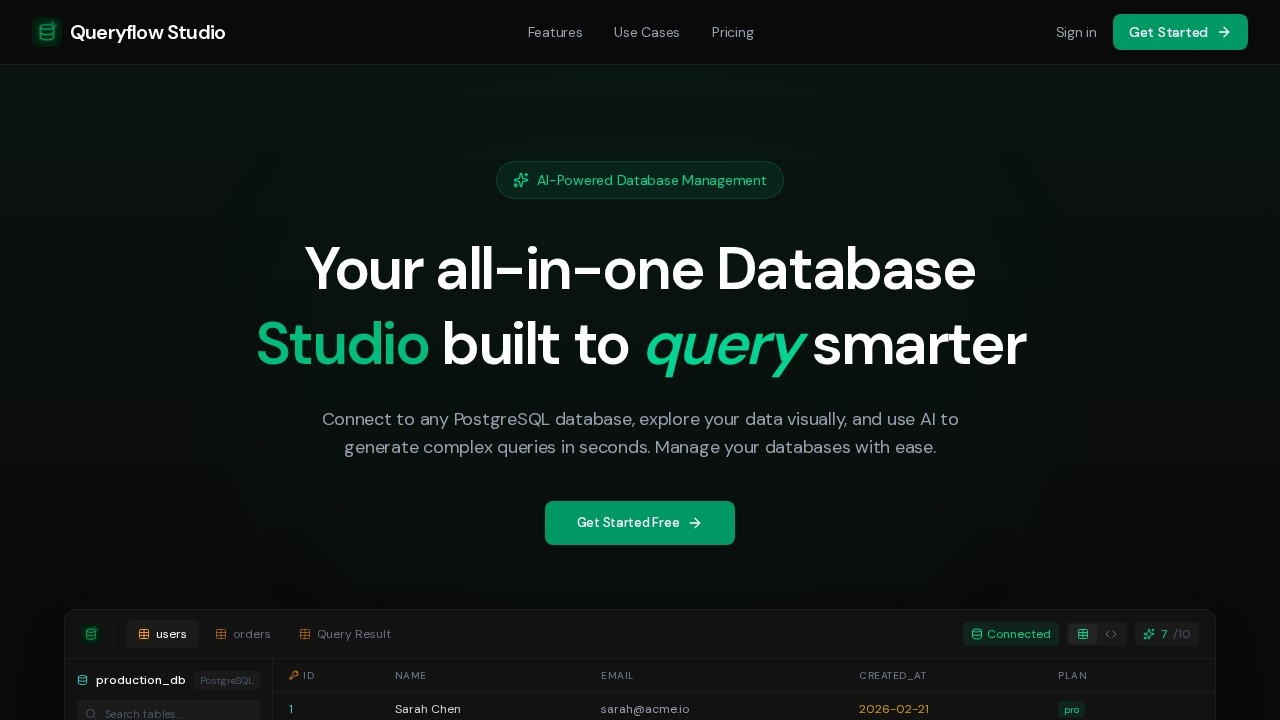
Queryflow Studio is an AI-powered PostgreSQL database studio by Queryflow, enabling natural language query generation for effortless data analysis and management.
What is Queryflow Studio?
Queryflow Studio is an AI-powered PostgreSQL database studio that replaces traditional SQL clients with a smarter, conversational interface. Users connect any PostgreSQL database, then generate complex queries, explore data visually, and manage schemas using natural language. The tool includes an AI assistant named Nixie that answers data questions in plain English, and it provides built-in analytics, migration suggestions, and anomaly detection. It’s designed to accelerate database work for developers, analysts, and business owners by eliminating manual SQL writing.Application scenarios
Backend & full-stack development
Describe the query you need in plain English; the AI generates production-ready SQL and can debug schema issues without switching contexts.
Data analysis
Explore datasets, spot anomalies, and build dashboards without writing SQL from scratch using auto-detected trends and anomaly detection.
Database administration (DBA)
Audit queries, review schema changes, flag slow queries, and keep databases healthy with performance advisors and migration suggestions.
Startup & founder workflows
Move fast without a dedicated DBA—seed test data, generate migrations, import CSVs, and ask Nixie questions about your data in plain English.
Performance monitoring
Track query performance, monitor execution times, and get rewrite suggestions to optimize slow queries.
Schema and relationship exploration
Browse tables, inspect schemas, and explore relationships with an intuitive tree view that supports 100+ tables.
Core Features
AI Query Generation
Describe what you need in plain English; the AI generates optimized SQL queries instantly.
Nixie Chat
Ask questions about your data in plain English (e.g., “Which product categories had the most returns last month?”) and get answers with specific numbers and percentages.
Visual Data Explorer
Browse tables, inspect schemas, and explore relationships with an intuitive tree view.
Query Analytics
Track query performance, monitor execution times, and get performance ratings (e.g., “Performance: Optimal”).
AI-Powered Tools
Includes Schema Docs, AI Profile Table, AI Detect Anomalies, AI Smart Dashboard, ERD Generator, Migration Suggester, and Data Profiler.
Query Explainer & Performance Advisor
Get explanations for generated SQL, performance ratings, and rewrite suggestions.
Scheduled Queries
Set up recurring queries to run automatically.
Data Import & Seed Tools
Import CSVs/JSON files, generate test data, and auto-summarize datasets.
Target users
Backend and full-stack developers who want to stop context-switching between editors and SQL clients; data analysts who need to explore datasets and build dashboards without writing SQL from scratch; team leads and DBAs who audit queries, review schema changes, and keep databases healthy; and startup founders who need to move fast without a dedicated DBA.How to use Queryflow Studio?
- Visit the official site and click “Get Started Free” to sign up.
- Connect your PostgreSQL database (the interface shows a connection to “production_db” with tables like users, orders, products, etc.).
- Use the AI Generate field or the SQL Editor to describe your query in plain English (e.g., “Get all users who signed up in the last 7 days but haven’t placed an order yet”).
- Review the generated SQL, run it, and see results with row count and execution time.
- Use the sidebar tools (Schema Docs, AI Profile, ERD Generator, Migration Suggester) to manage and optimize your database.
Effect review
Queryflow Studio delivers on its promise of making PostgreSQL querying faster and more accessible. The AI generation consistently produces correct, production-ready SQL from natural language descriptions, and the built-in performance ratings give immediate feedback on query quality. Nixie Chat goes beyond simple SQL generation by answering data questions with specific numbers and percentages, which is genuinely useful for non-technical stakeholders. The visual data explorer and anomaly detection tools add real value for DBAs and analysts, though the tool’s reliance on an internet connection and its focus solely on PostgreSQL may limit adoption for teams using other databases. For anyone working with PostgreSQL, it’s a practical upgrade over traditional SQL clients.Frequently Asked Questions
What is Queryflow Studio?
How does Queryflow Studio generate queries from natural language?
Do I need SQL knowledge to use Queryflow Studio?
Can Queryflow Studio connect to existing PostgreSQL databases?
Is Queryflow Studio free to use?
What types of queries can I create with natural language?
Queryflow Studio - AI Tool Detail
Queryflow Studio is an AI-powered PostgreSQL database studio by Queryflow, enabling natural language query generation for effortless data analysis and management.
Category:Data analysis
Visit Link:https://www.queryflow.studio/
Tags:AI database tool、natural language SQL、PostgreSQL studio、data analysis、query generation