
Quadratic
Quadratic by Quadratic HQ is an AI-powered spreadsheet that connects to your data, turning questions into fast, explainable, and shareable insights.
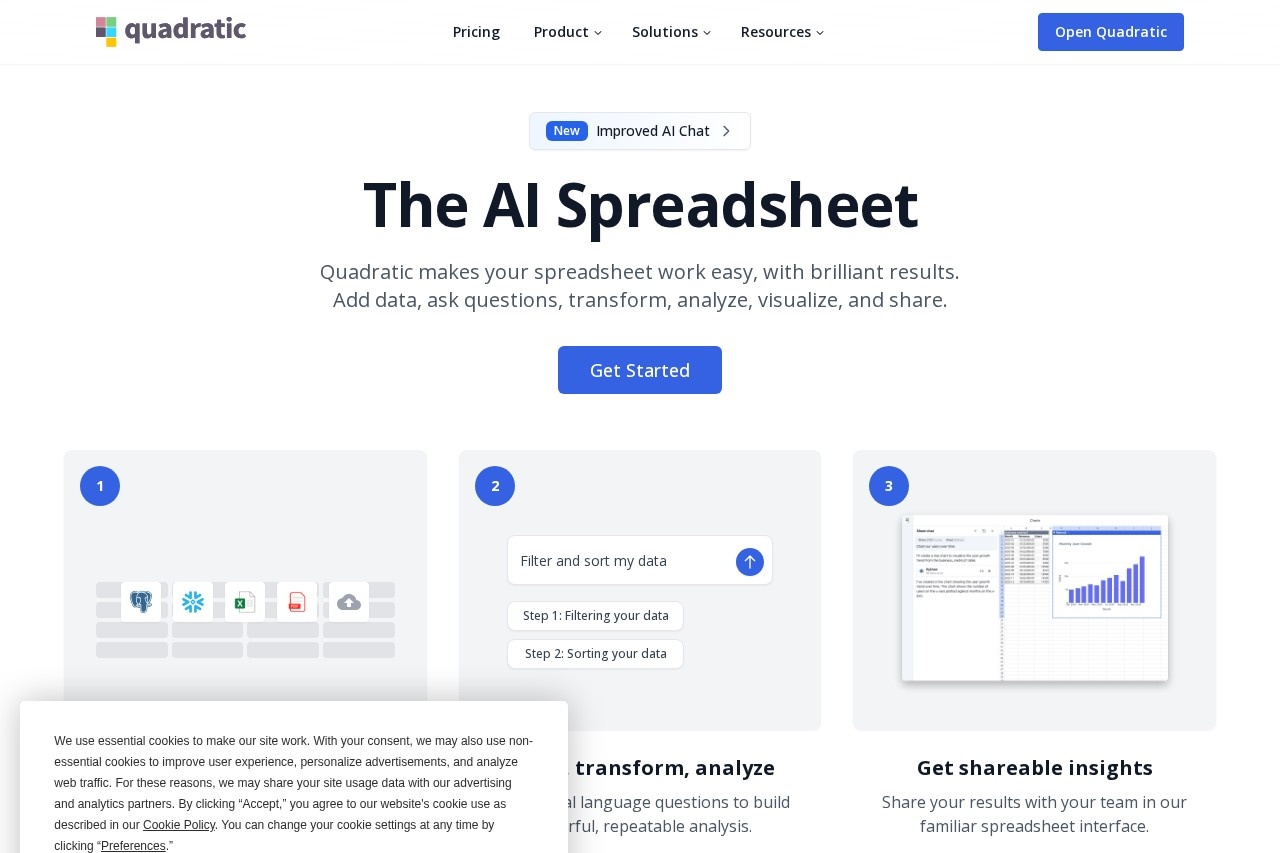
What is Quadratic?
Quadratic is an AI-powered spreadsheet application. It allows users to analyze data by asking questions in natural language, eliminating the need for manual formulas. The platform integrates Python and SQL for advanced analysis directly within the spreadsheet interface. Users leverage it to generate fast, explainable, and shareable insights from their connected data sources.Application scenarios
Product Management
Analyze product data to identify usage patterns and inform better product decisions.
Sales and Marketing
View campaign performance metrics and optimize SEO strategies.
Finance
Analyze financial markets and identify potential trading opportunities.
Data Quality Assurance
Find missing or inconsistent values within large tables of data.
Business Intelligence
Cross-reference multiple data queries simultaneously and create custom visualizations.
Daily Data Workflows
Serve as a persistent, daily-use tool for data analysis and workspace management.
Core Features
Natural language queries
Ask questions of your data in plain English without writing formulas.
AI-generated code cells
Automatically write and execute Python and SQL code within spreadsheet cells for advanced data manipulation.
Explainable AI analysis
Review and edit any cell to audit the AI's methodology and make manual adjustments.
Multi-query cross-referencing
Analyze and compare the results of several data queries at the same time.
Custom visualization with Plotly
Create tailored charts and graphs directly within the tool.
Team collaboration
Work with others on shared, verifiable analysis within a single spreadsheet.
Enterprise data connectivity
Securely connect to and analyze data from company databases and sources.
SOC 2 & HIPAA compliance
Operate with enterprise-grade security certifications for data protection.
Target users
The tool is designed for professionals and teams who work extensively with data. Specific roles mentioned include Product Managers, Sales and Marketing teams, Finance professionals, and Data Scientists. It supports individuals, small teams, and large enterprises looking to accelerate and collaborate on data analysis.How to use Quadratic?
You can begin by visiting the official website and signing up. The core workflow involves connecting your data source to the Quadratic spreadsheet. From there, you can ask questions in natural language or instruct the AI to perform tasks like finding data inconsistencies. The AI will generate analysis using formulas, Python, or SQL, which you can then review, edit, and share with your team. For specific steps, refer to the tutorials or templates on the Quadratic website.Effect review
User testimonials highlight significant time savings and enhanced analytical power. Professionals report saving hours weekly on data cleaning and validation tasks, and they describe the tool as a fundamental part of their daily workflow. The ability to audit the AI's work and create custom visualizations is noted as a key advantage over traditional tools, moving it beyond a simple query interface to a verifiable analysis platform. For teams, the combination of collaborative features, robust security, and AI assistance turns complex data spreadsheets into a more seamless and trusted source for business insights.Frequently Asked Questions
What is Quadratic?
How does Quadratic use AI?
What types of data can I connect to Quadratic?
Is Quadratic suitable for team collaboration?
Does Quadratic require coding skills?
How does Quadratic ensure data security?
Quadratic - AI Tool Detail
Quadratic by Quadratic HQ is an AI-powered spreadsheet that connects to your data, turning questions into fast, explainable, and shareable insights.
Category:Data analysis
Visit Link:https://quadratichq.com/
Tags:AI spreadsheet、data analysis、business intelligence、data visualization、collaborative analytics