
Nudge Task
Nudge Task is an AI scheduler by Nudge Task that plans your week by placing Markdown tasks into your calendar around deep work zones and deadlines, starting at $5/month.
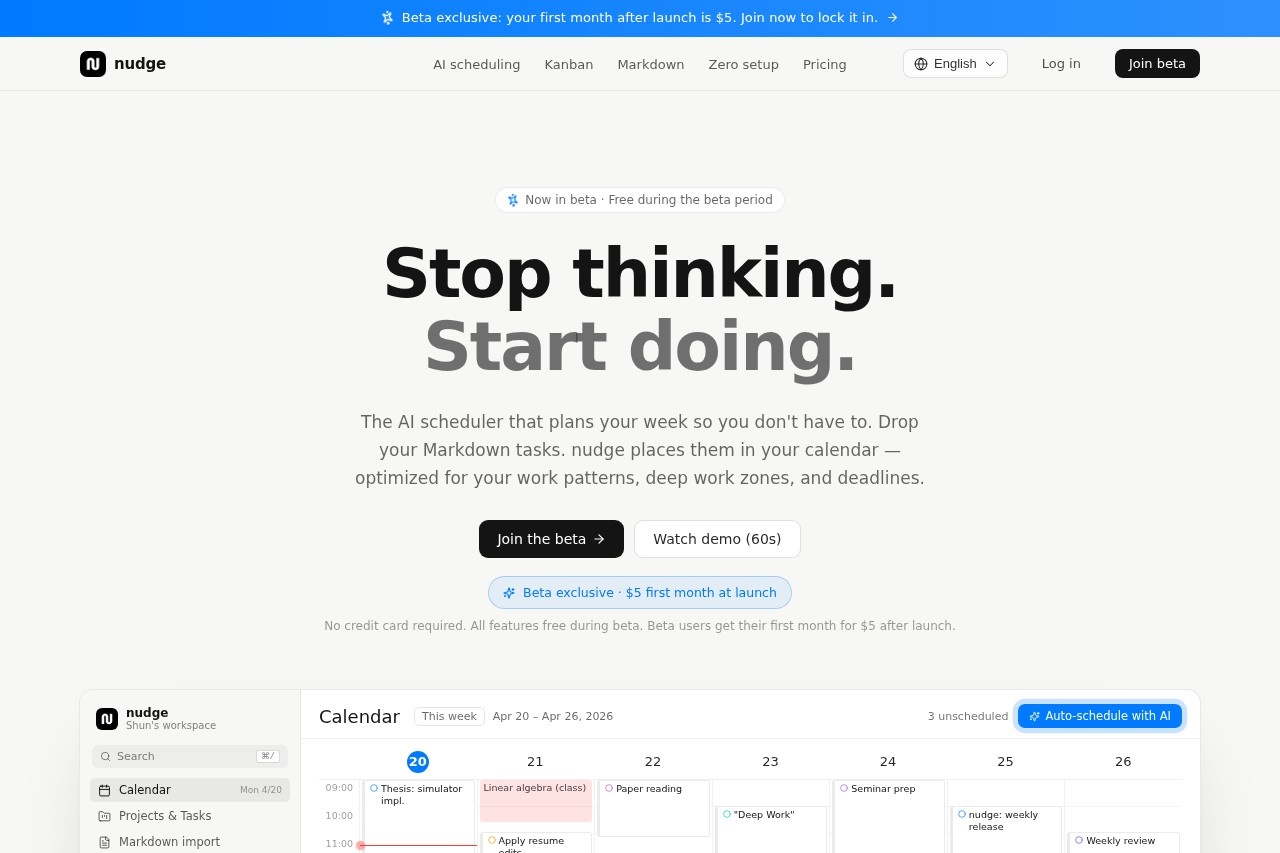
What is Nudge Task?
Nudge Task is an AI scheduler that automatically plans your week by placing Markdown tasks into your calendar. It optimizes task placement around your deep work zones, deadlines, and fixed events like classes or meals. The tool eliminates the mental overhead of deciding what to work on next by handling scheduling decisions for you. It is currently in beta, with all features free during the beta period.Application scenarios
Weekly planning
Drop Markdown tasks and let AI auto-schedule them into 30-minute slots across your week.
Deep work optimization
Automatically place high-priority tasks into your most focused hours (e.g., 09:00–12:00).
Task prioritization
Sort tasks by deadline and priority (high > medium > low) to ensure urgent work gets placed first.
Routine adaptation
Set working hours, deep-work zones, lunch, and fixed events (like classes or gym) for weekdays and weekends.
Kanban task management
Use a simple three-column Kanban view to drag cards and track task status without complex assignees or swimlanes.
Pre-bedtime protection
Keep the two hours before bedtime free from scheduled tasks to protect your wind-down time.
Core Features
AI auto-schedule
Drop Markdown tasks, and the AI places them in your calendar based on deadlines, priority, and your work patterns.
Deep work zones
Deep tasks automatically land in your most focused hours (e.g., 09:00–12:00) for uninterrupted work.
Fixed event avoidance
The scheduler respects fixed events, sleep, meals, and pre-bedtime buffers to avoid conflicts.
30-minute slot placement
Tasks are placed in non-conflicting 30-minute slots, with a minimum block size of 30 minutes.
Greedy algorithm speed
Places up to 50 tasks in under 500 milliseconds for snappy performance.
Customizable routine
Set working hours, deep-work zones, lunch, and fixed events separately for weekdays and weekends.
Kanban view
A three-column Kanban view lets you drag cards to track task status without assignees or swimlanes.
Auto-sort by deadline and priority
Tasks are ordered by deadline first, then priority (high > medium > low) for optimal scheduling.
Target users
Professionals, students, freelancers, and anyone who spends too much time deciding what to work on next. It’s ideal for people who use Markdown for task management and want an AI to handle scheduling around deep work zones, fixed events, and deadlines.How to use Nudge Task?
- Sign up for the beta (no credit card required) at the official website.
- Drop your Markdown tasks into the scheduler.
- Set your working hours, deep-work zones, lunch, and fixed events for weekdays and weekends.
- Let the AI auto-schedule tasks into 30-minute slots, sorted by deadline and priority.
- Use the Kanban view to drag cards and track task status as needed.
Pricing and free trial
Nudge Task is currently in beta and free to use during the beta period. Beta users lock in a special price of $5 for their first month after launch. No credit card is required to join the beta.Effect review
Nudge Task directly addresses the common problem of "thinking tax"—the mental energy spent deciding what to work on next each morning. Its AI auto-scheduling is fast (placing 50 tasks in under 500 ms) and respects your personal work patterns, deep work zones, and fixed events. The Kanban view adds a simple visual layer without unnecessary complexity. For anyone who regularly wastes time manually dragging tasks into calendar slots or building elaborate Notion templates, this tool offers a streamlined, automated alternative. The beta pricing ($5 first month) makes it low-risk to try.Frequently Asked Questions
What is Nudge Task?
How does Nudge Task schedule tasks?
Does Nudge Task integrate with my existing calendar?
What is the pricing for Nudge Task?
Can I use Markdown to write my tasks?
Is there a free trial available?
Nudge Task - AI Tool Detail
Nudge Task is an AI scheduler by Nudge Task that plans your week by placing Markdown tasks into your calendar around deep work zones and deadlines, starting at $5/month.
Category:Personal Assistant
Visit Link:https://nudgetaskai.com/en/landing
Tags:AI scheduling、calendar automation、productivity tool、task planner、deep work