
MakeMyDeck
An AI presentation maker by MakeMyDeck that turns any idea into a polished, fully editable slideshow. Refine copy and design in your browser, then export to PowerPoint.
What is MakeMyDeck?
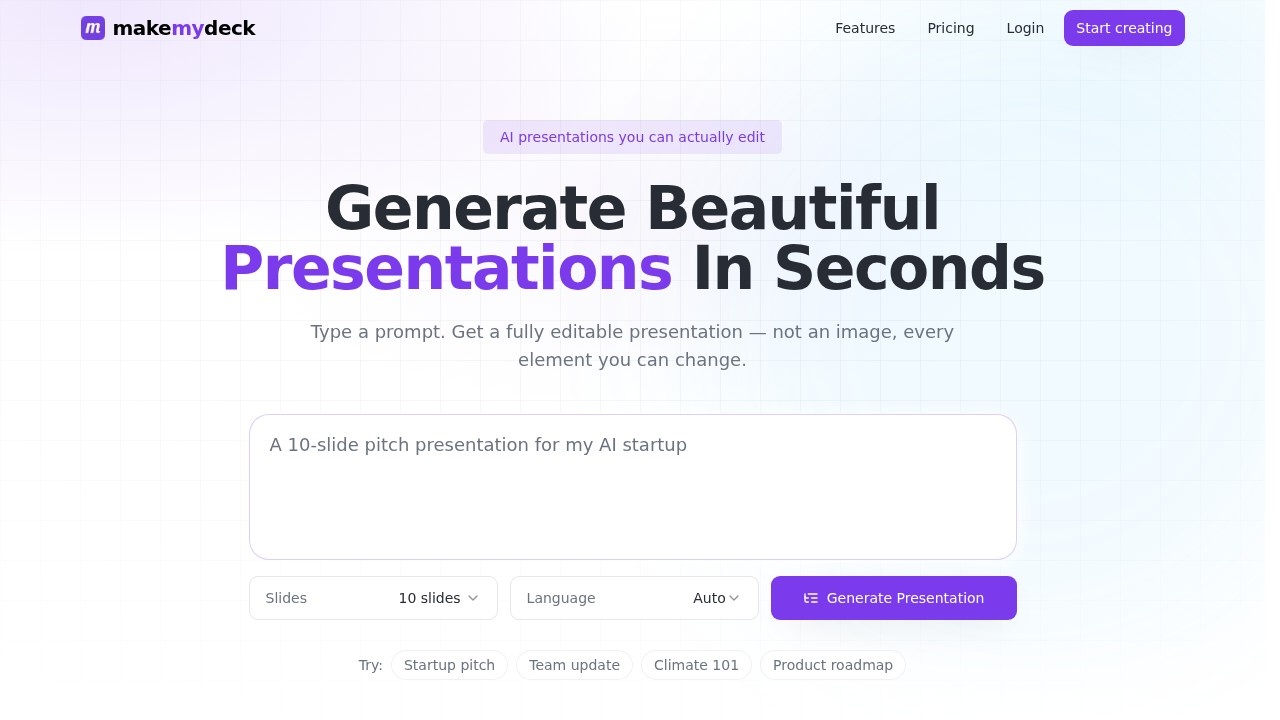
MakeMyDeck is an AI presentation maker that turns any idea into a polished, fully editable slideshow in seconds. You type a prompt, and the tool generates a structured outline, themed slides, and on-brand visuals—every element you can change. It’s designed for real editing in the browser, not just a flat image export. Users can refine copy, colors, and layout, then export to PowerPoint or Keynote.
Application scenarios
Startup pitch
Quickly generate a pitch deck from a simple prompt, then customize it for investors.
Team update
Create a structured team update presentation with on-brand visuals in about 30 seconds.
Climate 101
Build an educational slideshow on climate topics, ready to refine with your own data.
Product roadmap
Turn a product roadmap idea into a themed slide deck, editable in the browser.
General presentations
Use for any topic—describe it once, get a deck with headlines, body lines, and visuals.
Core Features
Prompt-to-deck generation
Type a prompt and get a fully editable presentation in about 30 seconds—no manual design work.
Full browser editing
Edit every headline, body line, color, and layout directly in the browser, not just an image.
Structured outlines
The AI produces a structured outline for your topic, giving you a clear slide-by-slide framework.
Themed slides
Slides come with consistent themes and on-brand visuals, ready for polish.
Export to .pptx
Download your deck as a .pptx file to open in PowerPoint or Keynote.
Dashboard storage (Pro)
Pro users get unlimited exports and decks saved to their dashboard for easy access.
Language selection
Choose the language for your presentation before generating.
Target users
This tool is ideal for professionals who need polished presentations fast—entrepreneurs preparing startup pitches, team leads creating updates, educators building course materials, and product managers outlining roadmaps. Anyone who wants to skip design work and jump straight to editing content will benefit.
How to use MakeMyDeck?
- Go to the MakeMyDeck homepage.
- Type a prompt describing your topic (e.g., "Startup pitch" or "Climate 101").
- Select the number of slides and language you want.
- Click "Generate Presentation"—the AI produces a structured, themed deck in seconds.
- Edit every element (headlines, body text, colors, layout) in the browser.
- Export your final deck as a .pptx file to present in PowerPoint or Keynote.
Pricing and free trial
The site states: "Get started for free." No specific pricing tiers or free trial details are provided beyond this.
Effect review
MakeMyDeck delivers on its core promise: turning a prompt into a usable, editable presentation in about 30 seconds. The browser editing capability is a standout—users can tweak every element, not just view a static image. The export to .pptx ensures compatibility with standard presentation software. For time-pressed professionals, this tool removes the friction of starting from scratch, though the quality of AI-generated content will depend on the prompt. It’s a practical, no-fuss solution for rapid deck creation.
Frequently Asked Questions
How does MakeMyDeck turn an idea into a slideshow?
Can I edit the slides after AI generation?
What export formats are supported?
Is MakeMyDeck free to use?
Do I need design skills to use MakeMyDeck?
MakeMyDeck - AI Tool Detail
An AI presentation maker by MakeMyDeck that turns any idea into a polished, fully editable slideshow. Refine copy and design in your browser, then export to PowerPoint.
Category:PPT generation
Visit Link:https://www.makemydeck.com/
Tags:AI presentation maker、slide generator、PowerPoint creator、presentation design tool、AI slideshow