
iGenFlow
iGenFlow by iGenFlow captures browser actions, screenshots, and cursor positions to automatically generate clear, step-by-step SOPs and visual user guides from recorded workflows.
What is iGenFlow?
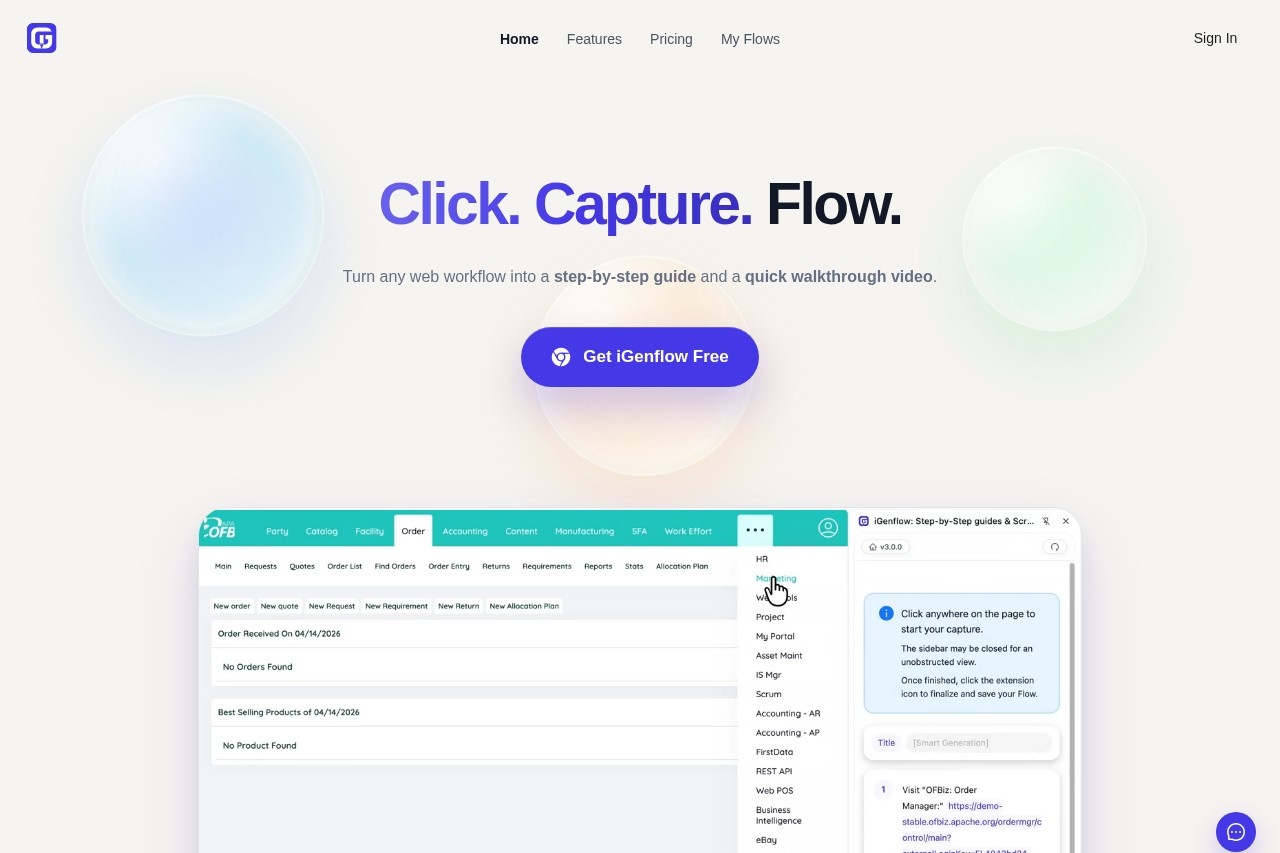
iGenFlow is a browser-based tool that automatically generates standard operating procedures (SOPs) and visual user guides. It captures browser actions, screenshots, and cursor positions during a live workflow. Users perform a task once in their web application, and iGenFlow converts that recording into a structured, editable document. This is designed to speed up the creation of documentation for support, onboarding, training, and internal knowledge bases.Application scenarios
Product documentation
Create product documentation directly from live browser workflows.
Customer support articles
Build support articles that include annotated screenshots and clear step-by-step instructions.
Internal operations
Document internal, repeatable standard procedures for team consistency.
Onboarding guides
Prepare training guides for sales, support, and implementation teams.
Knowledge base capture
Capture process knowledge for internal knowledge bases before specific product details are forgotten.
Core Features
Automatic workflow capture
Start the browser extension and perform a task normally, while the tool captures each meaningful action with context, screenshots, and cursor markers.
Step-by-step SOP drafts
Automatically convert captured actions into a readable process document for faster review and publication.
Editable screenshots and instructions
Refine the generated guide by adjusting text, highlighting important areas, or blurring sensitive details.
Browser extension
The core functionality is accessed via a browser extension that records user interactions.
Contextual capture
The tool captures clicks, page transitions, screenshots, cursor positions, and user notes during a session.
Export and share
Edit and export the final guide to share based on your plan permissions.
AI polishing
Paid plans offer AI-powered polishing of the generated content.
Advanced editing
Paid plans include capabilities like applying blur effects to screenshots and using continued capture for longer sessions.
Target users
iGenFlow is built for teams that create and maintain process documentation. Key beneficiaries include product teams, customer support teams, operations teams, and customer success teams. It is particularly useful for anyone responsible for onboarding, training, or building internal or customer-facing knowledge bases.How to use iGenFlow?
The process is straightforward. First, install the iGenFlow browser extension. When ready to document a workflow, click 'Start Capture' within the extension before beginning the task. Then, operate the website or web app normally while iGenFlow records each step. Finally, review the automatically generated screenshots and step descriptions, then edit, export, and share the completed guide.Pricing and free trial
The website outlines a free tier with specific boundaries. Free users can capture and export workflows containing up to 50 steps. Access to longer workflows, selected import and export options, AI polishing, speech usage, blur effects, continued capture, and other advanced capabilities requires a paid plan or consumes quota from a paid tier.Effect review
iGenFlow addresses a clear and common pain point: the tedious, manual process of writing procedural documentation. By automating the capture of actions and visuals, it promises to significantly reduce the time from performing a task to publishing a guide. The ability to edit and refine the auto-generated drafts ensures teams can maintain accuracy and brand voice. For teams that regularly document web-based processes, this tool offers a practical shift from manual documentation to a more efficient, record-and-refine workflow.Frequently Asked Questions
What is iGenFlow?
How does iGenFlow create SOPs?
What types of guides can iGenFlow generate?
Do I need technical skills to use iGenFlow?
Can iGenFlow be used for team training?
What browsers or platforms does iGenFlow support?
iGenFlow - AI Tool Detail
iGenFlow by iGenFlow captures browser actions, screenshots, and cursor positions to automatically generate clear, step-by-step SOPs and visual user guides from recorded workflows.
Category:Automation
Visit Link:https://www.igenflow.ai/
Tags:SOP automation、workflow documentation、process capture、visual guides、browser recording