
Grade Coach
AI grading tool by Grade Coach for teachers to evaluate 100 papers in minutes against a locked rubric. Powered by Gemini 3.1, private by default, and requires no account to start.
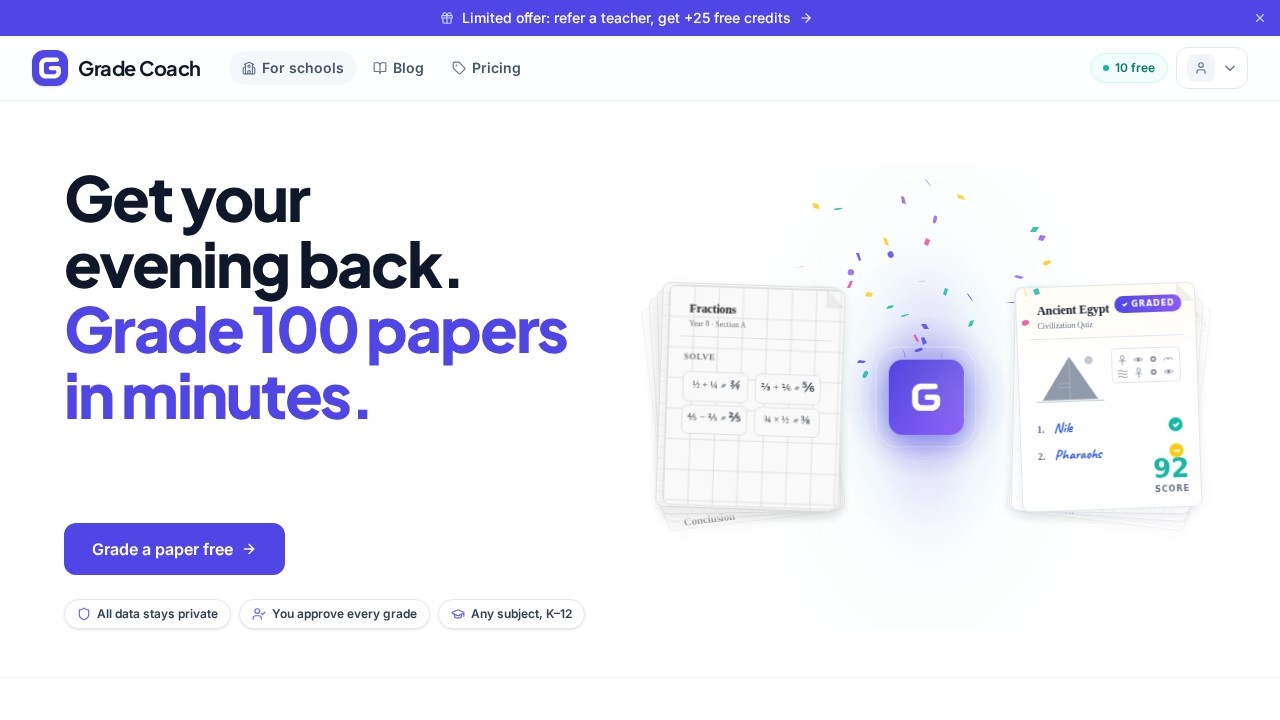
What is Grade Coach?
Grade Coach is an AI grading tool built for teachers to evaluate up to 100 papers in minutes using a locked rubric. Powered by Gemini 3.1, it keeps all grading data private by default and requires no account to start using it. The tool works across subjects like math, history, and writing for K–12 classrooms. It was created by Enzo, a former international school teacher, to solve the problem of losing evenings and weekends to grading.Application scenarios
Math grading
Automatically evaluate fraction problems like ½ + ¼ = ¾ and provide a numeric score (e.g., 95/100).
History grading
Grade short-answer responses (e.g., "1. Nile, 2. Pharaohs") with a score like 88/100.
Writing assessment
Score multi-paragraph essays (introduction, body, conclusion) with letter grades like "A."
Cross-subject use
Handle any K–12 subject, from science to language arts, with a single tool.
Parent communication
Generate parent updates based on the student performance data collected during grading.
Targeted practice
Identify where students are stuck and create focused practice exercises from grading insights.
Class overview
Build a clear picture of the whole class's mastery and gaps after grading is complete.
Core Features
Locked rubric grading
Teachers set a fixed rubric that the AI follows consistently, ensuring fair and uniform evaluation across all papers.
Bulk paper evaluation
Grade up to 100 papers in minutes, drastically reducing time spent on repetitive grading tasks.
Private by default
All grading data remains private without requiring any user account to start.
Gemini 3.1 integration
The tool leverages Google's Gemini 3.1 AI model for accurate and reliable grading.
Student performance tracking
After grading, the tool builds a picture of each student's mastery and areas where they are struggling.
Parent update generation
Automatically turn grading insights into clear updates that teachers can share with parents.
Targeted practice creation
Use the data to generate practice exercises that address specific student weaknesses.
Class-wide analytics
View a comprehensive overview of the entire class's performance after every grading session.
Target users
Grade Coach is designed for K–12 teachers across all subjects—math, history, writing, and more. It's especially valuable for educators who grade large volumes of student work and want to reclaim evenings and weekends. The tool also benefits school administrators looking for consistent, fair grading practices across their teaching staff.How to use Grade Coach?
No account is required to start. Simply visit the Grade Coach website, upload or input student papers, set your locked rubric, and let the AI grade them. After grading, the tool provides scores (numeric or letter), identifies student mastery and gaps, and offers options to generate parent updates or targeted practice exercises. For full details, visit the official site at https://grade.coach.Effect review
Grade Coach directly addresses a real pain point for teachers: the endless hours spent grading. The locked rubric ensures consistency, which is often a challenge when grading by hand while tired. The ability to generate parent updates and targeted practice from the same data adds practical value beyond just scoring. While the website doesn't include user testimonials or third-party reviews, the tool's focus on privacy and no-account-start lowers the barrier to try it. For any teacher buried in papers, this looks like a genuine time-saver that also improves grading fairness.Frequently Asked Questions
How does Grade Coach ensure grading accuracy?
Is my data private and secure?
Do I need to create an account to use Grade Coach?
How long does it take to grade 100 papers?
What is a locked rubric?
Can I customize the rubric for my assignments?
Grade Coach - AI Tool Detail
AI grading tool by Grade Coach for teachers to evaluate 100 papers in minutes against a locked rubric. Powered by Gemini 3.1, private by default, and requires no account to start.
Category:AI Learning Assistant
Visit Link:https://grade.coach/
Tags:AI grading、teacher tools、rubric evaluation、education technology、automated assessment