
GitKraken
GitKraken provides legendary Git tools for developers and teams, including a desktop Git GUI and CLI, Git integration for Jira, and GitLens for VS Code.
What is GitKraken?
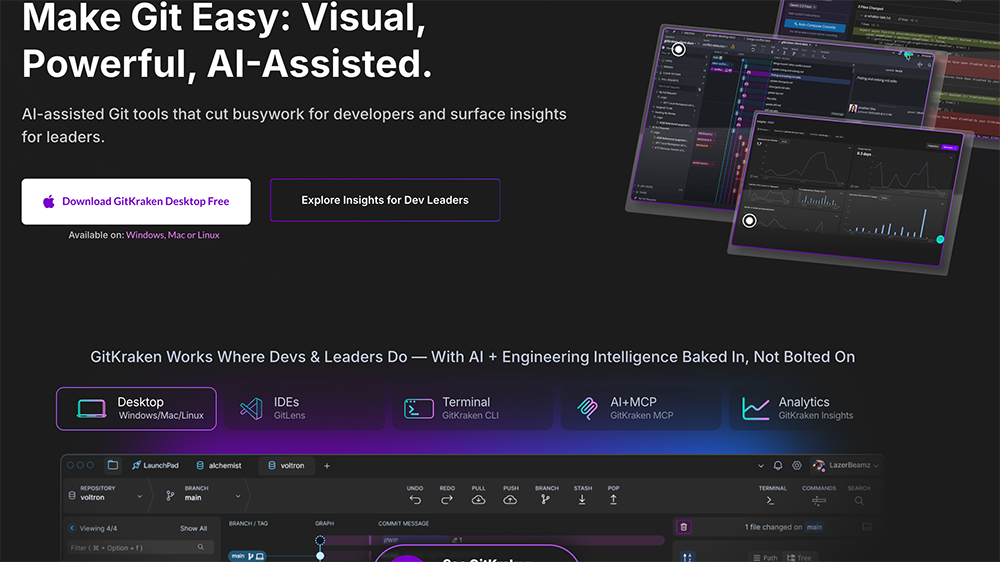
GitKraken is a suite of AI-assisted Git tools built for developers and engineering leaders. It includes a desktop Git GUI, a CLI, GitLens for VS Code, and Git integration for Jira. The platform aims to cut busywork for developers while surfacing actionable insights for team leads. GitKraken works across desktop, IDEs, terminal, and analytics dashboards, with AI and engineering intelligence "baked in, not bolted on."Application scenarios
Visualizing complex Git history
Developers use the Commit Graph to see the entire team's Git history in seconds, available in GitKraken Desktop, CLI, or GitLens.
Resolving merge conflicts
The merge tool helps untangle and resolve conflicts faster by visualizing changes clearly.
Tracking file history
Use Visual File History in GitLens to see when changes were made, how large they were, and who made them for any file.
Reducing distractions
The Launchpad feature helps developers find and extend flow state by minimizing interruptions and noise.
Team collaboration and velocity
Built for teams of all sizes, GitKraken improves collaboration and speeds up development workflows.
Engineering intelligence for leaders
GitKraken Insights provides DORA metrics, code quality, AI impact, and developer sentiment at 80% less cost than other SEI solutions.
Core Features
Commit Graph
Visualize complex Git history across your entire team in seconds, available in Desktop, CLI, or GitLens.
Visual File History
See the complete history of any file, including when changes were made, their size, and who made them.
Merge tool
Easily visualize changes to untangle and resolve conflicts faster with intuitive merge tools and interactive rebase.
Launchpad
Reduce distractions and interruptions to help developers find and extend their flow state.
GitKraken Insights
Comprehensive engineering intelligence covering DORA metrics, code quality, AI impact, and developer sentiment.
AI+MCP integration
AI-assisted Git tools with MCP (Model Context Protocol) support baked into the platform.
GitKraken CLI
A terminal-based Git tool that works alongside the desktop app and IDE extensions.
GitLens for VS Code
Powerful Git visualization and history tools directly inside the VS Code editor.
Browser extension
GitKraken functionality available as a browser extension for quick access.
Jira integration
Team insights and Git data integrated directly into Jira for team leads and managers.
Target users
GitKraken is designed for developers, engineering teams, and technical leaders. It serves solo developers who want visual Git tools, as well as teams of 100,000+ developers who need collaboration features. Engineering managers and team leads benefit from Insights for tracking DORA metrics, code quality, and developer sentiment. The platform also caters to enterprise teams requiring large-scale security, privacy, and control.How to use GitKraken?
Start by visiting GitKraken.com and signing up for a free trial. Choose your preferred tool: GitKraken Desktop (Windows/Mac/Linux), GitLens for VS Code, GitKraken CLI, or the browser extension. Once installed, connect your Git repositories and begin visualizing commit history, resolving merge conflicts, or tracking file changes. Team leads can explore GitKraken Insights for engineering intelligence and DORA metrics. For Jira users, integrate GitKraken to see team insights directly in your project management workflow.Pricing and free trial
GitKraken offers a free trial of GitKraken Pro. Users can "Start Free GitKraken Pro Trial" directly from the website. No other pricing tiers or specific costs are mentioned in the provided text.Effect review
GitKraken delivers on its promise to make Git visual and less painful, especially for teams dealing with complex histories and frequent merges. The combination of desktop, CLI, IDE, and analytics tools covers the full developer workflow. The billion+ commits visualized stat suggests real-world adoption and reliability. The Launchpad feature for reducing distractions is a thoughtful addition for developers who struggle with context switching. For engineering leaders, the Insights dashboard offers a rare combination of DORA metrics and AI impact tracking at a claimed 80% cost reduction compared to alternatives. Overall, GitKraken feels like a mature, thoughtfully integrated platform rather than a collection of separate tools.Frequently Asked Questions
What is GitKraken?
Is GitKraken free to use?
What platforms does GitKraken support?
Can GitKraken integrate with GitHub or GitLab?
What is GitLens in GitKraken?
Does GitKraken work with Jira?
GitKraken - AI Tool Detail
GitKraken provides legendary Git tools for developers and teams, including a desktop Git GUI and CLI, Git integration for Jira, and GitLens for VS Code.
Category:AI Plugin/Extension
Visit Link:https://gitkraken.com/
Tags:Git GUI、Git integration、developer tools、GitLens