
Free Upscaler Review: Local GPU Video Upscaling Without Sign-Up
What is Free Upscaler?
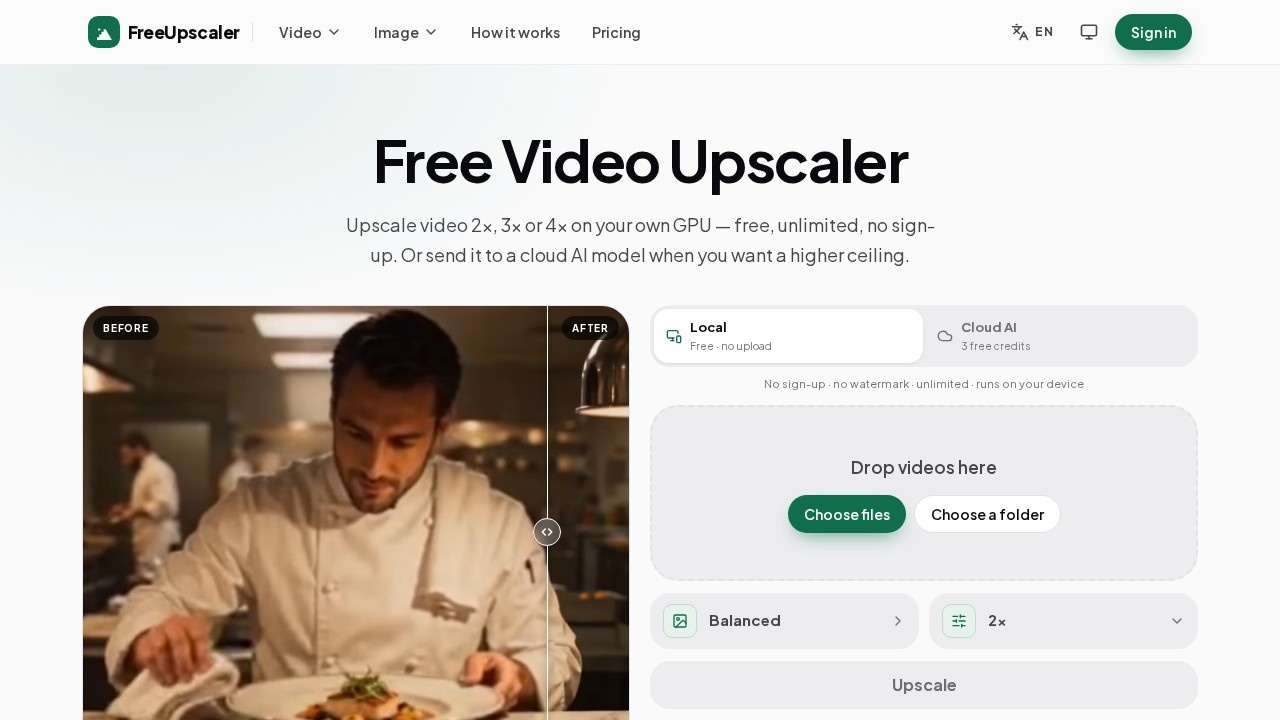
Free Upscaler is a video upscaling tool that enlarges footage 2×, 3×, or 4×. The default workflow runs locally on your own graphics card inside the browser: no upload, no account, no watermark, and no cap on how many times you use it. You drop in a clip, choose a scale and a method, compare the result on a before/after slider, and download. A second, optional set of cloud AI models covers harder restoration jobs and is billed per second of video.
Application scenarios
Upscaling phone footage
Video from a few years ago, or a clip saved off the web, returns with clean edges and without the soft, blocky look.
Repairing downloaded YouTube clips
Compression damage on a clip you downloaded rather than streamed is exactly what the Live Action method targets.
Rescuing re-compressed social video
Footage that passed through WhatsApp, Telegram, or TikTok more than once is the hardest squeezed and gains the most.
Rebuilding anime and animation
Old series, shorts, and anything drawn get lines and flat colour rebuilt by a network trained on animation instead of just sharpened.
Polishing AI-generated video
Sora, Veo, or Kling output at 720p or 1080p is clean and noise-free, which makes it the best material an upscaler can get.
Going to 4K or 1080p
A 1080p source to 4K is a clean 2× job; 540p to 4K is 4× and takes about four times as long.
Core Features
Local GPU processing
Frames are decoded, enlarged on your own graphics card, and re-encoded on your device, so the video is never uploaded.
No sign-up, no watermark, no cap
Run as many upscales as you like with no account and no branding burned into the output.
2×, 3×, and 4× scaling
Pick the factor that matches your source; 2× suits anything 720p and above, while 4× is reserved for smaller sources.
Balanced method
The default and download-free option works on any footage and is the safest first try, running in a few seconds for a minute of 1080p.
Anime methods
A dedicated Anime network handles drawn material at 2× in a few seconds, while Anime 4× takes on small animated clips at 4× in about three minutes.
Live Action method
A 2× pass for real footage that still looks soft after Balanced, taking around eight minutes for a minute of 1080p.
Before/after comparison slider
Drag the slider over real detail rather than a flat area to judge the result before downloading.
Device capability check
The page inspects what your hardware can handle before you choose, so limits surface up front instead of halfway through a job.
Cloud AI models
AI Video Restore rebuilds lost detail frame by frame, Video Enhance cleans and enlarges without inventing anything, and Topaz Proteus and Topaz Starlight cover precision and generative restoration respectively.
Upfront cost preview
The price for your own file sits on the Run button before anything is sent.
Target users
Free Upscaler suits creators and editors who own a capable GPU and want unlimited upscaling without subscriptions or uploads—YouTube reposters, social media editors working with compressed clips, anime and animation fans restoring older series, and AI video users pushing Sora, Veo, or Kling output to higher resolution. Anyone without the hardware, or with a batch that can't wait for a local render, can fall back on the cloud models instead.
How to use Free Upscaler?
- Drop your video in: Add one file or a dozen at the top of the page. The tool checks what your device can handle before you commit.
- Pick a scale: Choose 2× for 720p and above, or 4× only for smaller sources. Balanced is the default method and needs no download.
- Compare and download: Drag the before/after slider over detailed areas, then download the file with no watermark, no sign-up, and no usage limit.
For the cloud route, select a model, review the per-second figure on the Run button, and spend credits per run. Full details live at the official site, https://freeupscaler.net/.
Pricing and free trial
- Local upscaling: Free and unlimited. No account, no watermark, no cap on how often you run it.
- Cloud AI credits: 3 free credits to start, spent per run, with no subscription.
- AI Video Restore: ≈ $0.18 per second at 1080p.
- Video Enhance: ≈ $0.02 per second at 1080p.
- Topaz Proteus: ≈ $0.06 per second at 1080p.
- Topaz Starlight: ≈ $0.06 per second at 1080p.
Cloud pricing scales with output size, so 4K costs four times 1080p. The exact figure for your file appears before anything is sent.
Effect review
The free local path is the headline here: unlimited 2×, 3×, and 4× upscaling with no account, no watermark, and nothing leaving your machine is a genuinely practical setup for anyone with a decent GPU. The method split is smart—Balanced as a fast first attempt, Anime and Anime 4× for drawn material, and Live Action for footage that stays soft—so you aren't guessing at settings. The time estimates are honest about the trade-off: a minute of 1080p takes a few seconds at 2×, while 4× climbs to around three minutes and 2× Live Action to about eight. Cloud pricing gives a route for weaker hardware or awkward clip types, at roughly two cents to eighteen cents per second depending on the model. Note that the six before/after examples on the page are illustrations of the kind of footage each method targets, not results from an actual run—so test your own file at the top of the page before committing a long job.
Free Upscaler - AI Tool Detail
Free Upscaler is a video upscaling tool that runs locally on your GPU for 2×, 3×, or 4× enlargement with no sign-up or watermark. It also offers cloud AI models priced per clip, with no subscription.
Category:Video editing
Visit Link:https://freeupscaler.net/