
Lindy
Lindy is an AI assistant that automates tasks like scheduling, email management, and research, helping professionals save time by handling routine work directly in their browser.
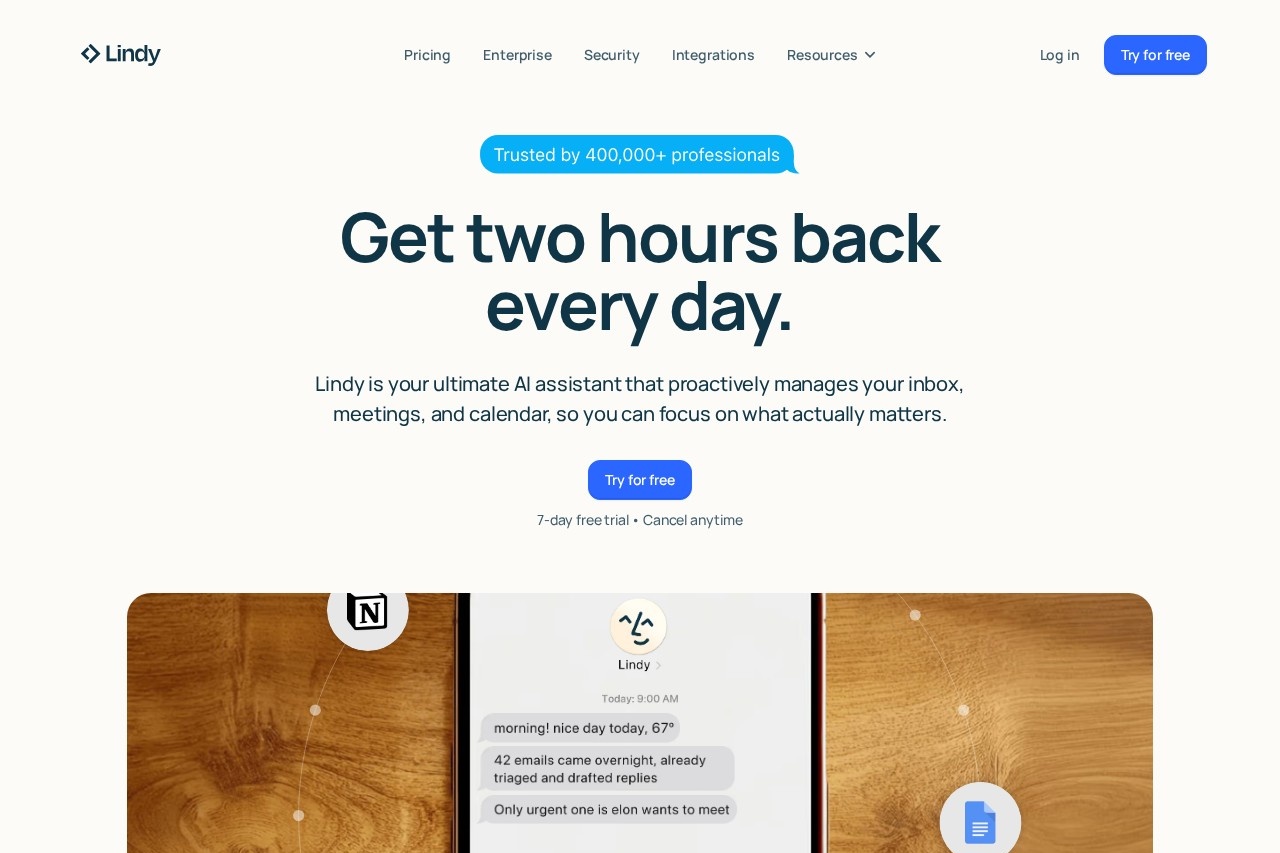
What is Lindy?
Lindy is an AI assistant that automates routine professional tasks directly in your browser. It proactively manages your inbox, calendar, and meetings to save users time. The tool works by connecting to your existing apps, allowing you to delegate work via text and get answers or completed actions in seconds.Application scenarios
Email and inbox management
Lindy drafts email responses and handles follow-ups automatically.
Meeting scheduling and prep
The assistant books meetings, provides pre-meeting context, and summarizes discussions.
Administrative task automation
It handles back-and-forth communication for tasks like sending files or updating a CRM.
Research and information retrieval
Lindy searches across all your connected tools to deliver answers quickly, eliminating the need to switch between apps.
Proactive daily management
The AI anticipates needs by texting reminders, important context, and alerts about potential oversights.
Core Features
Cross-app search
Ask questions and get answers by having Lindy search through all your connected tools and inboxes.
Task execution via text
Instruct Lindy to complete actions like booking a meeting, sending a file, or updating your CRM, and it handles the communication.
Proactive notifications
Lindy sends you proactive text messages with important context, meeting prep, and reminders before you have to ask.
Automated email drafting
The AI drafts your emails and handles busywork like follow-ups automatically.
Meeting preparation and summarization
Lindy preps for your meetings and can record and summarize them afterward.
Learning and memory
The assistant saves memories over time and learns from your feedback to adjust to your preferences and style.
24/7 availability
Lindy works anywhere at any time; if you can send a text, you can delegate tasks.
Broad app integration
It connects with hundreds of apps, allowing it to read Slack, cross-reference your calendar, and draft in Gmail without manual intervention.
Target users
Lindy is built for professionals and teams looking to automate administrative work. It benefits roles burdened by scheduling, email management, and routine follow-ups, such as directors, entrepreneurs, recruiters, and salespeople. The tool is for anyone seeking to reclaim time by offloading repetitive digital tasks to an AI assistant.How to use Lindy?
You can start by signing up for a free trial on the Lindy website. Once set up, you interact with Lindy primarily through text, similar to messaging a contact. You can ask it questions, give it direct commands to perform tasks, and receive proactive texts from it. The AI integrates with your existing work apps like Gmail, Slack, and your calendar to execute actions and retrieve information on your behalf.Pricing and free trial
The website promotes a 7-day free trial that users can start by clicking "Try for free." It states you can cancel anytime. No specific paid pricing plans are detailed in the provided text.Effect review
User testimonials highlighted on the site suggest strong real-world utility, with professionals reporting significant time savings. Users describe it as a "second brain" that has automated hours of daily administrative work, such as email and scheduling, and integrated seamlessly into their messaging workflow. The feature set of proactive assistance, deep app integration, and learning capabilities implies a tool designed for hands-off automation, aiming to keep users ahead of their daily tasks rather than simply reacting to them.Frequently Asked Questions
What is Lindy?
How does Lindy save time?
What tasks can Lindy automate?
Is Lindy a browser extension?
Who can benefit from using Lindy?
Does Lindy require installation?
Lindy - AI Tool Detail
Lindy is an AI assistant that automates tasks like scheduling, email management, and research, helping professionals save time by handling routine work directly in their browser.
Category:私人助理
Visit Link:https://lindy.ai/
Tags:AI assistant、task automation、scheduling、email management、productivity