
What is Scientific Figure Editor?
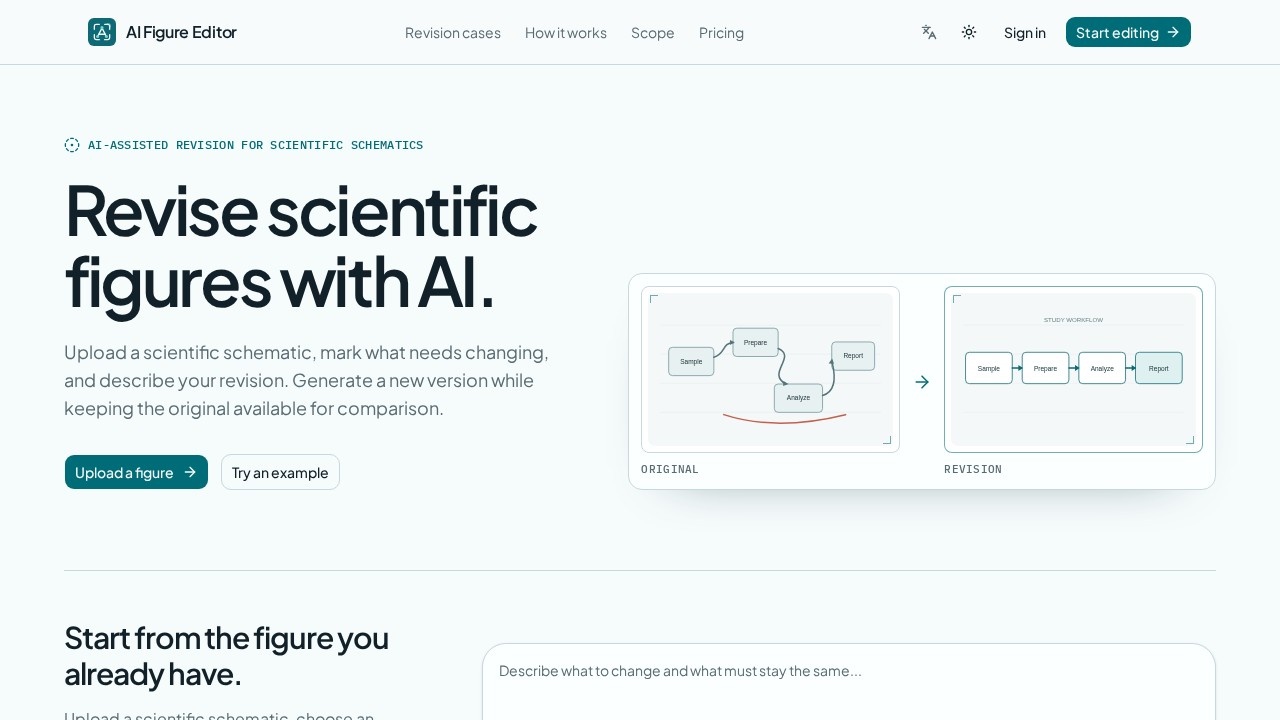
Scientific Figure Editor is an AI-assisted revision tool for scientific schematics. You upload an existing figure, mark the regions that need changing, and describe the revision you want in plain language. The tool generates a new version of the figure while keeping the original available for side-by-side comparison. It is built for researchers who already have a diagram and want targeted improvements rather than a redesign from scratch.
Application scenarios
Methodology workflows
Clarify a crowded research pipeline where spacing is uneven or a central label is too generic, without changing the stated inputs and outputs.
AI/ML architecture diagrams
Replace component labels, separate modality encoding from cross-modal fusion, and distinguish inference flow from training-only objectives.
Multimodal model figures
Split image and text pathways into parallel encoder lanes that route into cross-modal attention, a shared embedding, and task heads.
Graphical abstracts
Rework layout and labeling for journal submission while preserving every element the author already committed to.
Longitudinal study designs
Separate participant flow from the assessment schedule so readers can trace cohort allocation alongside biospecimen time points.
Mechanism diagrams
Apply consistent directional color and alignment to arrows so the causal chain reads cleanly.
Conceptual diagrams
Adjust wording and structure in early-stage concept figures before they go into a manuscript.
Core Features
Upload-and-revise workflow
Upload a scientific schematic, choose a provided example, or paste a revision request directly into the editor.
Region guidance
Use marks and notes to point at the exact area that needs to change, so the instruction targets a specific part of the figure.
Natural-language revision prompts
Describe changes in a sentence, such as replacing a component label, aligning modules, or recoloring arrows.
Source retention
The original figure stays available beside later drafts for direct comparison.
Version continuity
Each result starts a new version in your conversation, and you can continue from a chosen result without losing context.
Side-by-side comparison
Review the original and the revision together rather than working from a single overwritten file.
Guided revision cases
Browse worked examples that show the source, the instruction, and the revision as a set, so you can see how a narrow request translates into an output.
Multiple figure types
Work with methodology workflows, mechanism diagrams, AI/ML architectures, graphical abstracts, and conceptual diagrams.
Human verification
Every generated relationship remains an author decision rather than an automatic edit.
Model selection
A model option labeled "Nano Banana" is available on the revision screen.
Target users
- Academic researchers preparing figures for journal submission who need targeted fixes instead of rebuilding a diagram.
- AI/ML researchers documenting architectures where component names and data flows change between drafts.
- Clinical and biomedical study teams mapping cohort allocation, visit timelines, and biospecimen collection.
- Graduate students and postdocs refining methodology and mechanism figures during writing and revision cycles.
- Scientific illustrators and figure editors who want a faster first pass before final polishing.
- Lab groups and research teams that need consistent labeling and styling across a set of figures.
How to use Scientific Figure Editor?
- Open the official site at https://aifigureeditor.com/.
- Upload your existing scientific schematic, or select one of the provided examples to see how the workflow behaves.
- Mark the regions you want changed and add notes pointing at the exact elements.
- Write your revision request in plain language — for example, rename a component, align a set of modules, or apply one color to directional arrows.
- Generate the revision and compare it against the retained original using the original/revision view.
- Continue from the result you prefer to start a new version, keeping the conversation context intact.
- Review every generated relationship yourself before using the figure in a manuscript or presentation.
Effect review
The core value here is restraint. This tool is designed for figures that already exist and already mean something, so the emphasis sits on preserving inputs, outputs, time points, and labels while changing only what you asked to change. The guided revision cases make that contract visible: each example pairs a narrow prompt with the specific things that changed, which is exactly the kind of transparency researchers need when they hand work to any automated assistant. Region marking plus written instructions is a practical combination, because most figure problems are local — one label, one misaligned row, one ambiguous arrow — not global. The retained original and the version history also remove the biggest risk of AI editing, which is silently losing a detail you spent weeks getting right. The explicit note that every generated relationship remains an author decision is the right framing: this is a drafting accelerator, not an authority. It is not a from-scratch illustration tool, and it will not decide what your figure should say — but for revision cycles, that limitation is a feature.
Frequently Asked Questions
什麼是 Scientific Figure Editor?
編輯流程是怎麼進行的?
我上傳的原始圖會被保留嗎?
這個工具適合哪些人使用?
Scientific Figure Editor 可以免費使用嗎?
修訂後的圖可以直接拿去期刊投稿嗎?
Scientific Figure Editor - AI Tool Detail
Scientific Figure Editor by AIFigureEditor lets you upload scientific schematics, mark changes, and generate AI revisions while keeping the original for side-by-side comparison. Ideal for researchers
Category:圖片編輯
Visit Link:https://aifigureeditor.com/