
WeWeb
A visual web app builder by WeWeb for designing, developing, and deploying custom applications without code, featuring drag-and-drop tools, database integration, and real-time collaboration.
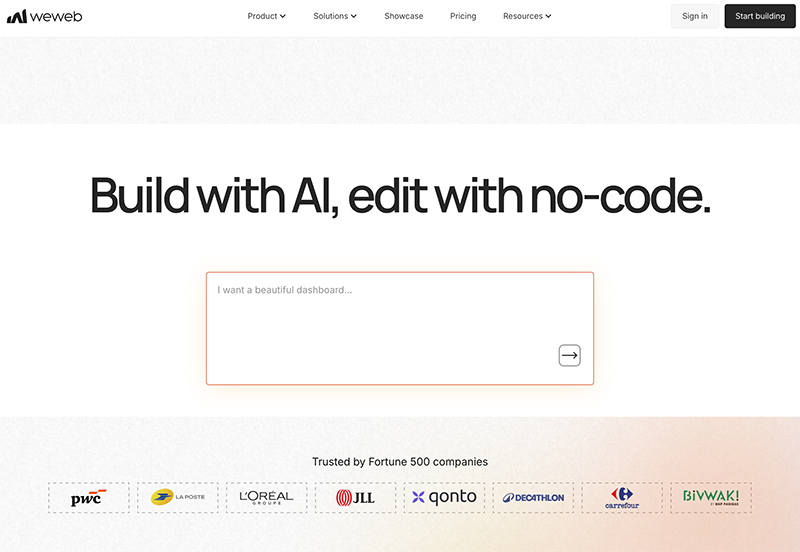
What is WeWeb?
WeWeb is a visual web app builder that lets you design, develop, and deploy custom applications without writing a line of code. It positions itself as a no-code platform for building full-stack web apps, combining drag-and-drop design tools with database integration and real-time collaboration features. Unlike simple landing page builders, WeWeb focuses on creating functional, data-driven applications that can scale—think internal tools, client portals, or even marketplace apps. It’s essentially a visual development environment where you control both the frontend and backend logic through a graphical interface, not through traditional coding.
Application scenarios
WeWeb shines in scenarios where you need a custom web application but don’t have the time or budget to hire a development team. Common use cases include:
- Internal business tools – Build dashboards, project management systems, or inventory trackers for your team, with live data syncing.
- Client portals – Create secure, branded portals where clients can log in, view documents, submit forms, or track orders.
- Marketplaces and directories – Design multi-user platforms where people can list items, search, and transact, with database relationships handled visually.
- SaaS MVPs – Rapidly prototype and launch a minimum viable product to test a business idea without upfront development costs.
- Workflow automation – Combine forms, triggers, and database actions to automate repetitive tasks like approvals or data entry.
Because it’s no-code, it’s especially useful for non-technical founders, operations managers, and agencies that need to deliver apps fast.
Main features
WeWeb packs a set of features typical of modern no-code platforms, but with a focus on web app functionality rather than just static sites:
- Drag-and-drop visual editor – Build UIs by placing components (buttons, forms, tables, charts) on a canvas, with responsive design controls.
- Database integration – Connect to external databases (like Airtable, Google Sheets, or SQL) or use WeWeb’s built-in database to store and query data visually.
- Real-time collaboration – Multiple team members can work on the same app simultaneously, with changes reflected live—similar to Figma or Google Docs.
- Custom logic and workflows – Define actions like “when a user submits a form, update the database and send an email” without writing code, using visual triggers and conditions.
- Authentication and permissions – Set up user sign-up, login, and role-based access (e.g., admin vs. regular user) directly in the builder.
- Deployment to custom domains – Once built, apps can be hosted on WeWeb’s infrastructure or exported, with support for custom domains.
Target users
WeWeb is designed for:
- Non-technical founders – Entrepreneurs who need to launch a web app without hiring developers or learning to code.
- Operations and product managers – Professionals who want to automate internal processes or build tools for their teams.
- No-code agencies – Freelancers and studios that build custom apps for clients and need a scalable, visual platform.
- Designers – UI/UX designers who want to turn prototypes into functional apps without handing off to developers.
- Small to medium businesses – Teams that need custom software but can’t justify a full engineering budget.
It’s less suited for hardcore developers who prefer writing code, but it can still serve as a rapid prototyping tool for technical teams.
How to use WeWeb?
Getting started with WeWeb follows a typical no-code workflow:
- Sign up – Create an account at weweb.io. You’ll likely start with a free tier or trial to explore the builder.
- Choose a template or start blank – Select from pre-built app templates (e.g., CRM, dashboard, directory) or begin with an empty canvas.
- Design the UI – Drag and drop components onto pages. Style them with a visual editor (colors, fonts, spacing) and set up navigation between pages.
- Connect data – Link your app to a database—either WeWeb’s built-in option or an external service like Airtable or Supabase. Define data models (e.g., “users,” “orders”) with fields and relationships.
- Add logic – Use visual workflows to define what happens when users interact: button clicks trigger database writes, form submissions send notifications, etc.
- Set permissions – Configure who can see or edit what (public pages vs. logged-in user areas).
- Preview and test – Use the live preview to test the app’s functionality across devices.
- Deploy – Publish the app to a WeWeb subdomain or connect a custom domain. The platform handles hosting and updates.
The real-time collaboration means you can work with teammates simultaneously, making it easy to iterate quickly. No code is required at any step—everything is managed through the visual interface.
Frequently Asked Questions
What is WeWeb?
Do I need coding skills to use WeWeb?
Can WeWeb integrate with external databases?
Is real-time collaboration supported in WeWeb?
Can I deploy my app directly from WeWeb?
WeWeb - AI Tool Detail
A visual web app builder by WeWeb for designing, developing, and deploying custom applications without code, featuring drag-and-drop tools, database integration, and real-time collaboration.
Category:Code generation
Visit Link:https://weweb.io/
Tags:no-code、visual builder、web app development、drag-and-drop、database integration