
What is AI Manga Colorizer?
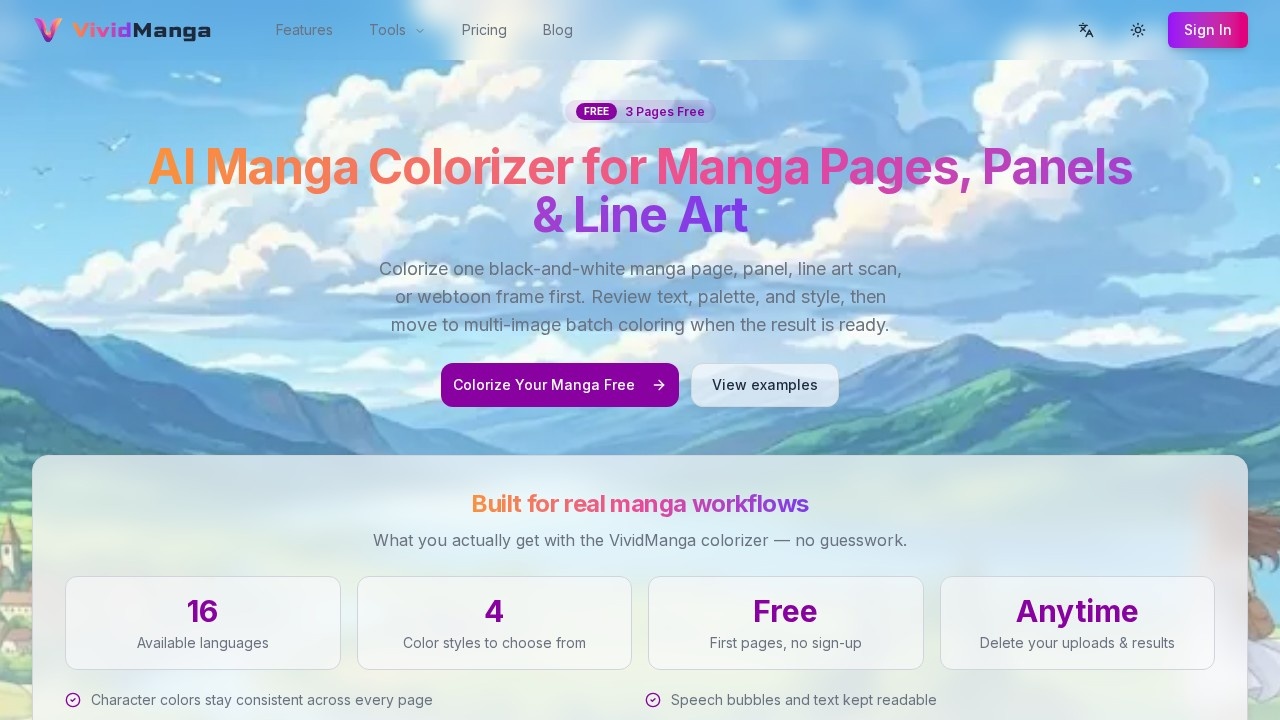
AI Manga Colorizer by VividManga is an online tool that colorizes black-and-white manga pages, panels, line art scans, and webtoon frames using AI. It lets you test one page for free without signing up, then move to batch coloring multiple images once you're satisfied with the results. The tool preserves speech bubbles and text readability, and keeps character colors consistent across every page. It's built specifically for real manga workflows, not generic image editing.
Application scenarios
Manga page colorization
Upload a single black-and-white manga page and get a full-color version in your chosen style.
Panel-by-panel coloring
Colorize individual manga panels separately to fine-tune the look before scaling up.
Line art coloring
Apply colors to black-and-white line art scans, keeping the original linework intact.
Webtoon frame colorization
Colorize webtoon frames with consistent character palettes across multiple frames.
Batch processing
After testing one page, run multi-image batch coloring for entire chapters or volumes.
Inspiration and comparison
Browse the Inspiration Gallery to see before-and-after examples and try the same style on your own pages.
Core Features
Free first page, no sign-up
You can colorize one manga page immediately without creating an account or providing payment details.
Multiple color styles
Choose from 14 styles including Natural, Vibrant, Dramatic, Soft, Cel Shaded, Painterly, Flat Color, Watercolor, Pastel, Retro, Monochrome, and Sepia.
Consistent character colors
The AI remembers each character's color palette so Naruto's orange jacket stays orange on page 1 and page 500.
Speech bubble preservation
Speech bubbles and text are kept readable after colorization, avoiding messy overlays.
Multi-image batch flow
Once you're happy with a single page, you can process multiple images in a batch workflow.
Interactive preview and demo
Use the Interactive Preview and Interactive Demo to see results before committing to a full run.
Colorization history
Every finished single-page result is saved for quick review, download, and comparison. Signed-in users keep a longer history in their dashboard.
Private uploads and HD exports
Paid exports are HD and watermark-free; you can also keep uploads private by turning off public visibility.
Delete your uploads anytime
You have full control to delete your uploaded files and results whenever you want.
Supports PNG/JPG/WEBP
Upload images in PNG, JPG, or WEBP format, each up to 5MB.
Target users
Manga artists, webtoon creators, comic colorists, and hobbyists who need to colorize black-and-white line art quickly without losing character consistency or text readability. It's also useful for fans who want to experiment with colorizing their favorite manga pages for personal projects.
How to use AI Manga Colorizer?
- Go to the VividManga website and click "Colorize Your Manga Free."
- Upload a black-and-white manga page, panel, line art scan, or webtoon frame (PNG/JPG/WEBP, max 5MB). You can also use a sample image.
- Choose a color style from the available options (Natural, Vibrant, Dramatic, etc.).
- Toggle "Publicly visible" off if you want to keep the upload private.
- Click to colorize. The first page is free and requires no sign-up.
- Review the result in the Interactive Preview. Check speech bubbles, palette, and style.
- If satisfied, move to multi-image batch coloring for more pages. Paid exports are HD and watermark-free.
Pricing and free trial
The tool offers 3 free pages to start. The first page is free with no sign-up required. Paid exports are HD and watermark-free. No specific pricing tiers or subscription amounts are listed on the site.
Effect review
The AI Manga Colorizer delivers exactly what it promises: consistent character colors across pages, readable speech bubbles, and a wide range of color styles to match your artistic vision. The free first page with no sign-up is a low-risk way to test quality before committing to batch processing. The Inspiration Gallery and before-and-after examples give you confidence in the output, and the ability to delete uploads anytime adds privacy control. For manga creators who need reliable, workflow-friendly colorization without manual guesswork, this tool is a solid choice.
Frequently Asked Questions
What is AI Manga Colorizer?
Can I test the tool before processing multiple pages?
Does the tool preserve original speech bubbles?
What file formats are supported?
Is the tool free to use?
Can I customize the color palette?
AI Manga Colorizer - AI Tool Detail
AI Manga Colorizer by VividManga is an AI tool for colorizing manga pages, panels, line art, and webtoon frames online. It lets you test one page, review speech bubbles and palette, then batch process
Category:Image editing
Visit Link:https://vividmanga.com/g/oij4ip