
Twintable
Twintable by Twintable lets restaurants create a free digital menu in 2 minutes. Import via photo, use dynamic QR codes, support 40+ languages, and auto-generate allergen info—trusted by 500+ restaura
What is Twintable?
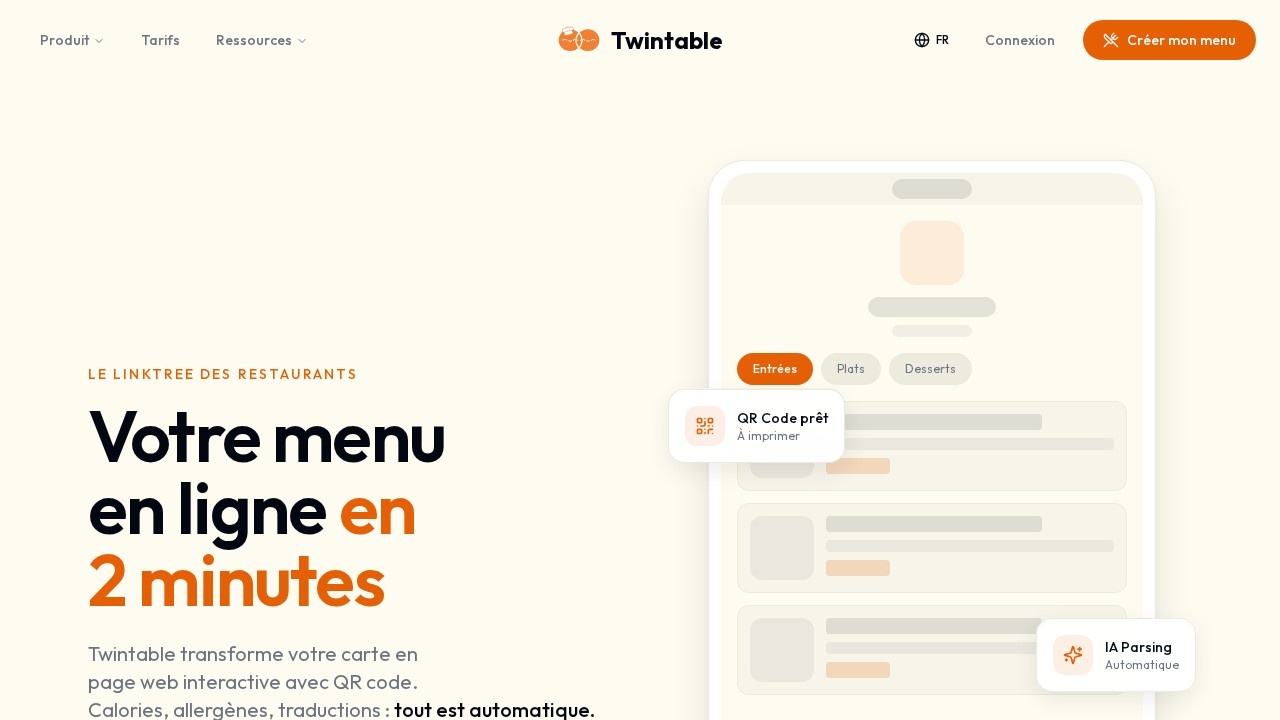
Twintable turns a restaurant's paper menu into an interactive web page with a QR code. You photograph your existing menu—paper, chalkboard, anything—and the platform's AI extracts dishes, prices, descriptions, estimated calories, suggested allergens, and automatic translations. The result is a live digital menu that updates in one click from your phone, ready for customers to scan. It's built by restaurateurs for restaurateurs, with the explicit goal of replacing paper menus and the headaches that come with them.
Application scenarios
Menu digitization
Convert any paper or chalkboard menu into a structured, interactive web page.
Tourist-friendly dining
Auto-translate menus into 40+ languages so international guests can order without staff help.
Daily specials management
Update the plat du jour in seconds from a phone, eliminating illegible chalkboards.
Allergen compliance
Generate allergen and calorie information automatically to support INCO labeling requirements.
Customer feedback
Collect Google reviews through a built-in system designed to lift your star rating.
Data-driven decisions
Track which dishes get viewed most and when your restaurant sees peak traffic.
Core Features
Photo import
Take a photo of any menu—paper, chalkboard, or otherwise—and Twintable extracts categories, dishes, prices, and descriptions automatically.
Dynamic QR codes
Generate a print-ready QR code that customers scan to open your live menu.
Multi-language support
Menus translate automatically into 40+ languages, so tourists can order independently.
Allergen and calorie info
The AI suggests allergens and estimated calories for each dish, helping with INCO compliance.
Instant updates
Edit your menu in one click from your phone—no reprinting, no scratching out prices.
Online reservations
Keep 100% of your bookings with a built-in reservation feature.
Analytics (Pro)
See which dishes are most consulted and when you get the most traffic, so decisions are backed by data.
Google review integration (Pro)
A system designed to turn satisfied customers into positive reviews, with users reporting jumps from 4.0 to 4.7 stars.
Instagram-ready link
Add your menu link directly to your Instagram bio.
Target users
Twintable is built for restaurant owners, café operators, and food service managers who are tired of reprinting menus, explaining dishes to tourists, and guessing what works. It's equally useful for front-of-house staff who want to reduce time spent translating or describing menu items, and for owners who want to improve their Google rating and make data-backed decisions about their menu.
How to use Twintable?
The process takes three steps and about two minutes. First, photograph your existing menu—paper, chalkboard, anything. Second, the AI parses the image and structures it into categories, dishes, prices, descriptions, calories, allergens, and translations. Third, your page goes live with a QR code ready to print. From there, you edit everything from your phone. To get started, visit the official site and create your menu for free—no credit card required.
Pricing and free trial
Twintable is free to start. The site explicitly states "Gratuit pour commencer" (free to start), "Sans carte bancaire" (no credit card required), and that your menu is ready in 2 minutes. There's also a Pro tier that unlocks Analytics and Google Review features, though the site doesn't list specific pricing for it.
Effect review
The user testimonials on the site are concrete and credible: a pizzeria owner in Marseille changes his daily special in 30 seconds from his phone; a café in Nice reports 30% of customers are tourists who now order independently in English or Spanish; a Lebanese restaurant in Lyon went from 4.1 to 4.6 stars on Google in two months using the review system. The platform reports 100+ restaurants and 50K+ menu scans per month, with a 4.9/5 average rating. For a tool that costs nothing to start and solves real daily pain points—reprinting, translation, compliance, and reputation management—Twintable delivers a compelling package. The photo-to-digital-menu pipeline is the standout feature: it removes the most tedious part of digitization entirely.
Frequently Asked Questions
What is Twintable?
Is Twintable really free?
How do I create a menu with Twintable?
Does Twintable support multiple languages?
How does the dynamic QR code work?
Can Twintable help with allergen information?
Twintable - AI Tool Detail
Twintable by Twintable lets restaurants create a free digital menu in 2 minutes. Import via photo, use dynamic QR codes, support 40+ languages, and auto-generate allergen info—trusted by 500+ restaura
Category:Brand Content Creation
Visit Link:https://twintable.io/
Tags:digital menu、restaurant QR code、AI allergen detection、multilingual menu、menu photo import