TusiArt
TusiArt is a free online AI art generation community offering Stable Diffusion models, LoRA, ComfyUI workflows, and Tencent Hunyuan-DiT for creating and sharing images.
What is TusiArt?
TusiArt is a free online AI art generation community. It provides users with access to a wide array of specialized AI models and tools for creating images and videos. The platform is built around sharing and utilizing models like Stable Diffusion checkpoints, LoRAs, and workflows for ComfyUI. Users come to TusiArt to generate, edit, and share AI-powered visual content across numerous styles and applications.Application scenarios
Original character design
Creating original anime characters and scenes from scratch.
Photorealistic & surreal imagery
Generating realistic photography and surreal artistic scenes.
Seamless video generation
Creating smooth, looping videos starting from any frame.
Image editing and enhancement
Modifying, improving, or transforming existing images.
Reference-based creation
Producing new videos or images based on a provided reference or character.
Digital avatar creation
Building a virtual化身 (avatar) suitable for any digital space.
Marketing and branding
Designing logos, brand visuals, and marketing materials in seconds.
Trend replication
Quickly creating content matching current social media and cultural trends.
Core Features
Stable Diffusion models
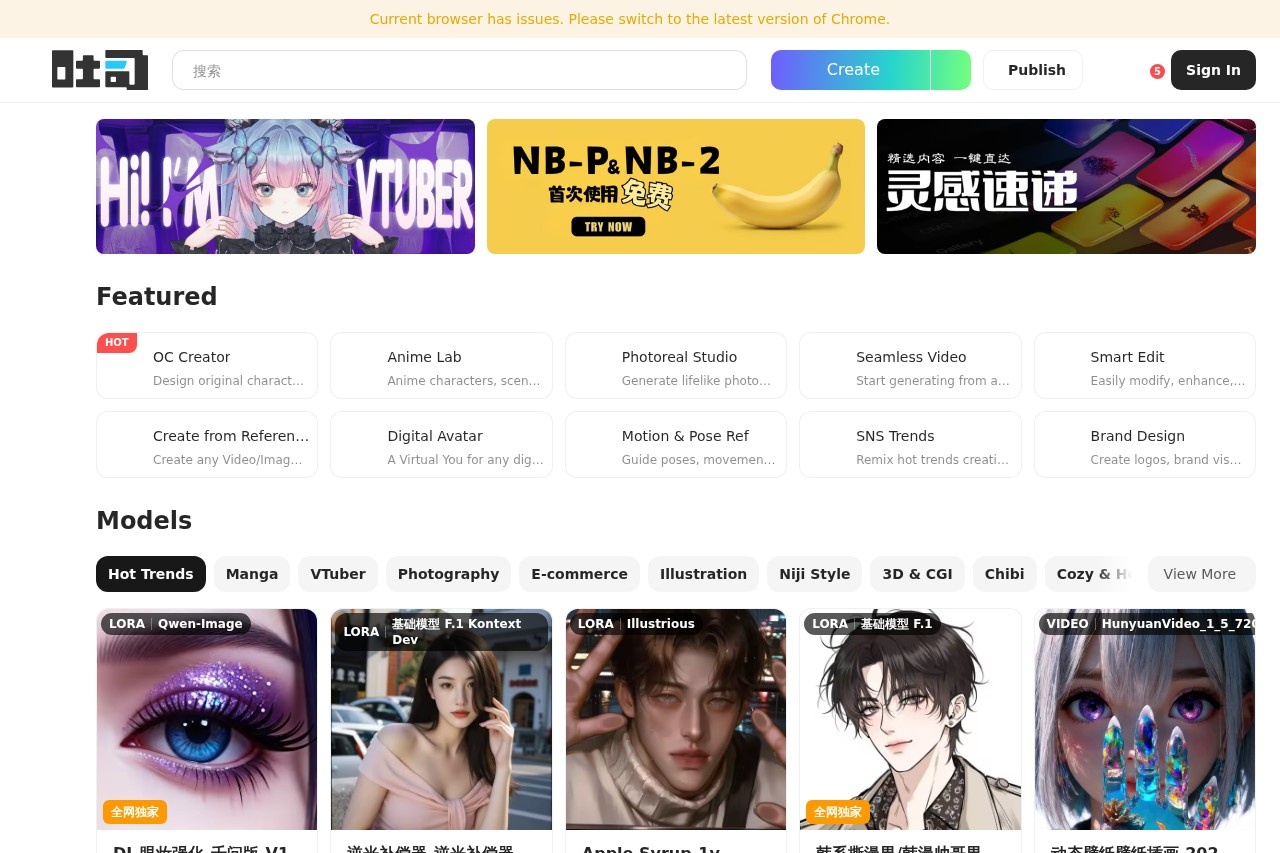
Access to a library of base models and specialized checkpoints like WAN_2_7 IMAGE PRO for various image generation tasks.
LoRA models
Utilize thousands of fine-tuned LoRA adapters for specific styles, characters, and effects, such as "韩系撕漫男" (Korean webtoon male) or "国风摄影" (Chinese style photography).
ComfyUI workflows
Leverage pre-built ComfyUI workflows for more advanced and customizable image generation pipelines.
Tencent Hunyuan-DiT for video
Generate videos using the HunyuanVideo models (e.g., 1.5_480P, 1.5_720P) for both image-to-video and text-to-video creation.
Specialized model categories
Browse models organized by popular trends including Anime, Game Virtual Characters, Photography, E-commerce, Illustration, Niji Style, 3D & CG, and Chibi.
Intelligent editing tools
A suite of tools designed to easily modify, enhance, or convert any input image.
Action and pose reference
Use guides for character poses, actions, and camera composition.
Community sharing platform
Discover, run, and share models created by other users within an active community, as indicated by download/run counts on listed models.
Target users
This platform directly serves digital artists, illustrators, character designers, and social media content creators. It is equally valuable for marketers and brand designers needing rapid visual asset creation. The community-driven model library and advanced tools like ComfyUI also attract AI hobbyists and technical users experimenting with different Stable Diffusion techniques.How to use TusiArt?
Visit the official website at TusiArt.com to access the platform. As a community hub, you can browse the extensive library of featured models, LoRAs, and workflows. To generate content, you would typically select a model that fits your desired style (e.g., "Realistic Studio" for photos, "Anime Lab" for characters) and use its interface, likely by providing a text prompt or uploading an image reference. The site facilitates running these models directly, after which you can download or share your creations.Effect review
TusiArt positions itself as a comprehensive hub rather than a single tool, aggregating the power of countless community-driven AI models. The featured models show high engagement, with some LoRAs and video models boasting thousands of runs, indicating active use and validation within its community. For a user, the primary value lies in the sheer breadth and specialization of available resources—from hyper-specific character styles to cutting-edge video generation—all accessible from one free platform. The quality of output is inherently tied to the specific model chosen, but the curation of "hot" and "trending" items helps users discover capable and popular options for professional and creative projects.Frequently Asked Questions
What is TusiArt?
Is TusiArt free to use?
What AI models does TusiArt support?
Can I share my AI-generated images on TusiArt?
What is ComfyUI workflow support in TusiArt?
Do I need to download software to use TusiArt?
TusiArt - AI Tool Detail
TusiArt is a free online AI art generation community offering Stable Diffusion models, LoRA, ComfyUI workflows, and Tencent Hunyuan-DiT for creating and sharing images.
Category:Image generation
Visit Link:https://tusiart.com/
Tags:AI art generator、Stable Diffusion、image creation、ComfyUI、free online community