
Skills
Skills by Skills.sh enables users to discover and install specialized capabilities for AI agents, expanding their functionality for various tasks and workflows.
What is Skills?
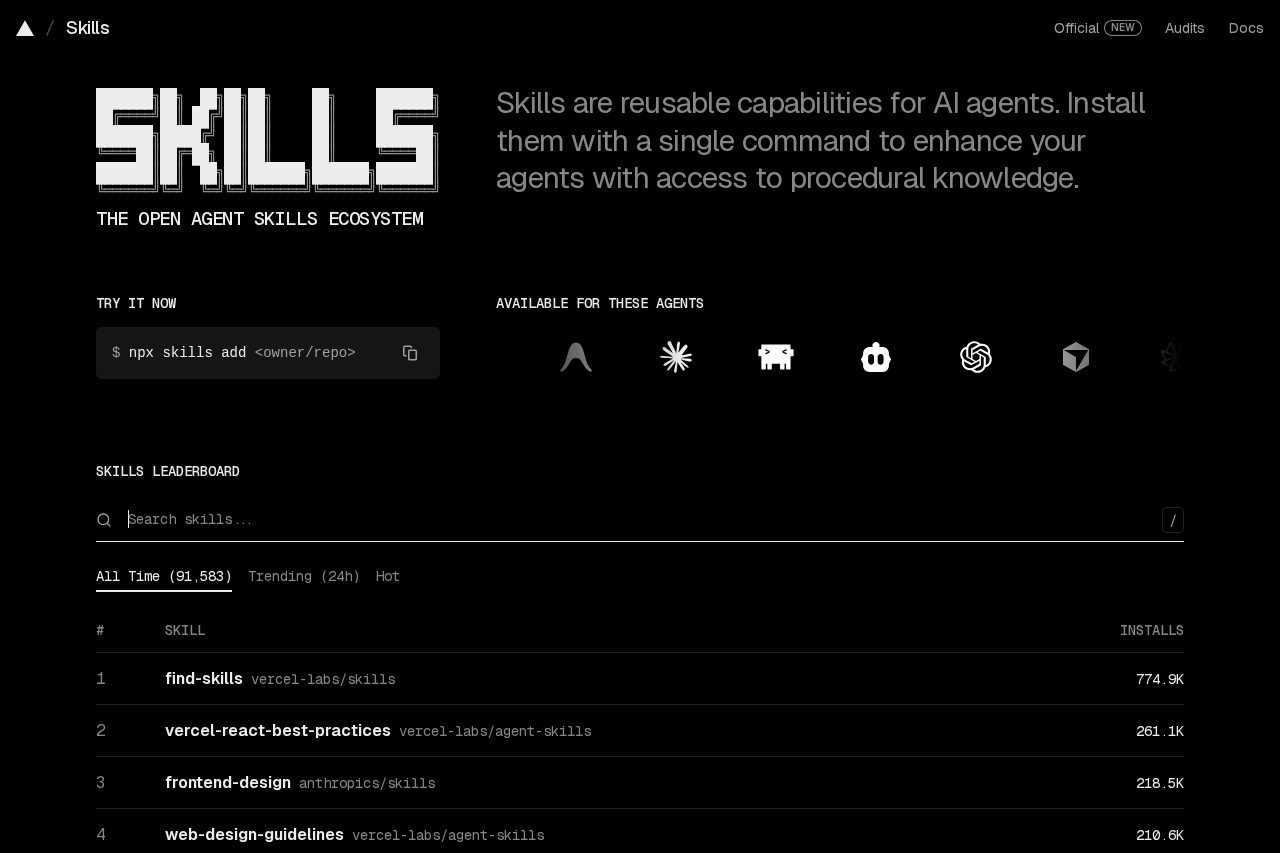
Skills is a platform for discovering and installing specialized capabilities for AI agents. It functions as a centralized directory where users can browse a wide array of skills to expand their agents' functionality. The platform tracks skill popularity with leaderboards, showing install counts and trending items. Users leverage it to enhance their AI workflows for development, design, content creation, and cloud operations.Application scenarios
Frontend Development
Implementing React best practices and composition patterns for building user interfaces.
AI-Powered Content Creation
Generating images, videos, and text for marketing and media projects.
Cloud Infrastructure Management
Handling Azure services, quotas, observability, and cloud migration tasks.
Marketing Strategy
Conducting SEO audits, developing content strategies, and applying marketing psychology.
Code Quality & Debugging
Performing systematic debugging, code reviews, and test-driven development.
Document Processing
Working with PDF, PPTX, DOCX, and XLSX files through AI agents.
UI/UX Design
Applying web and mobile app design guidelines and principles.
Core Features
Skills Leaderboard
Discover popular and trending skills ranked by total install counts across categories like "All Time" and "Trending (24h)."
Extensive Skill Library
Browse and install from a vast repository of over 90 listed skills, with some publishers offering hundreds of thousands of total installs.
Skill Discovery by Category
Filter and search skills for specific tasks, such as "web-design-guidelines" or "ai-image-generation."
Publisher Collections
Install multiple related skills from trusted publishers like Microsoft, Vercel Labs, and Anthropics.
Developer Workflow Integration
Use skills for development tasks including React Native, Next.js best practices, and Supabase database operations.
Creative AI Tools
Access skills for generating audio using ElevenLabs TTS and music, as well as brainstorming and writing plans.
Agent Enhancement
Install capabilities that allow AI agents to use browsers, execute plans, and create other skills.
Quality-Focused Skills
Apply skills for polishing, critiquing, and adapting content or code outputs.
Target users
This platform is built for developers, DevOps engineers, and cloud practitioners integrating AI into technical workflows. It also serves content creators, marketers, and designers seeking AI-assisted tools for generation and strategy. Teams building or utilizing AI agents for automation across software development, cloud infrastructure, and digital content will find it particularly beneficial.How to use Skills?
Visit the official website athttps://skills.sh. Use the search bar or browse the leaderboards to discover skills. You can view skills by their popularity ("All Time") or current momentum ("Trending (24h)"). Skills are listed with their name, publisher, and install count. Select a skill to install and add its specialized capability to your AI agent's toolkit.Effect review
The platform demonstrates significant traction, with leading skills amassing hundreds of thousands of installs and major publishers like Microsoft contributing skills with millions of total installations. This high adoption rate suggests the directory provides real, utility-driven value for extending AI agents. The breadth of skills—from cloud infrastructure and coding to creative generation—indicates it meets diverse professional needs, effectively acting as an essential plugin ecosystem for AI-powered workflows.Frequently Asked Questions
What is Skills by Skills.sh?
How do I install a skill for my AI agent?
Are there free skills available?
What types of tasks can Skills help with?
Do I need technical knowledge to use Skills?
Can I create and submit my own skills?
Skills - AI Tool Detail
Skills by Skills.sh enables users to discover and install specialized capabilities for AI agents, expanding their functionality for various tasks and workflows.
Category:Skill
Visit Link:https://skills.sh/
Tags:AI agents、agent capabilities、workflow automation、AI tool marketplace、skill installation