.webp)
Seedance 2.0
Seedance 2.0 by its developer creates cinematic AI videos from text or images, with native audio support, offering a free start for video generation.
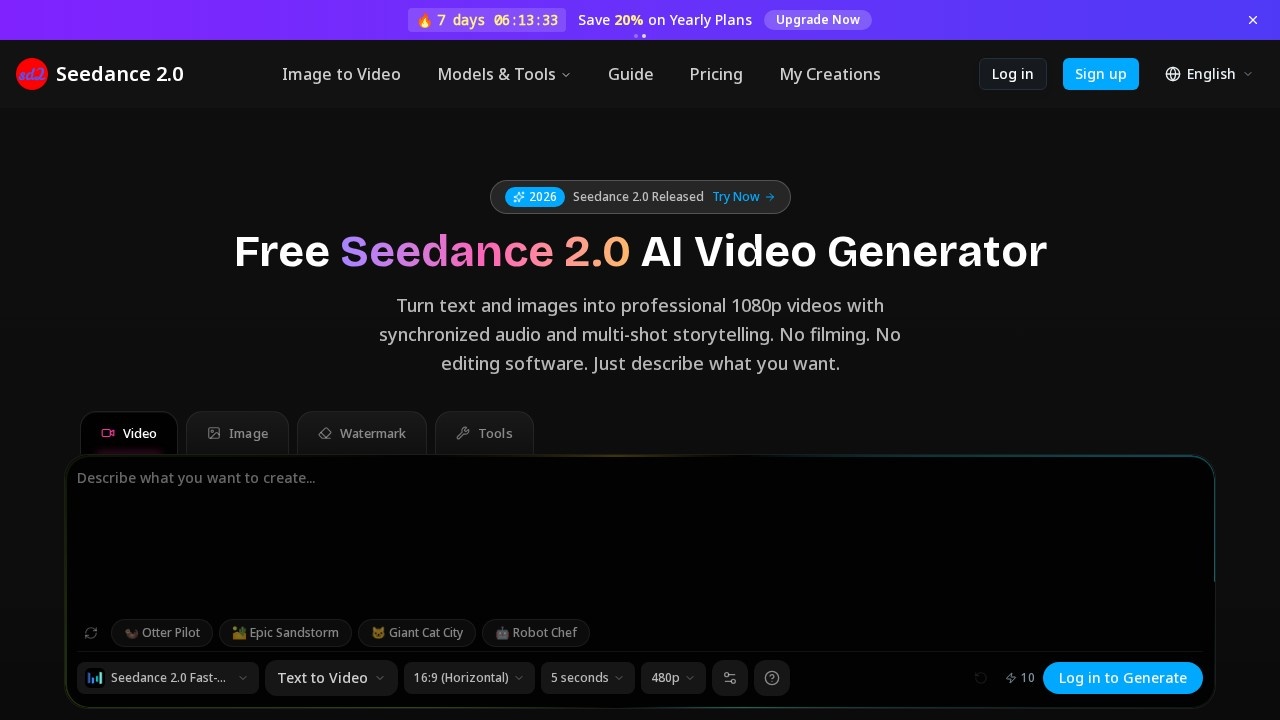
What is Seedance 2.0?
Seedance 2.0 is a multimodal AI video generation model built by ByteDance. It creates 1080p video with native audio from text, images, and reference files in a single pass. Users describe a scene, and the tool generates video with dialogue, sound effects, and ambient audio together—no separate audio editing needed. It powers text-to-video, image-to-video, reference-guided generation, video editing, and beat-sync workflows, all within a single browser workspace.Application scenarios
Text-to-video with audio
Describe a scene, and Seedance 2.0 generates video with synchronized dialogue, sound effects, and ambient audio.
Image-to-video
Upload a photo, and the tool animates it with natural motion, letting you set first and last frames or let the model decide.
Video editing in browser
Upload a clip, describe your edit, and Seedance 2.0 applies it, keeping original audio or switching to AI-generated sound.
Beat-sync for music videos
Upload a track, and the tool matches camera cuts, transitions, and motion to the beat for reels and music content.
Lip-sync in 8+ languages
Characters speak naturally in English, Japanese, Korean, Mandarin, and more, with mouth movement matching each language automatically.
Manga & comic videos
Turn static manga panels into animated episodes with consistent characters across every scene.
Cartoon series production
Produce multi-episode animated series with the same characters, same style, and different stories.
Core Features
Text to video with audio
Describe a scene, and Seedance 2.0 generates video with dialogue, sound effects, and ambient audio together—no separate audio editing.
Image to video
Upload a photo, and the tool animates it with natural motion; set first and last frames or let the model decide.
Up to 12 reference inputs
Feed images, video clips, and audio files into Seedance 2.0 to control style, motion, and composition across your output.
Video editing in browser
Upload a clip, describe your edit, and Seedance 2.0 applies it; keep original audio or switch to AI-generated sound.
Beat-sync for music videos
Upload a track, and Seedance 2.0 matches camera cuts, transitions, and motion to the beat—built for reels and music content.
Lip-sync in 8+ languages
Characters speak naturally in English, Japanese, Korean, Mandarin, and more, with mouth movement matching each language automatically.
Multi-shot storytelling
Generate professional 1080p videos with synchronized audio and multi-shot storytelling from text or images.
Motion graphics
Animated logos, title sequences, and visual effects—no After Effects required.
Target users
Seedance 2.0 is made for every creator: animators and artists, filmmakers, content creators, and marketers and teams. Animators can bring illustrated characters to life, filmmakers can produce cinematic landscapes, content creators can generate YouTube content and reels, and marketing teams can create product demos and motion graphics without editing software.How to use Seedance 2.0?
- Visit the Seedance 2.0 website at https://seedance2.so/.
- Describe your scene in the text box—write what you want to see, such as a product demo with voiceover or a cinematic landscape with ambient music. You can also upload reference images for better results.
- Select your video settings (e.g., 16:9 horizontal, 5 seconds, 480p) and click generate.
- Seedance 2.0 processes your input and creates video, audio, and transitions simultaneously. Most clips are ready quickly.
- Download your result—no filming or editing skills required.
Pricing and free trial
Seedance 2.0 offers a free start for video generation. The website states "Free Seedance 2.0 AI Video Generator" and includes a "Try Now" call-to-action, indicating a free tier is available for users to begin generating videos without upfront payment.Effect review
Seedance 2.0 delivers a genuinely streamlined video creation experience—one prompt handles video, audio, and transitions in a single pass. The native audio generation (dialogue, sound effects, ambient audio) eliminates the usual post-production audio work, which is a clear time-saver. For creators who need consistent character animation, lip-sync in multiple languages, or beat-synced music videos, the tool covers these workflows directly in the browser. While the free tier lets you test the quality, the 480p default and short clip length suggest higher-resolution outputs may require paid plans. Overall, Seedance 2.0 is a practical, all-in-one solution for anyone who wants cinematic video without traditional editing software.Frequently Asked Questions
What is Seedance 2.0?
Is Seedance 2.0 free to use?
What can I use to create videos in Seedance 2.0?
Does Seedance 2.0 support audio?
What type of videos does Seedance 2.0 produce?
How do I get started with Seedance 2.0?
Seedance 2.0 - AI Tool Detail
Seedance 2.0 by its developer creates cinematic AI videos from text or images, with native audio support, offering a free start for video generation.
Category:Text to Video
Visit Link:https://seedance2.so/
Tags:cinematic AI video、text-to-video、image-to-video、audio generation、free video generator