
RoomFlip
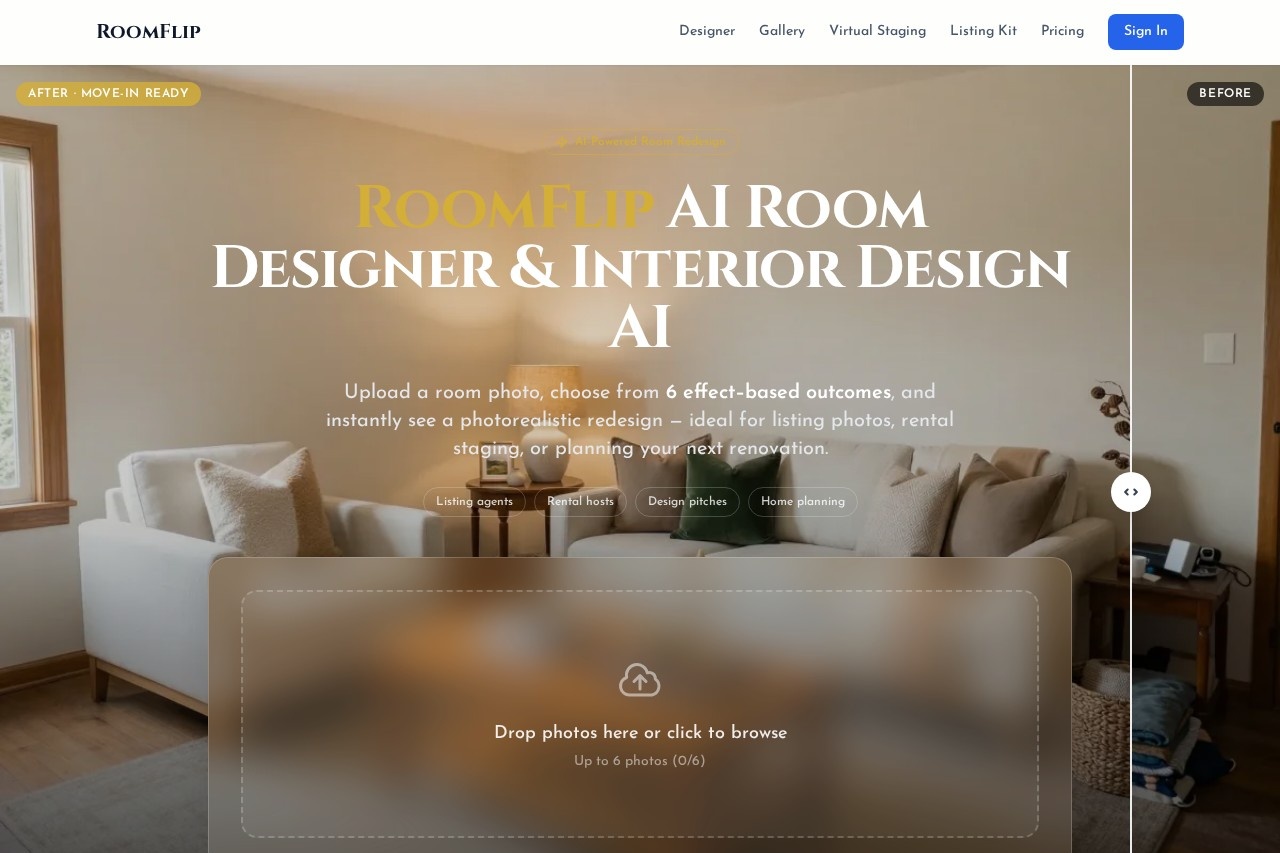
RoomFlip by RoomFlip.pro is a free AI room designer that transforms your space: upload a photo, choose a style, and receive a photorealistic redesign for living rooms, bedrooms, and kitchens in second
What is RoomFlip?
RoomFlip is a free AI-powered room designer and virtual staging tool. Users upload a photo of a room and receive a photorealistic redesign in seconds. It is built to provide believable visual direction quickly for tasks like real estate listings, rental staging, and renovation planning. The core process involves choosing from effect-based outcomes to transform spaces like living rooms, bedrooms, and kitchens.Application scenarios
Real estate listing enhancement
Turn ordinary listing photos into staged images to create a clearer story for potential buyers.
Short-term rental upgrades
Test how a bedroom or living space should feel before purchasing furniture to improve photography and occupancy.
Design and renovation pitches
Generate fast visual directions for client proposals to convey a concrete mood instead of vague style names.
Home planning and DIY projects
Explore design options before committing to paint, layout changes, or new furniture.
Core Features
AI Room Designer
Upload a room photo and see a photorealistic redesign of your actual space in seconds.
Virtual Staging
Stage vacant listing photos, Airbnb rooms, and new construction images digitally.
Multiple style previews
Preview over 12 professional interior design styles, such as modern minimalism and warm farmhouse, on your uploaded photo.
Batch photo processing
Upload up to 6 photos at once for redesign.
Effect-based outcomes
Choose from 6 different effect-based redesign outcomes for each room.
Credit pack system
Utilize a credit-based system for downloads, with available free credits.
Ownership and usage FAQ
Access clear answers about credit usage, image ownership, and download specifics.
Target users
The tool delivers the highest value to professionals who need to help others visualize a space's potential. This includes real estate listing agents and stagers, revenue-minded short-term rental hosts, and designers or remodelers creating client pitches. It is also useful for homeowners and renters exploring DIY renovation ideas.How to use RoomFlip?
- Visit the RoomFlip.pro website.
- Drag and drop your room photo or click to browse and upload. You can process up to 6 photos.
- Choose from the available design styles or effect-based outcomes.
- Instantly receive a photorealistic redesign of your space.
- For downloads and extended use, review the credit pack options and FAQ on the site.
Pricing and free trial
The website text confirms RoomFlip offers a free tier, mentioning "free credits." It operates on a credit pack system for paid downloads, with a dedicated pricing page to compare credit pack options.Effect review
RoomFlip is positioned as a tool for creating a "believable visual direction fast," with a focus on making the future of a room feel specific to aid in sales, staging, and planning. The output is described as "photorealistic," which is critical for its applications in real estate and client pitches where visual credibility is paramount. The service seems optimized for speed and practicality, allowing users to test design concepts without real-world financial commitment. For its target users—agents, hosts, and consultants—the value lies in its ability to generate concrete, shareable visuals that align stakeholders and guide decisions before any physical work begins.Frequently Asked Questions
What is RoomFlip?
How does RoomFlip work?
Is RoomFlip free to use?
What types of rooms can I redesign with RoomFlip?
Do I need design experience to use RoomFlip?
How long does it take to get a room redesign?
RoomFlip - AI Tool Detail
RoomFlip by RoomFlip.pro is a free AI room designer that transforms your space: upload a photo, choose a style, and receive a photorealistic redesign for living rooms, bedrooms, and kitchens in second
Category:Interior Design
Visit Link:https://roomflip.pro/
Tags:AI interior design、room redesign、home decor、AI design tool、virtual staging