
HouseDesign
AI-powered home design tool by HouseDesign for creating interiors, exteriors, and outdoor spaces. Quickly generate personalized, creative layouts from simple descriptions, bringing your dream home to
What is HouseDesign?
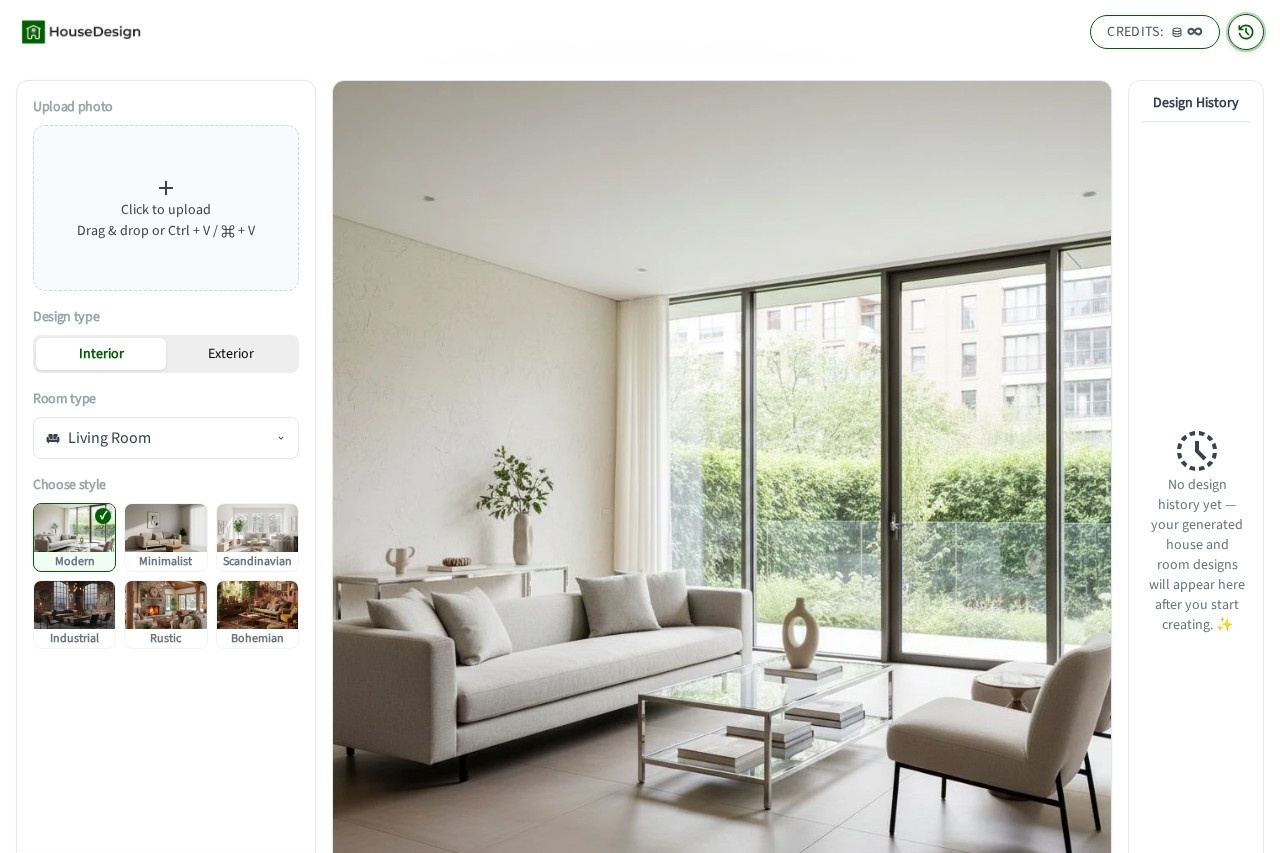
HouseDesign is an AI-powered home design tool that lets you visualize interior, exterior, and outdoor spaces in seconds. By uploading a photo and selecting a style, the AI analyzes the structure and layout to generate a realistic, personalized house design. It’s built for homeowners, students, and real estate professionals who want to explore design ideas without needing professional software.Application scenarios
Home renovation planning
Preview new paint, materials, or facade changes before starting construction.
Interior redesign inspiration
Quickly generate interior design concepts for living rooms, bedrooms, and other spaces.
Real estate presentation
Show buyers a property’s potential with AI-generated visuals to boost perceived value and speed up sales.
Personal creativity
Experiment with different home design styles just for fun, without any commitment.
Architecture study
Generate multiple design variations to understand how architectural styles change a building’s look.
Core Features
Instant design visualization
Upload a photo and instantly generate a new house design idea, eliminating guesswork.
AI-powered style transformation
The AI analyzes the structure and layout of your image to create a design that naturally fits the original space.
Exterior and interior in one tool
Redesign both the home facade and indoor rooms within a single platform.
Multiple design styles
Try different styles on the same image and easily compare results to find the best direction.
House Design or Room Design mode
Choose between exterior design (House Design) or interior design (Room Design) for more accurate results.
Photo-based generation
Simply upload a clear image of your house exterior or interior room to start the process.
Target users
Homeowners planning renovations, architecture students studying design variations, real estate agents preparing property presentations, and anyone curious about experimenting with home design ideas.How to use HouseDesign?
- Choose either House Design (exterior) or Room Design (interior) mode.
- Upload a clear photo of your house exterior or interior room.
- Pick your preferred style and click Generate. The AI will instantly create a new design based on your photo.
Effect review
User feedback on the site is positive: homeowners like Emily Carter report that seeing results helped her “clearly decide which look fits my home best,” while architecture student Daniel Kim uses the tool to “generate different house design variations for study.” The tool’s simplicity—upload, choose a style, generate—makes it practical for real-world decision-making, especially for renovation planning and real estate presentations. However, the website provides no details about output quality, resolution, or editing capabilities beyond style selection, so users should expect a straightforward preview tool rather than a full design suite.Frequently Asked Questions
What is HouseDesign?
How does HouseDesign generate designs?
Can I customize the generated designs?
What types of spaces can HouseDesign create?
Is HouseDesign free to use?
Do I need design experience to use HouseDesign?
HouseDesign - AI Tool Detail
AI-powered home design tool by HouseDesign for creating interiors, exteriors, and outdoor spaces. Quickly generate personalized, creative layouts from simple descriptions, bringing your dream home to
Category:Interior Design
Visit Link:https://housedesign.ai/
Tags:AI home design、interior design、exterior design、outdoor spaces、layout generator