
RecipeBook
Video data marketplace by Shofo for searching and ordering video clips.
What is RecipeBook?
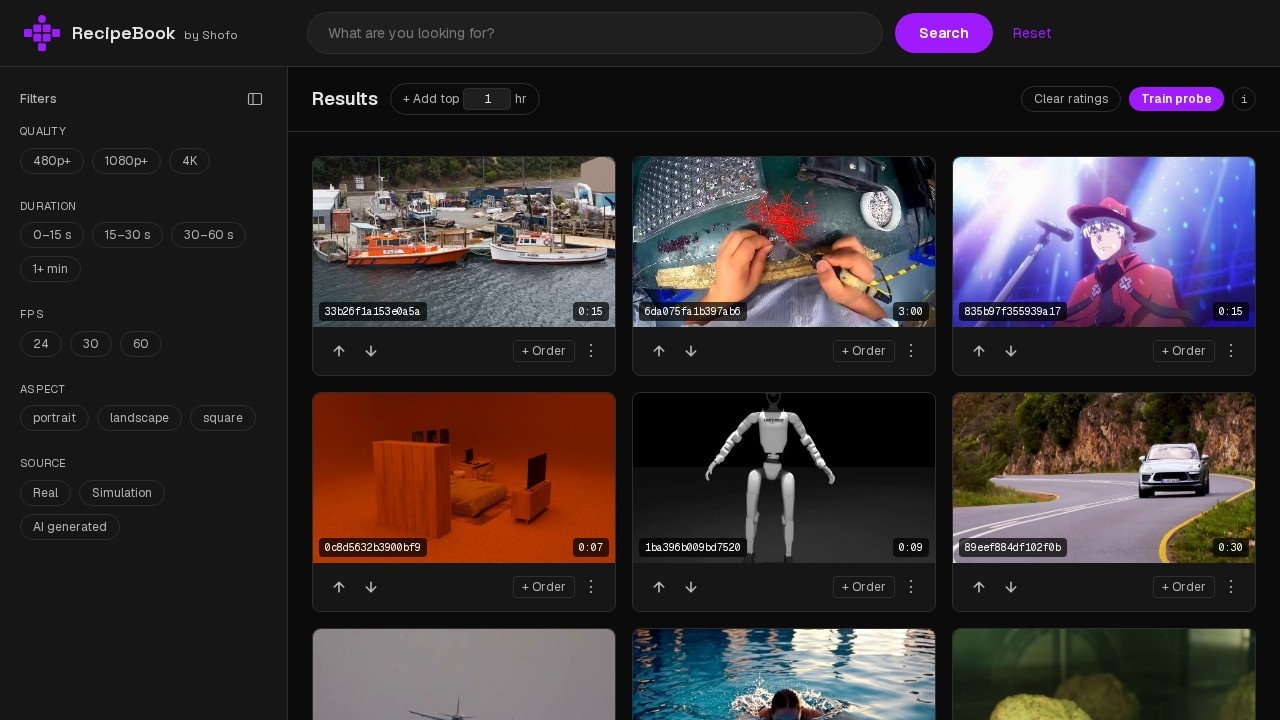
RecipeBook is a video data marketplace by Shofo that enables users to search for and order video clips. The platform provides a curated collection of video assets, each with thumbnails and duration tags, allowing users to browse and select clips for their projects. It functions as a straightforward marketplace for sourcing video content.
Application scenarios
Video production
Quickly find and order specific video clips for use in films, commercials, or corporate videos.
Content creation
Source stock footage for social media posts, YouTube videos, or blog content.
Marketing campaigns
Access targeted video assets to enhance advertising materials or brand storytelling.
Educational materials
Obtain relevant video clips for training modules, e-learning courses, or presentations.
Creative projects
Discover unique video footage for art installations, music videos, or experimental media.
Core Features
Video clip search
Browse a library of video clips with thumbnail previews and duration indicators.
Clip ordering
Select and order specific video clips directly through the marketplace.
Thumbnail previews
View visual previews of each clip before making a selection.
Duration tags
Each clip displays its length (e.g., 0:05, 1:00) to help users gauge suitability.
Curated collection
The marketplace offers a curated set of video assets, as indicated by the "curated" folder in the data URLs.
Target users
RecipeBook is designed for video editors, content creators, marketers, filmmakers, and anyone who needs to source video clips for professional or creative projects. It's particularly useful for teams that require a streamlined way to find and order specific footage without manually searching multiple sources.
How to use RecipeBook?
- Visit the RecipeBook website at https://recipebook.shofo.ai.
- Browse the displayed video clips using thumbnail previews and duration tags.
- Select a clip you're interested in by clicking on it (ordering process is handled through the platform).
- Follow the platform's ordering flow to complete your purchase or download.
Effect review
RecipeBook delivers a no-frills approach to video clip sourcing, with a focus on visual browsing and quick selection. The thumbnail previews and duration tags make it easy to evaluate clips at a glance, though the interface is minimal and lacks advanced filtering or search options based on the provided content. For users who need a simple, direct way to find and order video assets, RecipeBook gets the job done without unnecessary complexity. However, the limited information on pricing, licensing, and clip metadata may leave some users wanting more detail before committing to an order.
Frequently Asked Questions
What is RecipeBook?
How do I search for video clips on RecipeBook?
Can I order custom video clips through RecipeBook?
Is RecipeBook free to use?
Who can use RecipeBook?
How do I get started with RecipeBook?
RecipeBook - AI Tool Detail
Video data marketplace by Shofo for searching and ordering video clips.
Category:Video generation
Visit Link:https://recipebook.shofo.ai/
Tags:video marketplace、stock footage、AI video search、clip licensing、Shofo