
MeinaMix
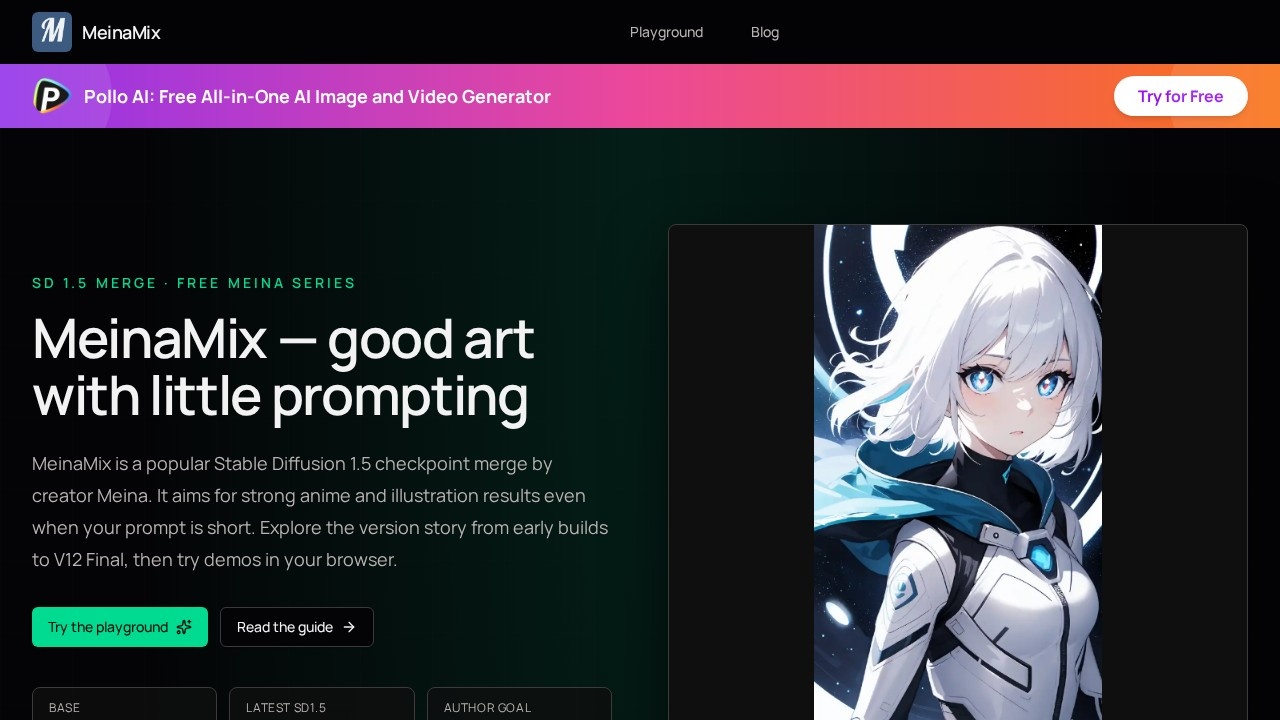
MeinaMix by Meina is a free SD 1.5 merge checkpoint for anime, illustration, and character art. It offers plain-language guides, version history, and browser playgrounds to help you create and experim
What is MeinaMix?
MeinaMix is a free Stable Diffusion 1.5 checkpoint merge created by Meina, designed to produce strong anime and illustration results even with short prompts. It's a model file you can run locally in tools like Automatic1111, Forge, or ComfyUI, or test directly in browser-based playgrounds. The series has a long public version history, from early builds through V12 Final, which is the last SD 1.5 release before the author moved focus to SDXL work under MeinaXL. Users pick MeinaMix when they want anime, 2D, portrait, landscape, or semi-realistic illustration looks without writing novel-length prompts.
Application scenarios
Anime art generation
Create anime-style images with minimal prompting, relying on the model to handle the heavy lifting.
2D illustration work
Produce flat, stylized 2D illustrations across various subjects.
Portrait creation
Generate character portraits, with guidance on resolutions like 512×768 or 512×1024.
Landscape and scenery
Use the model for environment art, with version-specific improvements in lighting and dark scenes.
Semi-realistic art
Blend anime and realistic styles, especially in V5 and later versions that support 2.5D and near-realistic output.
Learning prompt craft
Beginners can practice prompt writing because the model performs well even with short prompts.
Core Features
Short-prompt performance
The model is tuned to deliver good art even when your prompt is brief, reducing the need for extensive prompt engineering.
Version selection
Choose from public milestones like V5, V7, V11, and V12 Final to match your preferred style and output characteristics.
Free Meina series
Published under CreativeML Open RAIL-M, with the author stating the Meina series will remain free.
Browser playground
Try MeinaMix V11, V7, or V5 in a dual-tab playground without installing a local GPU setup.
Local tool support
Run the weights in Automatic1111, Forge, or ComfyUI for full control over generation.
Clip Skip 2 guidance
Author habits include Clip Skip 2 and enabling K sampler quantization where available.
Recommended sampler settings
Use DPM++ SDE Karras 20–30, DPM++ 2M Karras 20–60, or Euler a 40–60, with CFG around 4–9.
Hires.Fix support
For distant faces, the guide recommends Hires.Fix with models like R-ESRGAN 4x+ Anime6B.
Version-specific improvements
V7 improved hands, dark scenes, lighting, camera angles, and detail; V11 reduced overly dark outputs and improved faces/eyes without hires.
SDXL continuation
The author continues the series as MeinaXL for SDXL work after V12 Final.
Target users
MeinaMix suits digital artists, anime illustrators, and hobbyists who want consistent anime or semi-realistic results without spending hours on prompt tuning. It's also a practical choice for beginners learning Stable Diffusion, since the model tolerates short prompts and the official guide provides clear starting recipes. Users who prefer browser-based testing before committing to local installs will appreciate the playground demos.
How to use MeinaMix?
- Open the official site and use the playground to test MeinaMix V11, V7, or V5 directly in your browser—no local GPU required.
- For local use, download the weights and run them in Automatic1111, Forge, or ComfyUI.
- Follow the starting recipe: set Clip Skip to 2, enable K sampler quantization if available.
- Pick a sampler like DPM++ SDE Karras (20–30 steps), DPM++ 2M Karras (20–60), or Euler a (40–60), with CFG around 4–9.
- Use portrait resolutions like 512×768 or 512×1024, and apply Hires.Fix with R-ESRGAN 4x+ Anime6B for distant faces.
Effect review
MeinaMix delivers what it promises: solid anime and illustration output with minimal prompting, backed by a long public version history that shows iterative improvements in hands, lighting, and detail. The version-specific guidance—like V7's hand fixes and V11's darker-output reduction—gives users concrete choices rather than a one-size-fits-all model. The browser playground lowers the barrier for testing, though availability and queue times depend on third-party demos. For a free SD 1.5 checkpoint, the combination of clear documentation, multiple versions, and practical settings makes it a reliable starting point for anime-focused generation.
Frequently Asked Questions
What is MeinaMix?
Is MeinaMix free to use?
What type of art is MeinaMix best for?
Do I need to install anything to use MeinaMix?
How can I get started with MeinaMix?
Does MeinaMix have version history?
MeinaMix - AI Tool Detail
MeinaMix by Meina is a free SD 1.5 merge checkpoint for anime, illustration, and character art. It offers plain-language guides, version history, and browser playgrounds to help you create and experim
Category:Image generation
Visit Link:https://meinamix.com/
Tags:anime、illustration、character art、Stable Diffusion、AI art generator