
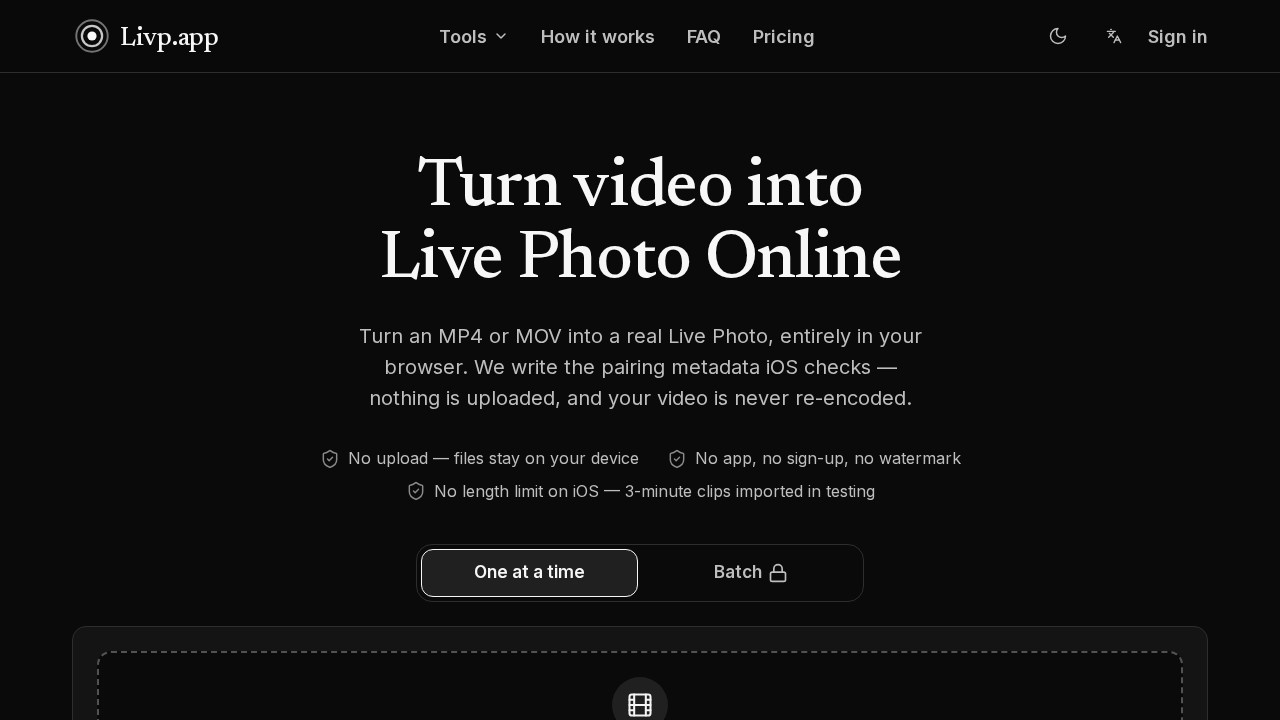
What is Live Photo Converter?
Live Photo Converter is a browser-based suite of five tools for moving between iPhone Live Photos and ordinary media formats. It creates real Live Photos from MP4, MOV, and animated GIF files, and it extracts video, JPEG stills, or GIFs back out of existing Live Photos. Every conversion happens locally in the browser: nothing is uploaded, and videos are never re-encoded. The result is a fast, account-free workflow for anyone who wants a short clip to behave like a photo in the iOS Photos app.
Application scenarios
Social posting
Douyin and WeChat Moments only accept clips of roughly 3 seconds, so longer videos post as stills — trimming to a 3-second Live Photo keeps them moving.
Bringing clips back as photos
Turn a short phone clip into a Live Photo so it lives inside the Photos library alongside stills instead of the video album.
Messaging and chat
Convert a Live Photo into a GIF that plays in chat, forums, or anywhere that takes a plain image.
Editing pipelines
Pull the movie out of a Live Photo as a normal video file you can send, post, or cut in any editor.
Thumbnails and covers
Extract the cover frame — or any frame you pick — as a plain JPEG for previews and documentation.
Archiving old GIFs
Convert an animated GIF into a Live Photo so it plays on iPhone with a press and hold.
Core Features
Video to Live Photo
Turn an MP4 or MOV (H.264 or HEVC) into paired Live Photo files with no upload and no re-encoding.
GIF to Live Photo
Turn an animated GIF into paired Live Photo files, re-encoded to H.264 directly in the browser.
Live Photo to video
Pull the movie out of a Live Photo as a standard video file you can send, post, or edit anywhere.
Live Photo to still image
Get a plain JPEG out of a Live Photo — use the cover frame or pick any frame you want.
Live Photo to GIF
Turn a Live Photo into a GIF that plays in chat, on forums, or anywhere that accepts an image.
Clip length control
Choose 3s, 5s, or 10s, or keep the full clip; the selected segment is taken around the cover frame.
Frame picker
The converter pulls a cover frame automatically, and you can drag to a different one before converting.
ZIP export
Download the still and movie together in one ZIP, ready for paired import into Photos.
Local-only processing
Files stay on your device, with no app install, no sign-up, and no watermark.
No length limit on iOS
Clips up to 3 minutes imported successfully in testing.
Target users
- iPhone and iPad users who want short videos to appear as Live Photos in the Photos app.
- Social media posters working around the 3-second limit on Douyin and WeChat Moments.
- Content creators and editors who need to strip the video track out of a Live Photo for use in other tools.
- Community and support teams converting Live Photos into GIFs or JPEGs for chat, forums, and docs.
- Privacy-conscious users who want conversions done without handing files to a server.
How to use Live Photo Converter?
- Open the tool: Go to livp.app in your browser and pick the converter you need from the five available.
- Choose a file: Drop in your video (MP4 or MOV, H.264 or HEVC) or GIF. The file is read locally and never sent anywhere.
- Pick the cover frame and length: Select 3s, 5s, 10s, or keep the full clip, and drag to the frame Photos will display.
- Download the ZIP: The export contains both the still and the movie as a matched pair.
- Import as a pair: Follow the site's paired-import guide to add the two files to Photos as a single LIVE item. Send both files together — as files rather than chat attachments — since some messaging apps rebuild files in transit and drop the pairing metadata.
No account is required at any step.
Effect review
The engineering choice here is the selling point: because the video is never re-encoded, conversion only writes the pairing identifier into the still and adds a small metadata track to the movie. The site reports a 2 MB clip finishing in about 11 milliseconds, which makes repeated attempts painless. That metadata is also the fragile part — a Live Photo passed through a messaging app often arrives as an ordinary photo, so the paired ZIP and file-transfer advice matter more than the conversion itself. For typical users, the practical value is a fast, private way to move between Live Photos and standard formats without installing anything. The five-tool coverage means you rarely need a second site to finish the job.
Frequently Asked Questions
What is Live Photo Converter?
Are my files uploaded to a server?
What formats can I convert to and from?
Can I turn a Live Photo into a GIF or a still image?
Do I need to install software or create an account?
How many tools are included in the suite?
Live Photo Converter - AI Tool Detail
Live Photo Converter is a browser-based suite for creating real iPhone Live Photos from MP4/MOV and converting Live Photos to video, JPG, or GIF. All five tools run privately with no uploads or instal
Category:Video editing
Visit Link:https://livp.app/