
inbrowser.chat
Inbrowser.chat is a privacy-focused AI chat tool that runs entirely in your browser, enabling secure conversations without server-side data storage. It offers instant AI assistance for writing, coding
What is inbrowser.chat?
Inbrowser.chat is a privacy-focused AI chat tool that runs entirely inside your browser, using Chrome's built-in LanguageModel API to process conversations locally on your device. There is no server, no API key, and no network request—your messages are handled entirely by the browser itself. It is designed for secure, offline-capable conversations without any data ever leaving your machine. Users rely on it for instant AI assistance with writing, coding, and other tasks, all while keeping their data completely private.
Application scenarios
Private writing assistance
Draft emails, articles, or notes without sending text to the cloud.
Offline coding help
Get code suggestions and debugging tips even when disconnected from the internet.
Sensitive document review
Analyze confidential documents locally without risking data exposure.
Educational study aid
Use AI for homework help or learning topics without tracking or server logs.
Travel or low-connectivity work
Access AI chat on a desktop device where internet is unreliable or unavailable.
Core Features
Fully on-device processing
Conversations are processed by Chrome's built-in Gemini Nano model, which runs directly on your device—no server, no API key, no network request.
No data storage on servers
The entire app is a single HTML file with hand-written CSS and vanilla JavaScript. Conversations are saved only in your browser's `localStorage`, so they stay on your device and never get uploaded anywhere.
Offline functionality
Once the model is downloaded, inbrowser.chat works offline, making it usable without an internet connection.
Chromium-based browser required
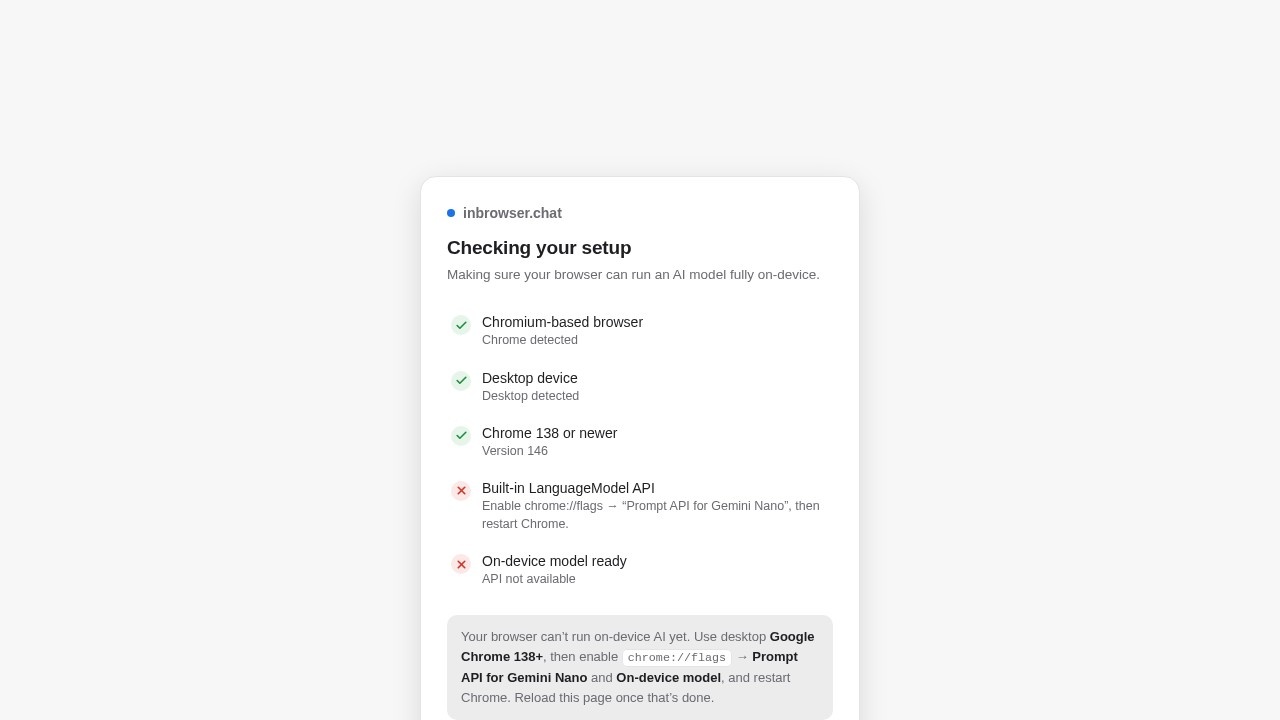
The tool requires a Chromium-based browser (Chrome 138 or newer) on a desktop device with enough storage and memory.
Simple, single-file interface
The app is a single HTML file with a clean, minimal design using your system font—no external dependencies or complex setup.
New chat management
You can start a new chat at any time; the interface shows "No conversations yet" until you begin typing.
Target users
This tool is ideal for privacy-conscious individuals who need AI assistance without sending data to the cloud. It's also well-suited for developers, writers, and researchers working on sensitive projects, as well as anyone who wants a lightweight, offline-capable AI chat that runs entirely on their own hardware.
How to use inbrowser.chat?
- Open inbrowser.chat in a supported Chromium-based browser (Chrome 138 or newer on a desktop device).
- The tool automatically checks your browser's setup—it will confirm if the on-device model is ready.
- If the model is available, type your message in the input field to start a conversation.
- Your chat history is saved automatically in your browser's
localStorageand stays on your device. - To start a fresh session, click "New chat."
Effect review
Inbrowser.chat delivers exactly what it promises: a private, serverless AI chat that runs entirely on your device. The setup is straightforward—just open the page in a compatible Chrome build—and the interface is refreshingly minimal. While the Gemini Nano model is less powerful than cloud-based alternatives, the trade-off for absolute privacy and offline capability is significant. For users who prioritize data security over cutting-edge AI performance, this tool is a practical, no-compromise solution. It's a clear demonstration of how far on-device AI has come, and it works reliably without sending a single byte to the cloud.
Frequently Asked Questions
What is inbrowser.chat?
How does inbrowser.chat ensure privacy?
Can I use inbrowser.chat for coding assistance?
Do I need to install any software to use inbrowser.chat?
Is inbrowser.chat free to use?
inbrowser.chat - AI Tool Detail
Inbrowser.chat is a privacy-focused AI chat tool that runs entirely in your browser, enabling secure conversations without server-side data storage. It offers instant AI assistance for writing, coding
Category:Chat bot
Visit Link:https://inbrowser.chat/
Tags:privacy-focused、browser-based AI、secure chat、offline AI、no data storage