
Humantone
Humantone is a free AI text humanizer that converts AI-generated drafts from ChatGPT, Claude, and Gemini into natural, human-like writing. It offers six modes, requires no signup, and preserves the or
What is Humantone?
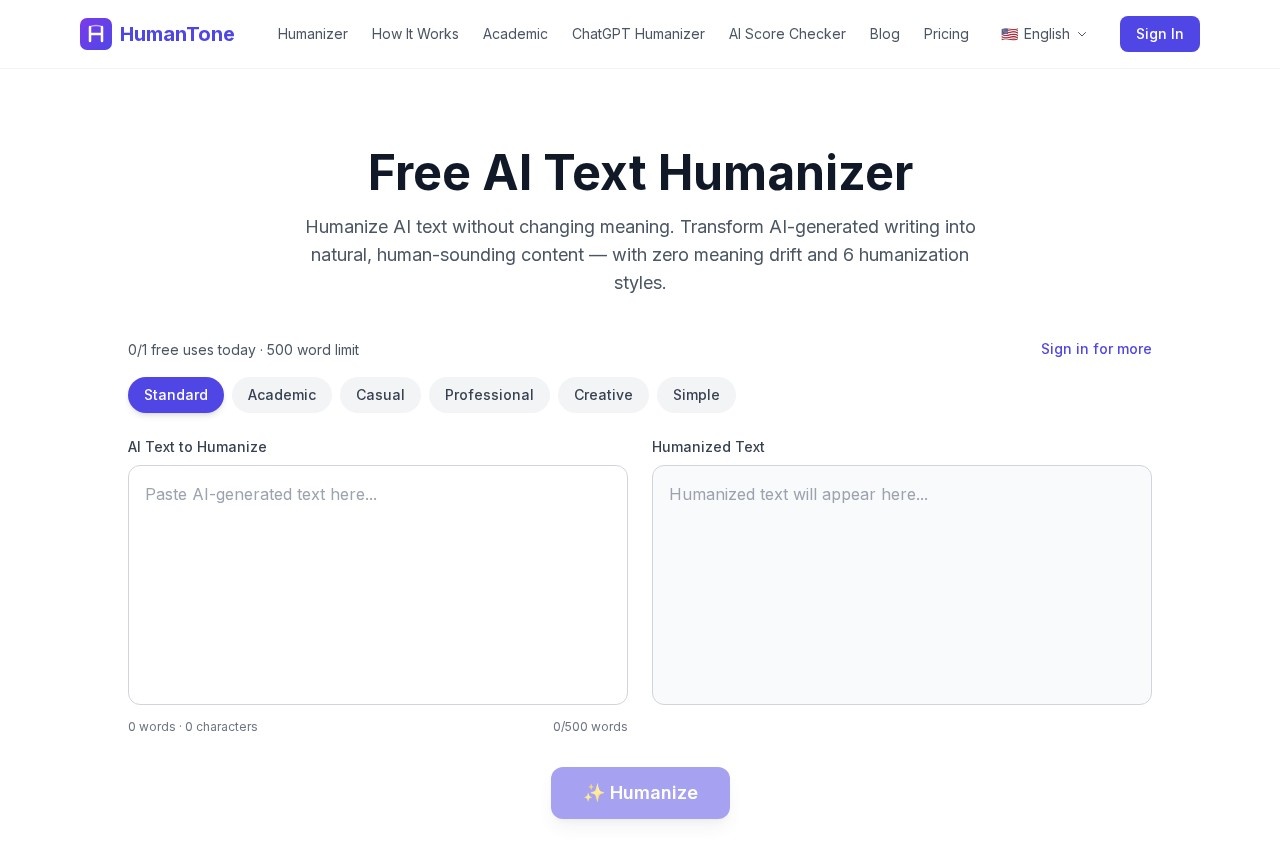
Humantone is a free, browser-based AI text humanizer. It converts AI-generated drafts from models like ChatGPT, Claude, Gemini, and Copilot into natural, human-sounding writing. Users can select from six distinct humanization modes to match different contexts. The tool processes text in real-time and is designed to preserve the original meaning without any signup required.Application scenarios
Academic writing
Humanize essays and research drafts to sound more natural.
Professional communication
Refine business emails, reports, and proposals.
Creative projects
Adjust the tone of creative writing or marketing copy.
Casual content
Make blog posts or social media content sound less robotic.
Editing workflows
Quickly check and rewrite AI-generated drafts before final use.
AI detection bypass
Prepare text to score as human-written on common AI detectors.
Core Features
Six humanization modes
Choose from Standard, Academic, Casual, Professional, Creative, and Simple writing styles.
Real-time streaming
Watch the text transform word by word as it is processed.
AI detection bypass
The tool rewrites text to consistently be identified as human-written by popular AI detectors.
Zero meaning drift
Preserves every fact, argument, and nuance from the original AI-generated text.
Free & no signup
Use the tool immediately without creating an account or providing payment details.
Mobile friendly
The web-based tool works perfectly on phones, tablets, and desktops.
Word limit
Process up to 500 words per request in the free tier.
Broad model support
Accepts text from all major AI models including ChatGPT, Claude, Gemini, and Copilot.
Target users
This tool benefits students, academics, content creators, marketers, business professionals, and anyone who uses AI writing assistants. It is particularly useful for individuals and teams who need to polish AI-generated drafts for publication, submission, or professional communication while maintaining the original intent.How to use Humantone?
- Navigate to the Humantone website in your browser.
- Paste your AI-generated text (up to 500 words for free) into the input field.
- Select one of the six humanization modes.
- Click the "Humanize" button to receive the transformed text via real-time streaming. The processed text can then be copied for use.
Pricing and free trial
Humantone offers a free tier that requires no signup or credit card. This free version processes up to 500 words per request. The website mentions a "Pro" tier that allows processing up to 5,000 words, but no specific pricing details are provided in the given text.Effect review
The tool is positioned as a specialized utility for a common post-AI writing task. Its core promise is delivering human-like text without altering the original meaning, which addresses a key pain point in AI-assisted writing. The inclusion of multiple style modes and a focus on bypassing AI detectors suggests it is built for practical, real-world application. The claim that over 50,000 texts have been humanized since launch indicates a level of user adoption. For a free, no-friction tool, its feature set is focused and directly applicable for users seeking to refine the tone and authenticity of AI-generated content.Frequently Asked Questions
What is Humantone?
Is Humantone free to use?
What AI tools does Humantone support?
How many modes does Humantone offer?
Does Humantone preserve the original meaning of the text?
Do I need to create an account to use Humantone?
Humantone - AI Tool Detail
Humantone is a free AI text humanizer that converts AI-generated drafts from ChatGPT, Claude, and Gemini into natural, human-like writing. It offers six modes, requires no signup, and preserves the or
Category:Optimisation
Visit Link:https://humantone.ai/
Tags:AI text humanizer、content rewriting、AI detector bypass、writing assistant、free AI tool