
GoHumanize
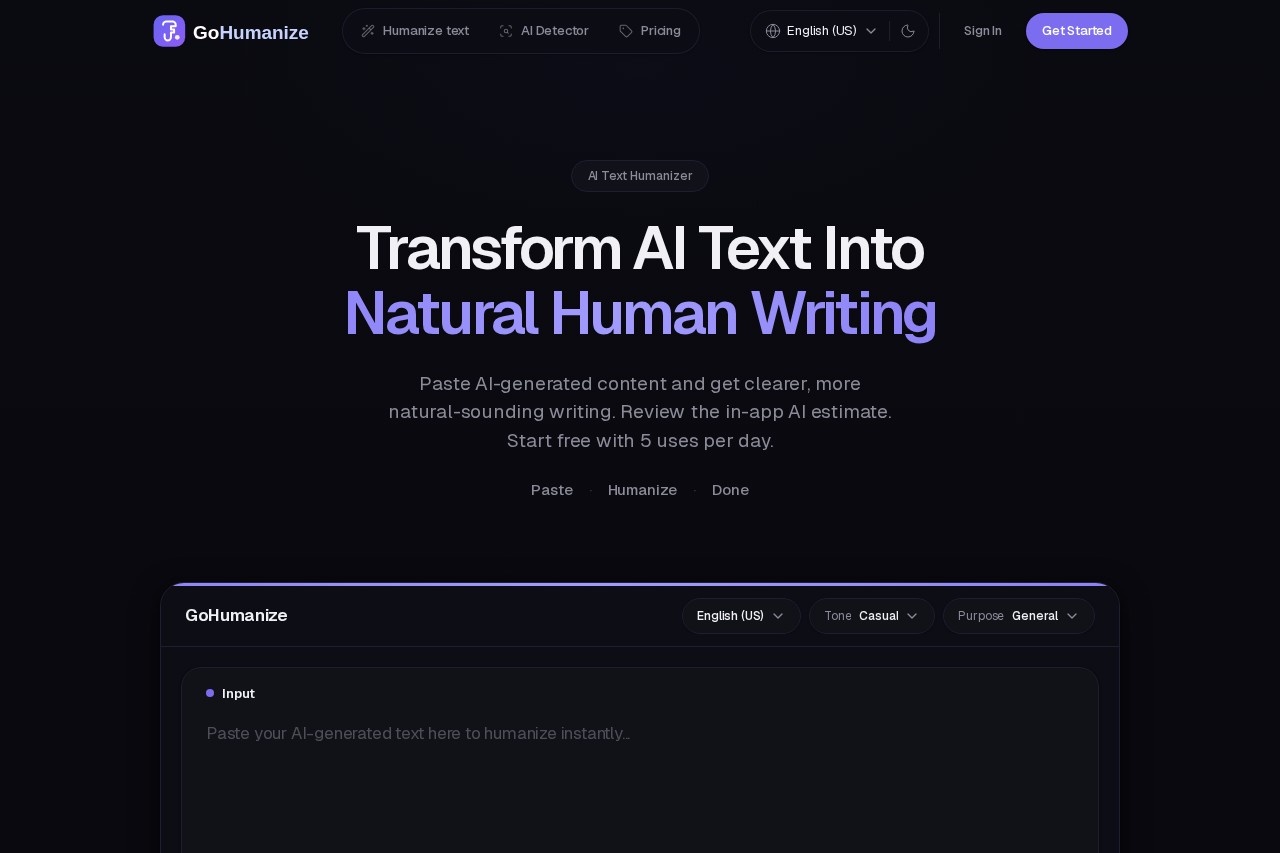
GoHumanize is an AI-powered tool that transforms AI-generated text into natural, human-like writing. It features built-in scoring to help users refine tone and flow for more authentic content.
What is GoHumanize?
GoHumanize is an AI-powered tool that transforms AI-generated text into natural, human-like writing. Users paste content from tools like ChatGPT or Claude, and the software rewrites it for clarity and authenticity. It provides an in-app AI estimate to help users refine tone and flow. The tool is designed to help content bypass AI detection while preserving the original meaning.Application scenarios
Blog & Articles
Turn AI drafts into readable posts that maintain your voice and rank well.
Essays & Coursework
Humanize academic or educational text for more natural submission.
Marketing Campaigns
Transform robotic AI copy into authentic-sounding content for campaigns.
General Writing Workflows
Fit into real workflows where natural-sounding text is required, from professional documents to creative projects.
Core Features
Multi-Step Processing
A five-stage pipeline analyzes, restructures, varies, tones, and polishes text for natural output.
Natural Phrasing
Aims for clearer rhythm and vocabulary typical of human drafts.
7 Languages Supported
Humanize text in English (US/UK), Spanish, Portuguese, German, Italian, and French.
Lightning Fast Processing
Get humanized text in seconds, optimized for speed without sacrificing quality.
Meaning Preservation
Advanced analysis ensures your original message and key arguments stay intact.
In-App AI Check
Review an estimated percentage of AI-like patterns in your text as a guide.
Usage Dashboard
Track your humanization history, daily uses, and word counts with detailed analytics.
Sample Text Function
Try the tool with provided sample text before pasting your own content.
AI Detection Comparison
See a side-by-side visual comparison of AI-generated versus humanized text and its AI detection score.
Target users
This tool benefits writers, content creators, marketers, students, and professionals who use AI text generators. It is built for anyone needing to refine AI-generated drafts—from bloggers and essay writers to campaign managers—into authentic, human-sounding content.How to use GoHumanize?
The process involves three simple steps. First, paste your AI-generated content from any tool into the editor. Second, click the "Humanize" button to let the five-step engine rewrite the text. Third, copy the instantly generated humanized text for use anywhere. You can start with 5 free uses daily without a credit card.Pricing and free trial
The website clearly states a free tier is available. You can start free with 5 uses per day, with no credit card required.Effect review
The website demonstrates GoHumanize's effect through a direct comparison, showing a text's AI detection score dropping from 97% to 3% while readability is enhanced and meaning is preserved. This indicates a strong practical utility for users who need to mitigate the robotic tone and detectable patterns of AI-generated content. The focus on preserving core arguments while improving flow addresses a key pain point in post-AI editing. The provision of an in-app score, alongside the caveat that third-party detectors may disagree, sets realistic expectations. For the typical user looking to quickly add a natural polish to AI drafts, the feature set promises a streamlined and efficient solution.Frequently Asked Questions
What is GoHumanize?
How does GoHumanize improve AI-generated text?
What is the built-in scoring feature?
Who can benefit from using GoHumanize?
Is GoHumanize easy to use?
What types of content can GoHumanize process?
GoHumanize - AI Tool Detail
GoHumanize is an AI-powered tool that transforms AI-generated text into natural, human-like writing. It features built-in scoring to help users refine tone and flow for more authentic content.
Category:AI Writing
Visit Link:https://gohumanize.ai/
Tags:AI writing assistant、text humanizer、content refinement、tone optimization、writing enhancement